S3
Show slides














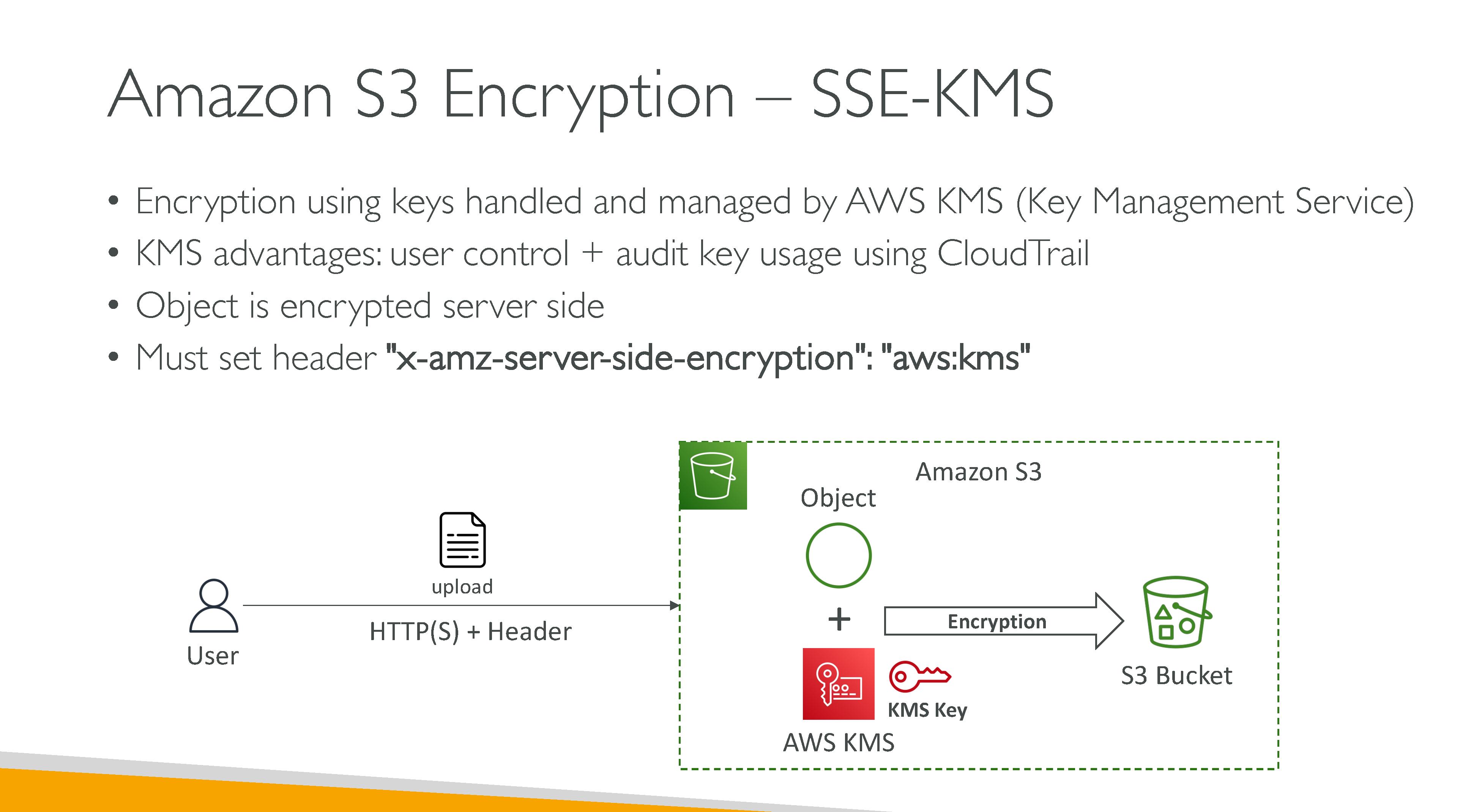
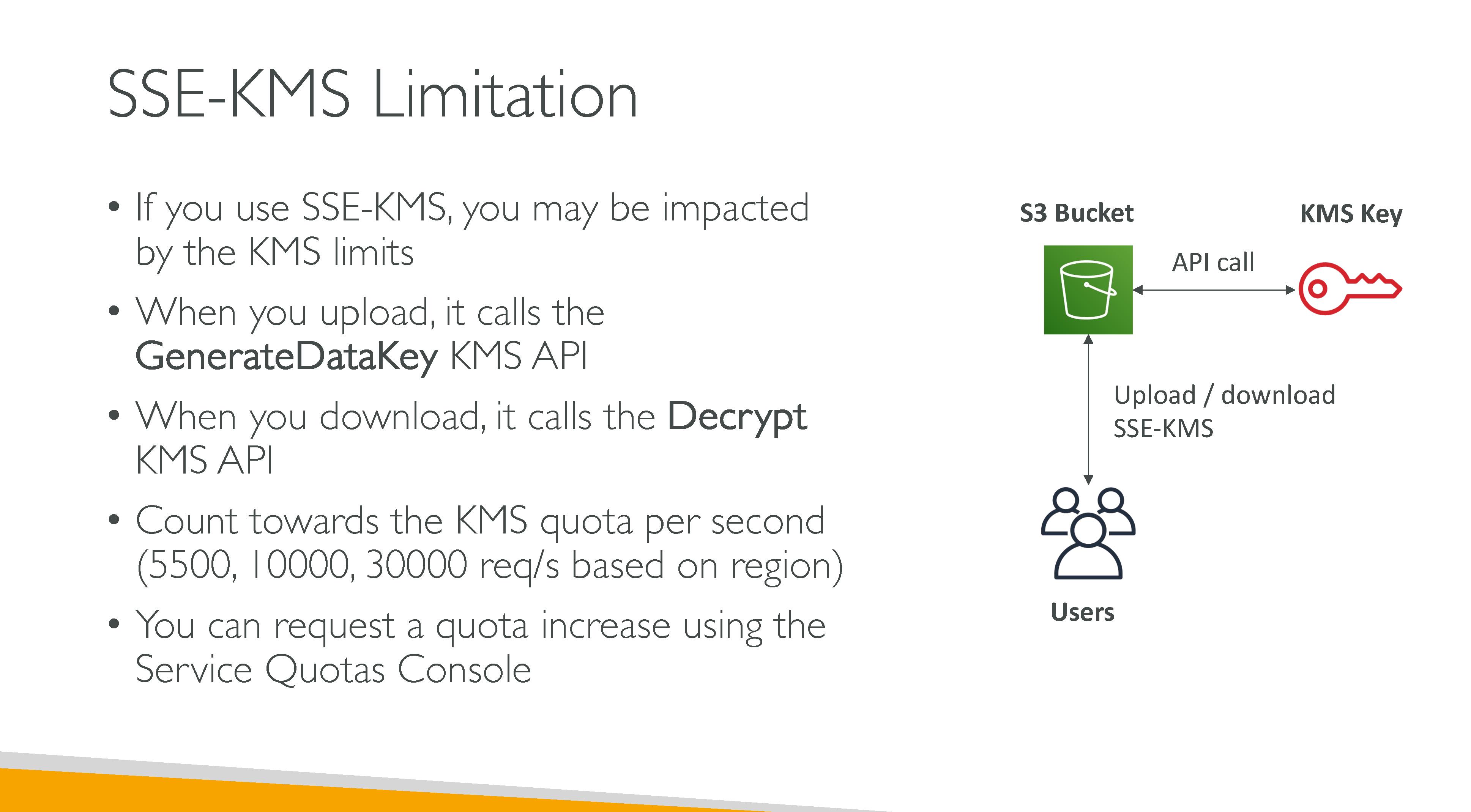

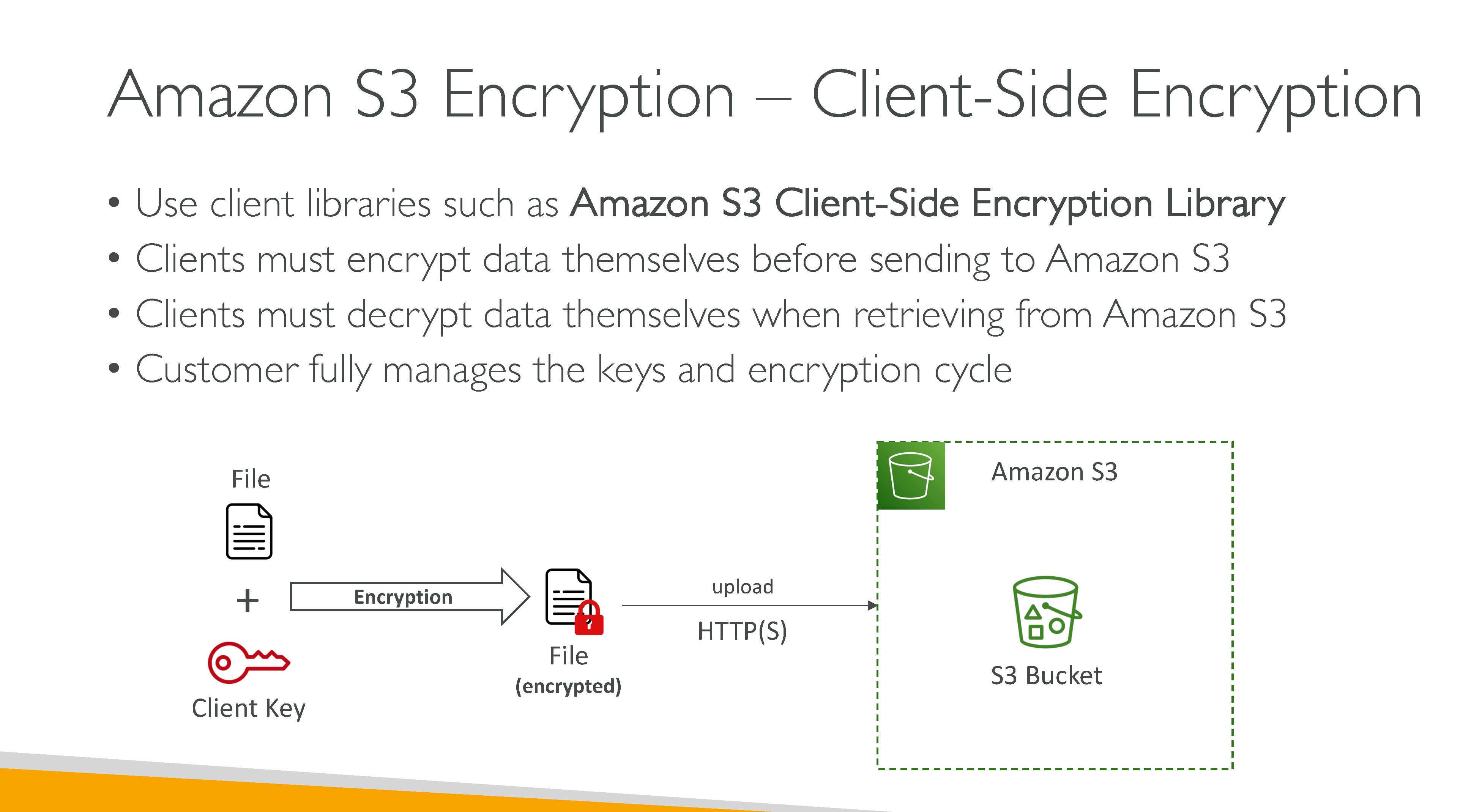

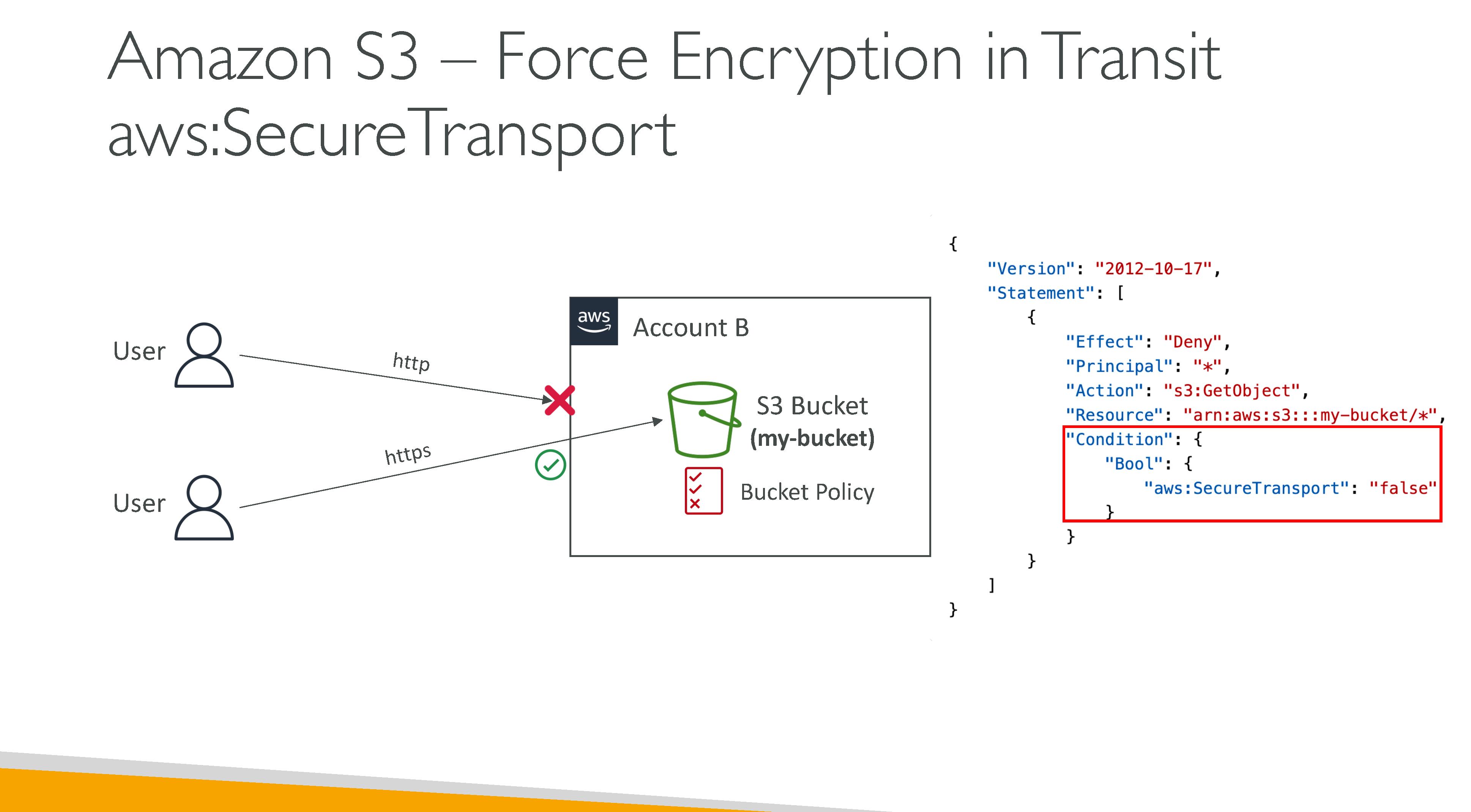




S3 consistency model: S3 uses a strong read-after-write consistency for PUT and DELETE, for read operations on Amazon S3 Select, Amazon S3 access controls lists (ACLs), Amazon S3 Object Tags, and object metadata (for example, the HEAD object). Updates to a single key are atomic. For example, if you make a PUT request to an existing key from one thread and perform a GET request on the same key from a second thread concurrently, you will get either the old data or the new data, but never partial or corrupt data. Amazon S3 does not support object locking for concurrent writers. If two PUT requests are simultaneously made to the same key, the request with the latest timestamp wins. If this is an issue, you must build an object-locking mechanism into your application. Updates are key-based. There is no way to make atomic updates across keys. For example, you cannot make the update of one key dependent on the update of another key unless you design this functionality into your application.
Subresources: Amazon S3 uses the subresource mechanism to store object-specific additional information. Because subresources are subordinates to objects, they are always associated with some other entity such as an object or a bucket.
-
Bucket subresources
-
lifecycle
-
website
-
policy and ACLs
-
versioning
-
CORS
-
object ownership
-
logging
-
-
Object subresources
-
ACLs
-
restore
-
|
SOAP support over HTTP is deprecated, but SOAP is still available over HTTPS. New Amazon S3 features are not supported for SOAP. |
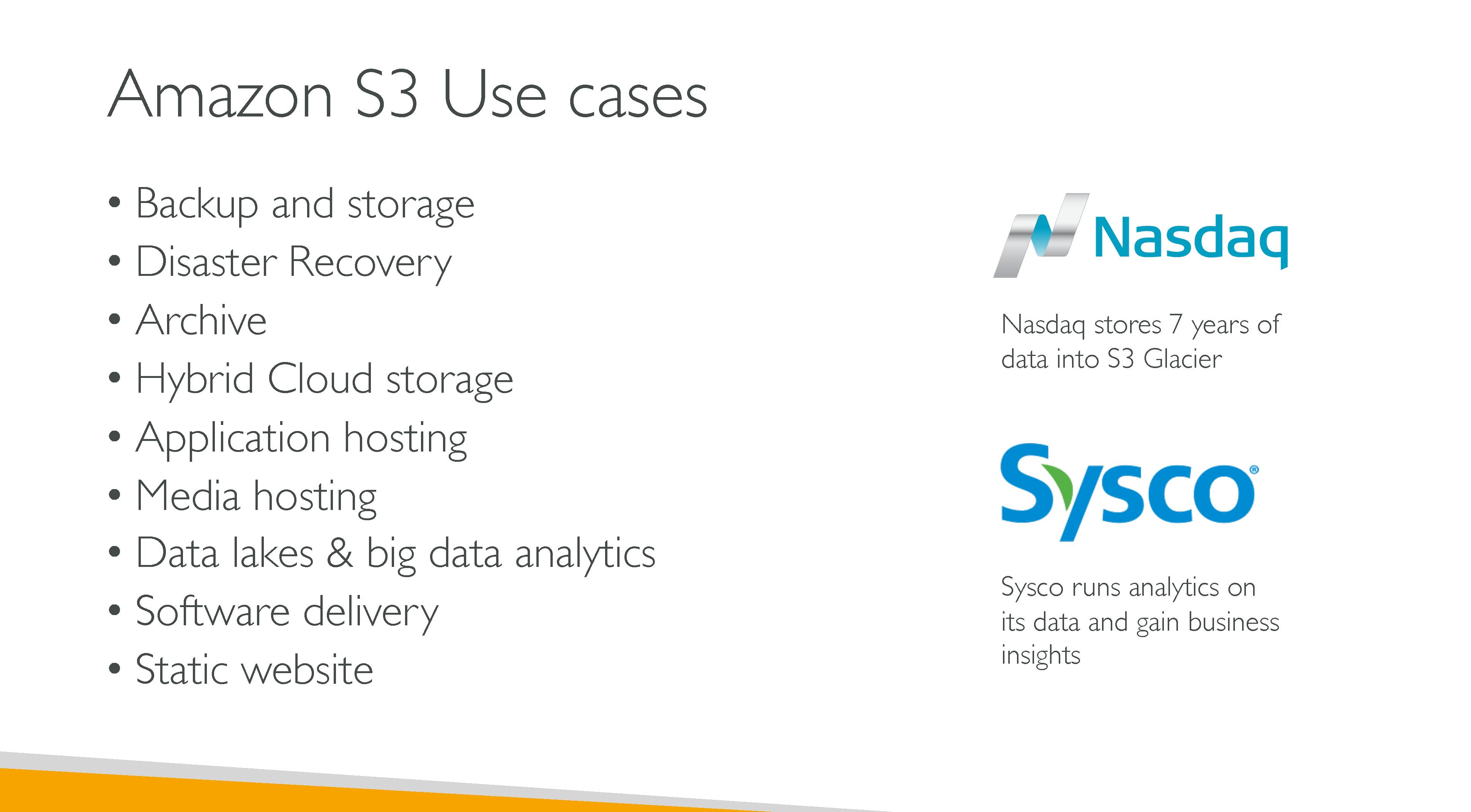
Use cases:
-
Backup and storage
-
Disaster recovery
-
Archive
-
Hybrid cloud storage
-
Application hosting
-
Media hosting
-
Data lakes and big data analytics
-
Software delivery (E.g.: updates)
-
Static websites
Performance
-
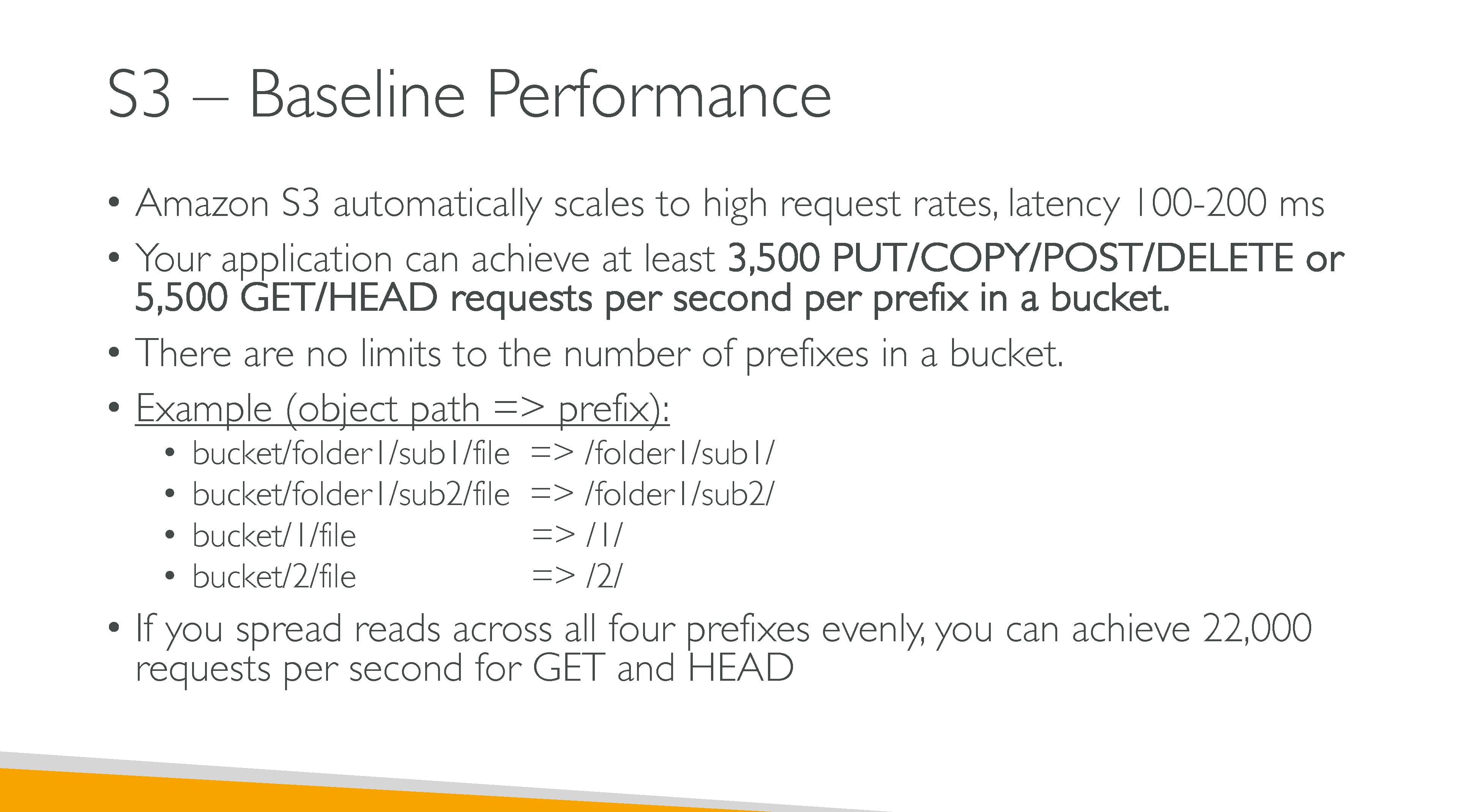
Latency: 100-200ms
-
Minimum of 3500 PUT/COPY/POST/DELETE per second per prefix in a bucket
-
Minimum of 5500 GET/HEAD per second per prefix in a bucket
-
There are no limits to the number of prefixes in a bucket
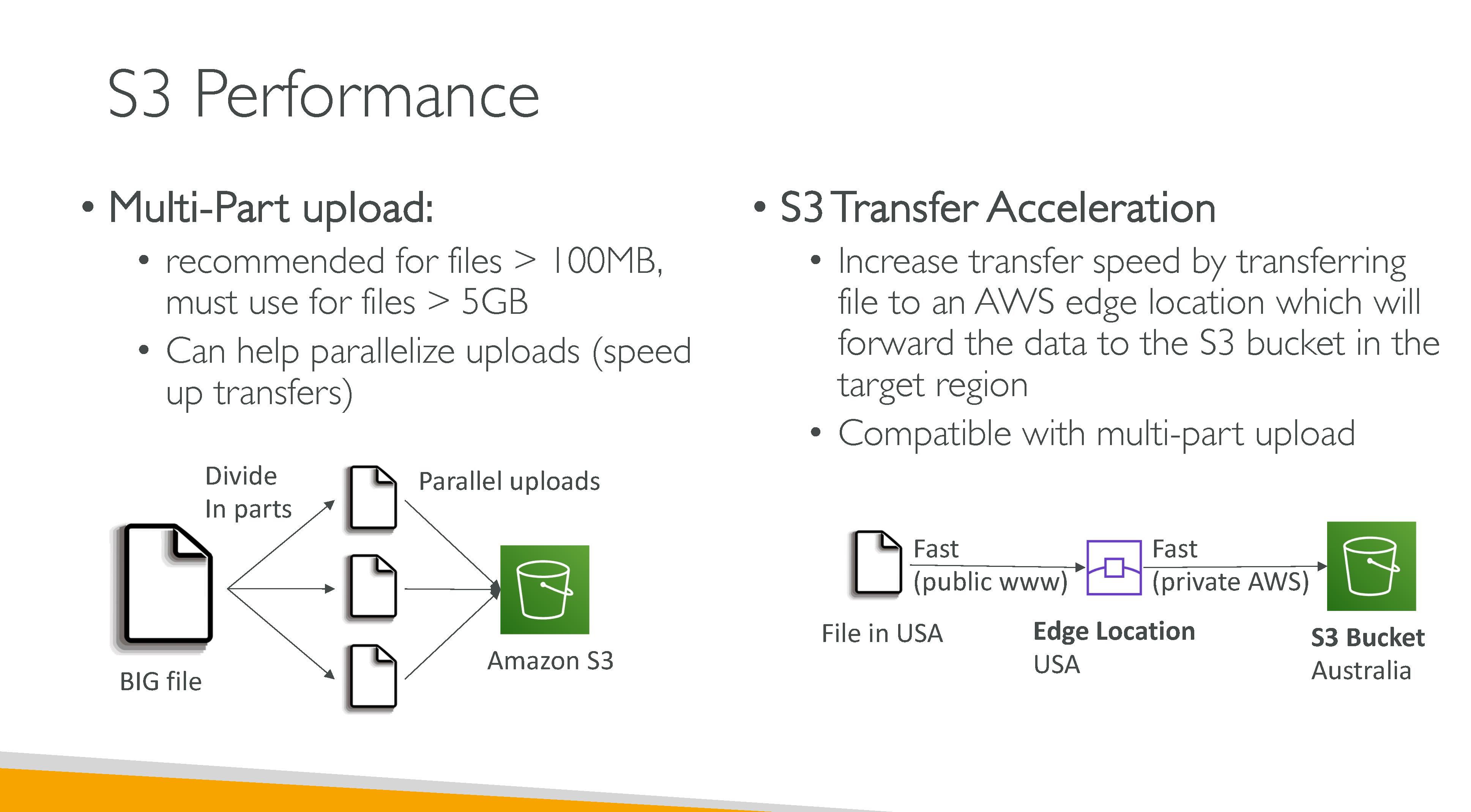
To speed up operations:
-
Multi-part uploads
-
S3 Transfer Acceleration: uses edge location and is compatible with multi-part uploads.
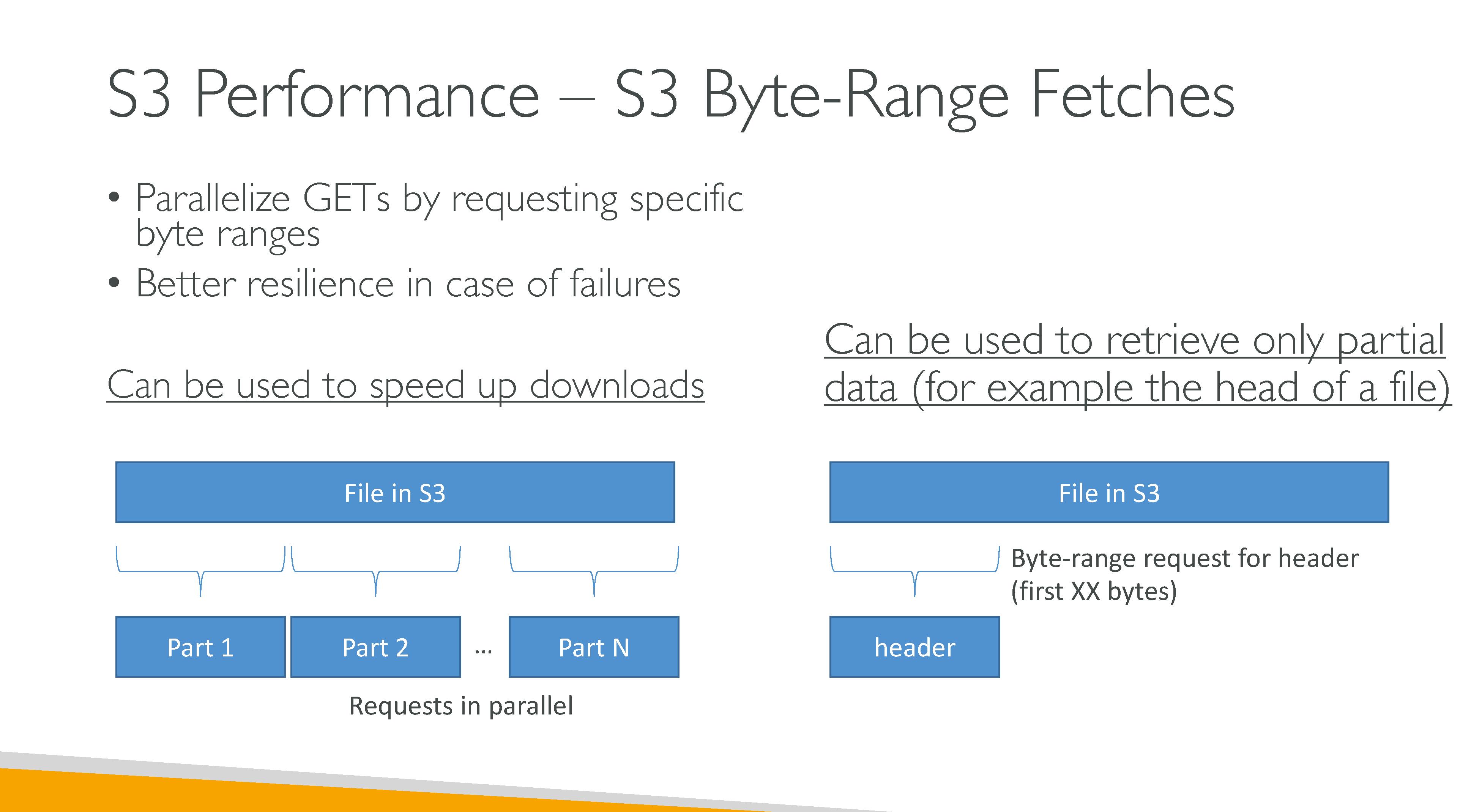
Byte-Range Fetches
Byte-Range Fetches allow fetching only the first part (8-16MB) of an object using the Range header in the GetObject request.
It can be used in conjunction with the partNumber parameter.
Data Access
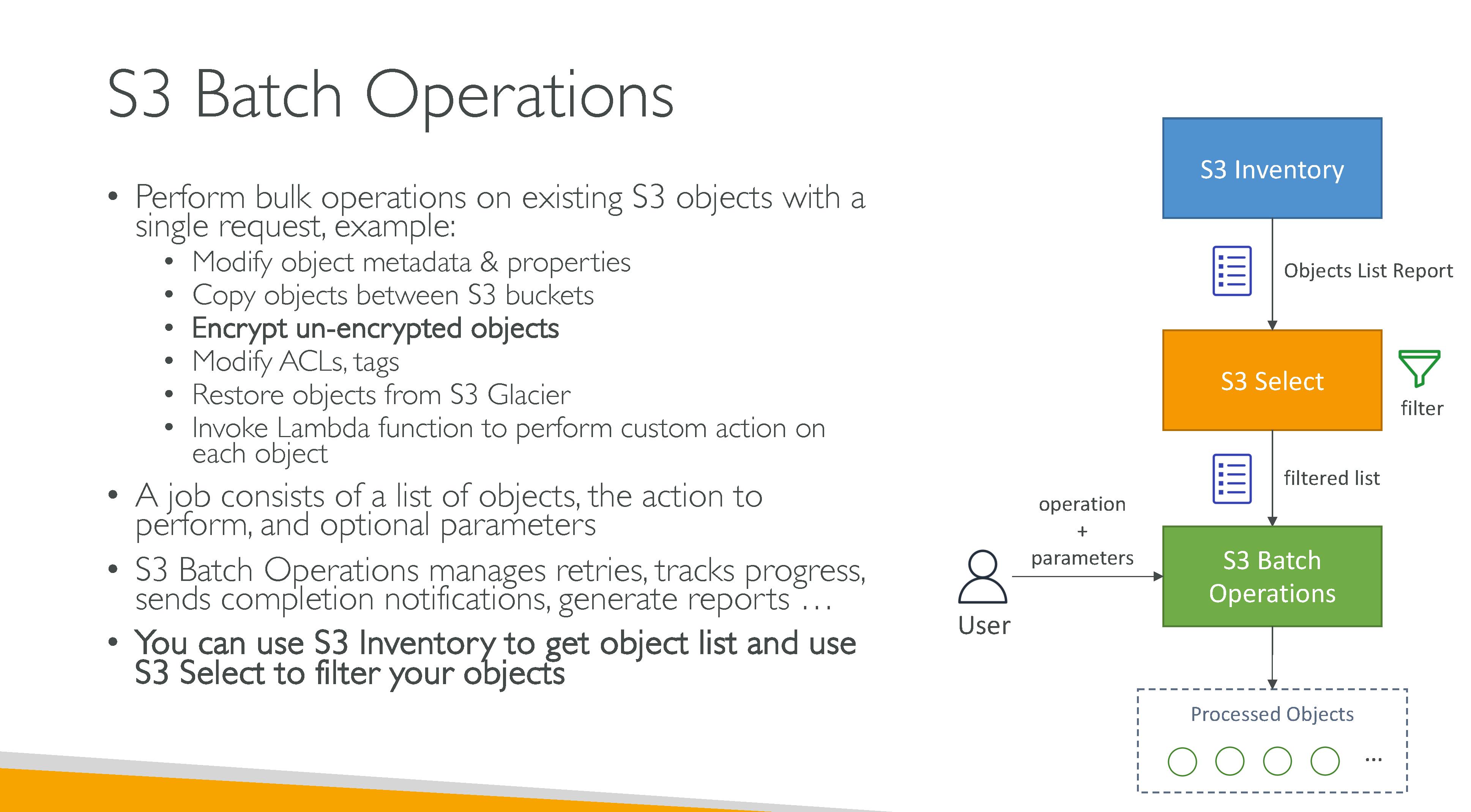
Batch Operations
Perform large-scale batch operations on Amazon S3 objects.
Use S3 Batch Operations to:
-
copy objects
-
set/replace object tags
-
modify access control lists (ACLs)
-
initiate object restores from S3 Glacier Flexible Retrieval
-
invoke an AWS Lambda function to perform custom actions using your objects.
You can perform these operations on a custom list of objects, or you can use an Amazon S3 Inventory report to easily generate lists of objects.
Job: A job contains all of the information necessary to run the specified operation on the objects listed in the manifest. After you provide this information and request that the job begin, the job performs the operation for each object in the manifest.
Operation: is the type of API action, such as copying objects, that you want the Batch Operations job to run. Each job performs a single type of operation across all objects that are specified in the manifest.
Task: A task is the unit of execution for a job. A task represents a single call to an Amazon S3 or AWS Lambda API operation to perform the job’s operation on a single object. Over the course of a job’s lifetime, S3 Batch Operations create one task for each object specified in the manifest.
Monitoring
Automated monitoring tools:
-
Amazon CloudWatch Alarms – Watch a single metric over a time period that you specify, and perform one or more actions based on the value of the metric relative to a given threshold over a number of time periods. The action is a notification sent to an Amazon Simple Notification Service (Amazon SNS) topic or Amazon EC2 Auto Scaling policy. CloudWatch alarms do not invoke actions simply because they are in a particular state. The state must have changed and been maintained for a specified number of periods.
-
AWS CloudTrail Log Monitoring – Share log files between accounts, monitor CloudTrail log files in real time by sending them to CloudWatch Logs, write log processing applications in Java, and validate that your log files have not changed after delivery by CloudTrail.
Manual monitoring tools:
-
The Amazon S3 dashboard
-
CloudWatch
-
AWS Trusted Advisor
Logging
Logging options are AWS Cloudtrail and server access logs.
S3 access logs
Logs are stored in another S3 bucket, the destination bucket. Amazon S3 periodically collects access log records, consolidates the records in log files, and then uploads log files to your destination bucket as log objects.
Amazon S3 uses a special log delivery account to write server access logs. These writes are subject to the usual access control restrictions. We recommend that you update the bucket policy on the destination bucket to grant access to the logging service principal (logging.s3.amazonaws.com) for access log delivery. If you use the Amazon S3 console to enable server access logging, the console automatically updates the destination bucket policy to grant these permissions to the logging service principal.
|
Server access logs aren’t delivered to the requester or the bucket owner for virtual private cloud (VPC) endpoint requests if the VPC endpoint policy denies such requests. |
Server access log records are delivered on a best-effort basis. Most requests for a bucket that is properly configured for logging result in a delivered log record. Most log records are delivered within a few hours of the time that they are recorded, but they can be delivered more frequently. The completeness and timeliness of server logging is not guaranteed. The log record for a particular request might be delivered long after the request was actually processed, or it might not be delivered at all. It is possible that you might even see a duplication of a log record.
A prefix can be specified for log files.
You can format the objects key:
-
Non-date-based partitioning:
[DestinationPrefix][YYYY]-[MM]-[DD]-[hh]-[mm]-[ss]-[UniqueString] -
Date-based partitioning:
[DestinationPrefix][SourceAccountId]/[SourceRegion]/[SourceBucket]/[YYYY]/[MM]/[DD]/[YYYY]-[MM]-[DD]-[hh]-[mm]-[ss]-[UniqueString]
The management of the destination bucket (storage classes, replication and other settings) is on you.
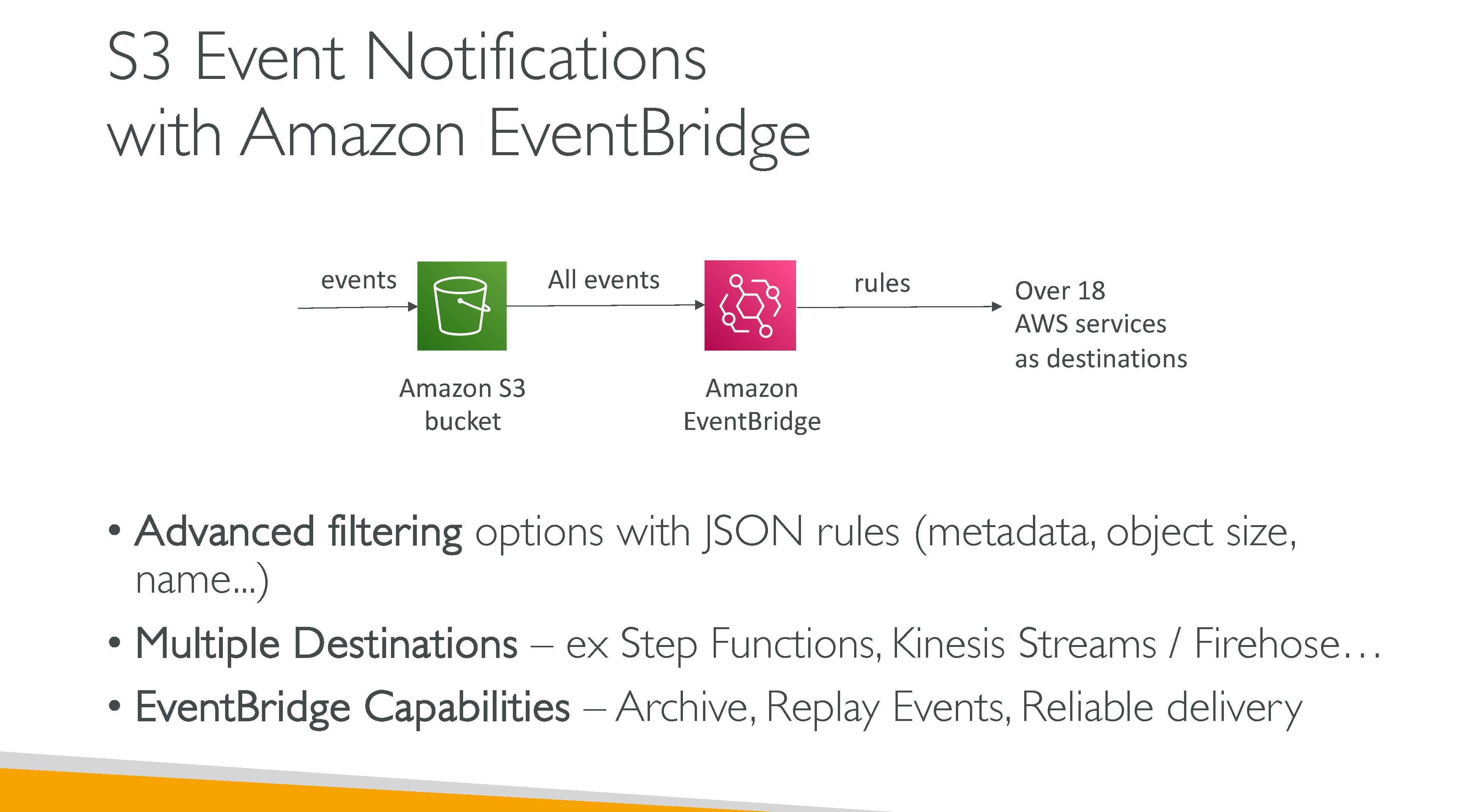
S3 Events
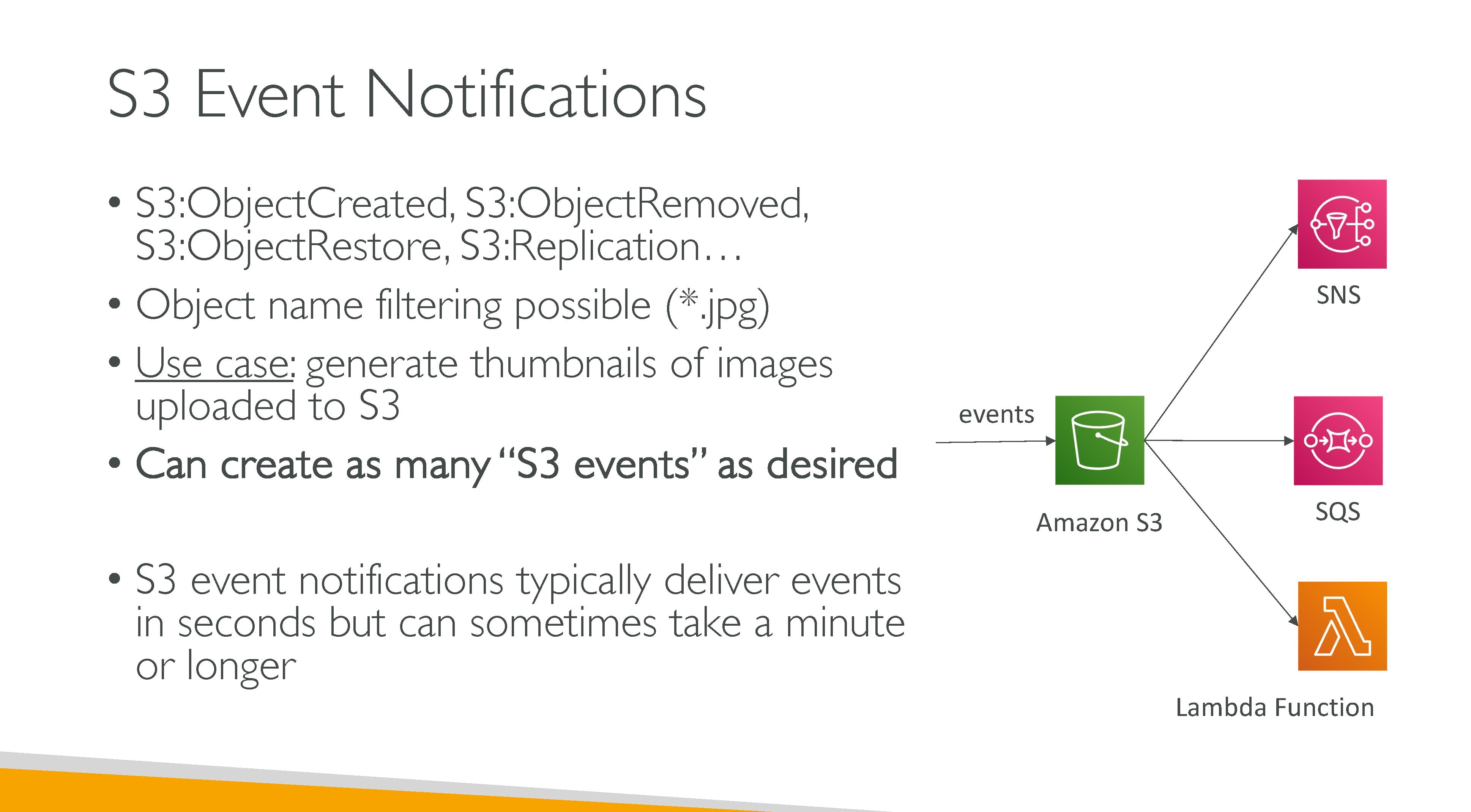
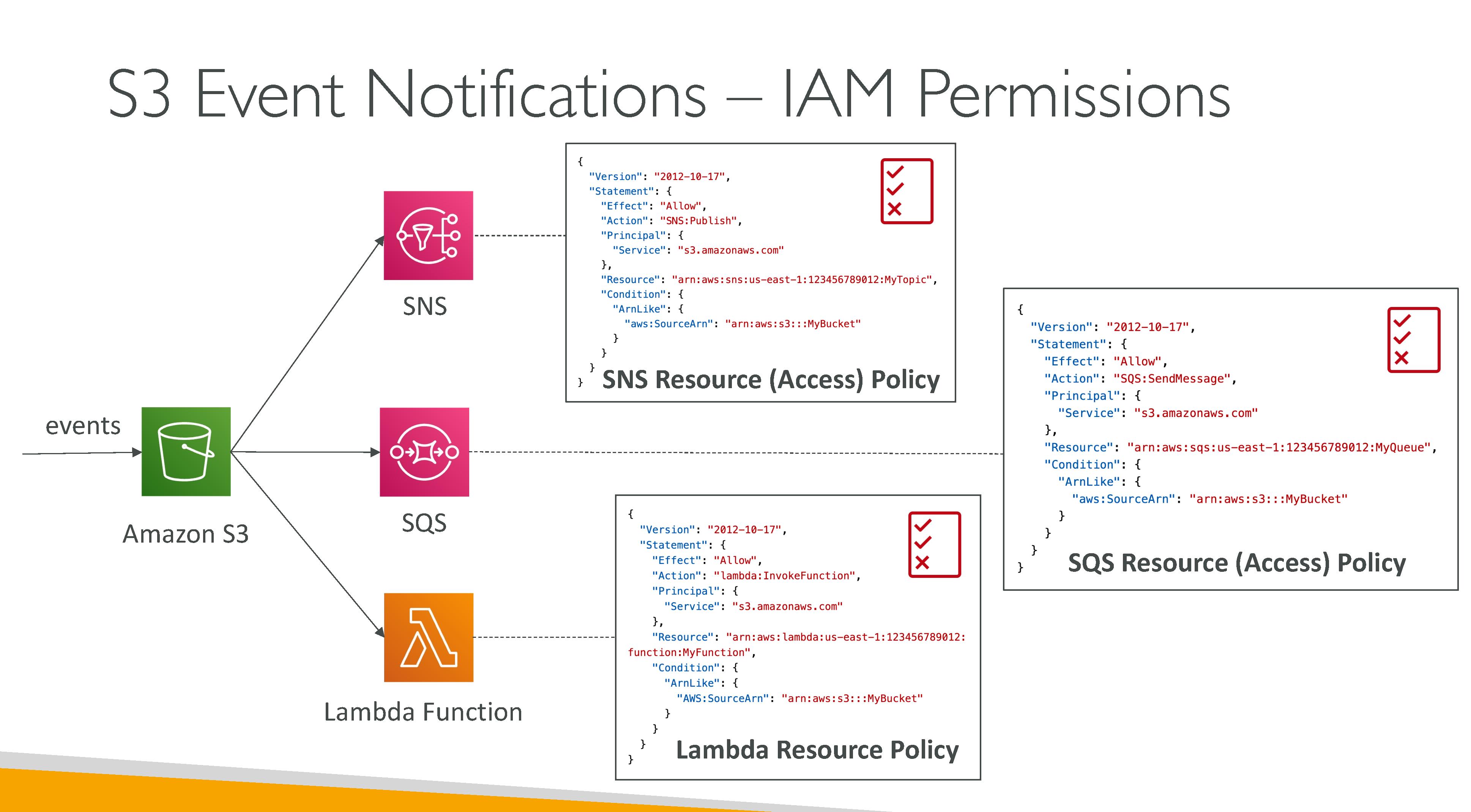
Receive notifications when certain events happen in your S3 bucket. Policies (Resource policies) must be setup properly in the notification backends to allow S3 to connect to them. SNS and SSQ, when encryption is enabled, work with AWS KMS, so a key policy is also needed.
They have at-least-once QoS and while they’re usually delivered in seconds, they can take minutes to be delivere.
You can also set up prefixes to watch.
Event types:
-
Object Created:
-
Put
-
Post
-
Copy
-
CompleteMultiPartUpload
-
-
Object Deleted:
-
Delete
-
DeleteMarkerCreated
-
-
Object Restore:
-
Post (Initiated)
-
Completed
-
-
Object Replication:
-
OperationMissedThreshold
-
OperationReplicatedAfterThreshold
-
OperationNotTracked
-
OperationFailedReplication
-
-
Others:
-
Reduced Redundancy Storage (RRS) object lost events
-
S3 Lifecycle expiration events
-
S3 Lifecycle transition events
-
S3 Intelligent-Tiering automatic archival events
-
Object tagging events
-
Object ACL PUT events
-
Notifications backends:
-
SNS topics: the topic must be in the same AWS Region as your Amazon S3 bucket.
-
SQS queues: the Amazon SQS queue must be in the same AWS Region as your Amazon S3 bucket. FIFO is NOT supported, use EventBridge for that functionality.
-
Lambda functions
-
EventBridge
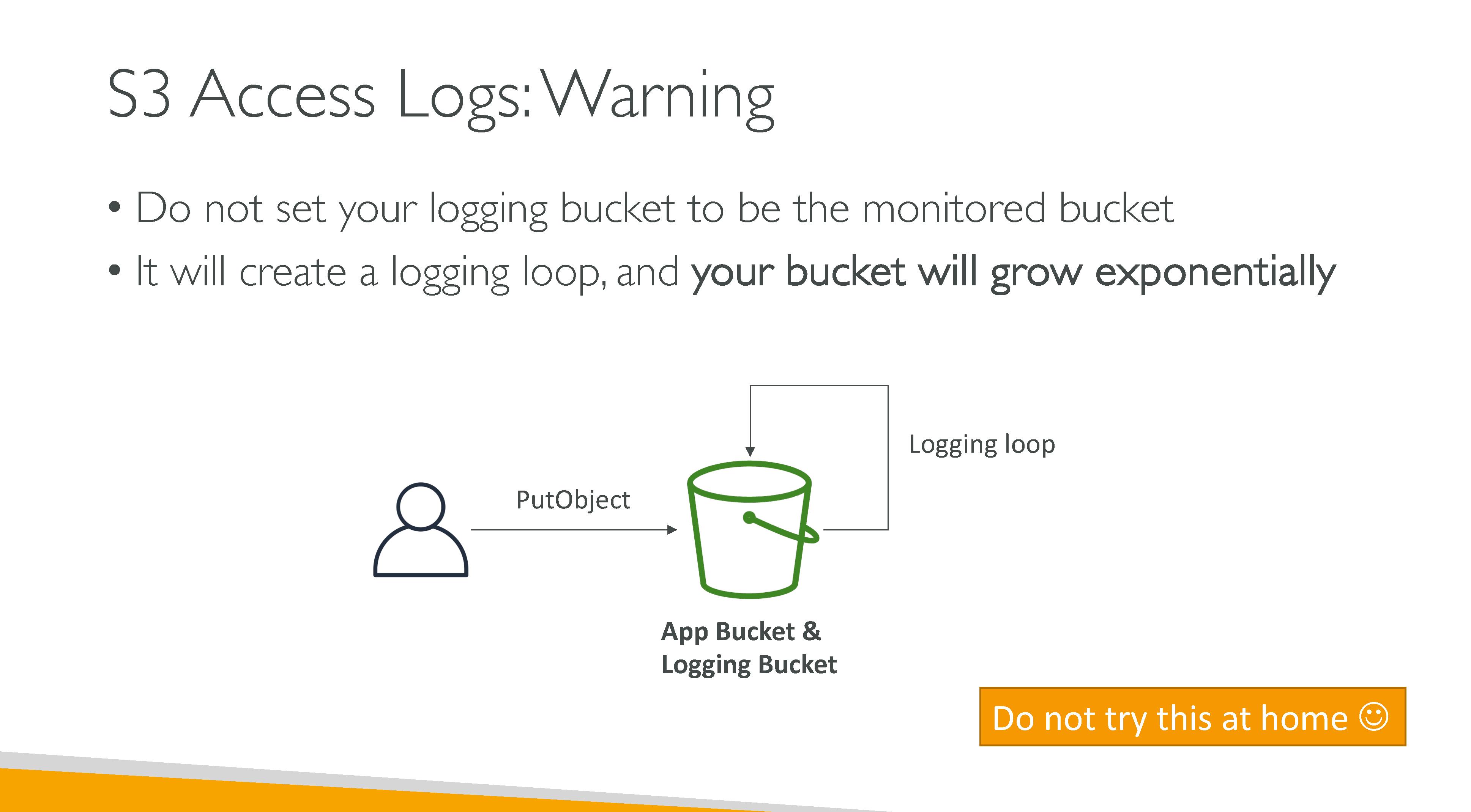
Never have the notification backend write in the same bucket where events are configured: it would lead to an execution loop. What you can do is set up events for a prefix and store data in another within the same bucket.
Use cases:
-
Media file transcoding upon upload
-
Immediate file processing
-
Object synchronization
Loading data into S3
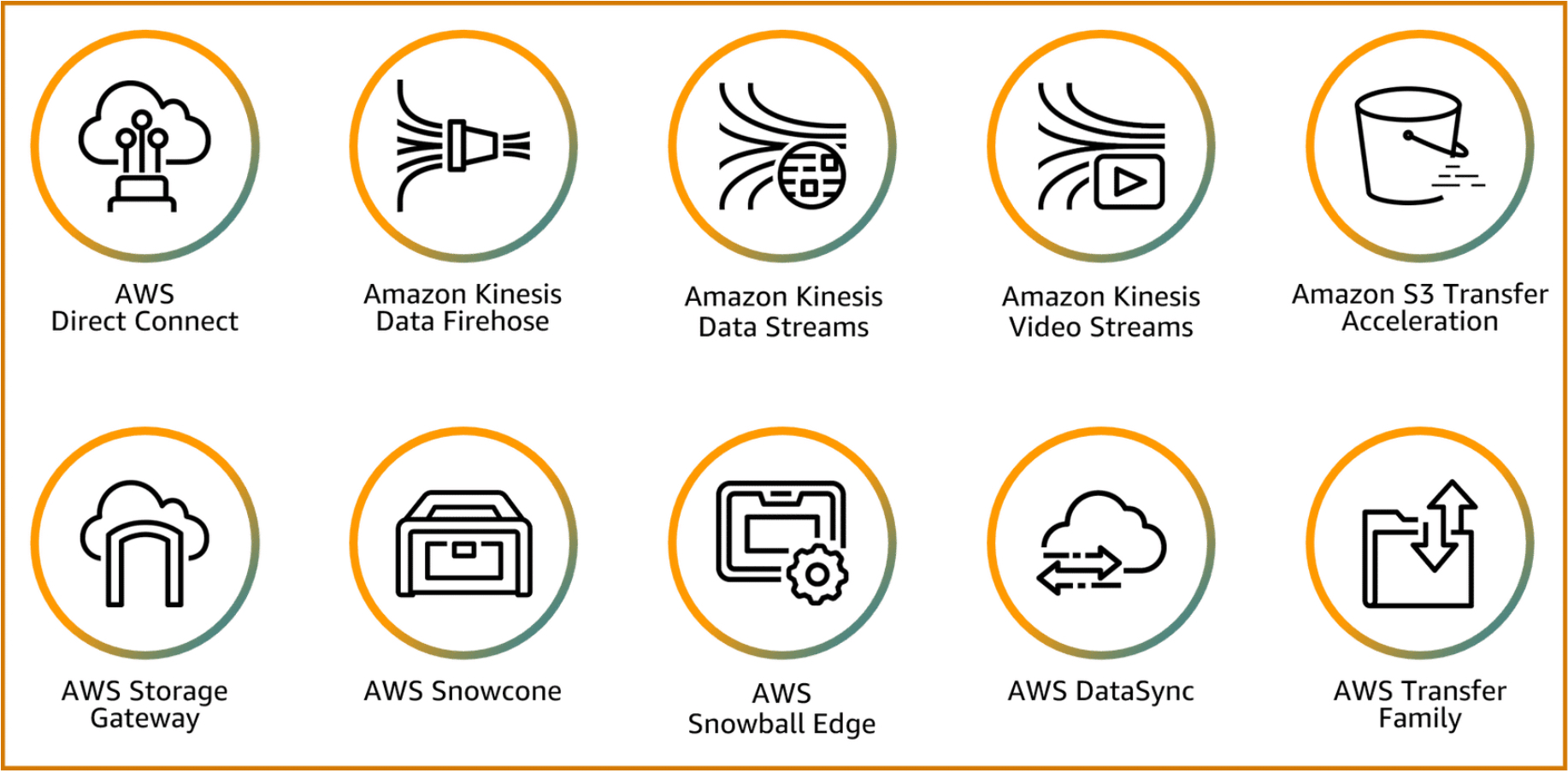
-
AWS Direct Connect: Provides a dedicated connection from your location to the AWS global network that never touches the internet.
-
Amazon Kinesis Data Firehose: Extract, transform, and load service that reliably captures, transforms, and delivers streaming data to data lakes, data stores, and analytics services.
-
Amazon Kinesis Data Streams: Serverless streaming data service that makes it easy to capture, process, and store data streams at any scale.
-
Amazon Kinesis Video Streams: Securely streams video from connected devices to AWS for analytics, machine learning, playback, and other processing.
-
Amazon S3 Transfer Acceleration: Speeds up content transfers to and from Amazon S3 by as much as 50–500 percent for long-distance transfer of larger objects.
-
AWS Storage Gateway: Set of hybrid cloud storage services that provide on-premises access to AWS Cloud storage.
-
AWS Snowcone: Small, rugged, and secure device offering edge computing, data storage, and data transfer on the go, in an austere environment with little or no connectivity.
-
AWS Snowball Edge: Rugged and secure device for larger data transfers or requiring more compute services. Snowball Edge devices are available as either Snowball Edge Compute Optimized (less storage with more compute capabilities) or Snowball Edge Storage Optimized (more storage with less compute capabilities) devices.
-
AWS DataSync: Secure, online service that automates and accelerates moving data between on premises and AWS Storage services or between AWS Storage services.
-
AWS Transfer Family: Securely scales your recurring business-to-business file transfers to AWS Storage services using Secure FTP, FTP Secure, FTP, and Applicability Statement 2 protocols.
Analytics and Insights
Storage Class Analysis
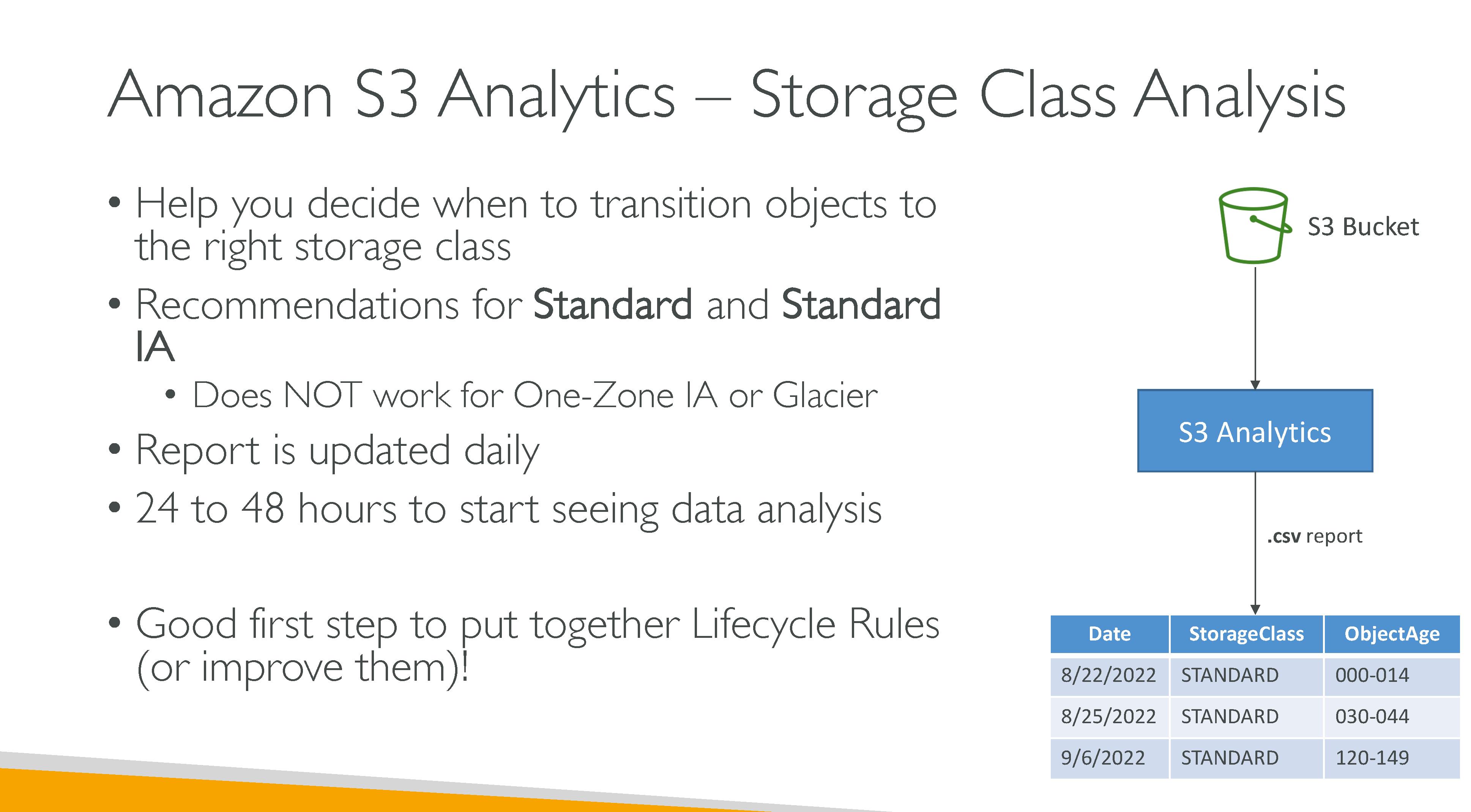
Analyzes storage access patterns to help you decide when to transition the right data to the right storage class. Storage class analysis observes the infrequent access patterns of a filtered set of data over a period of time. It takes 24-48 hours for data to be available after enabling.
You can use a prefix and tags to limit its scope. You can have up to 1000 filters per bucket.
Does not work for:
-
One-Zone IA
-
Glacier
Results can be exported to CSV to another bucket (⇒ bucket policies on the destination bucket) and visualized in Amazon QuickSight or a spreadsheet application.
Export layout
-
Date
-
ConfigId
-
Filter
-
StorageClass
-
ObjectAge
-
ObjectCount
-
DataUploaded_MB
-
Storage_MB
-
DataRetrieved_MB
-
GetRequestCount
-
CumulativeAccessRation
-
ObjectAgeForSIATransition
-
RecommendedObjectAgeForSIATransition
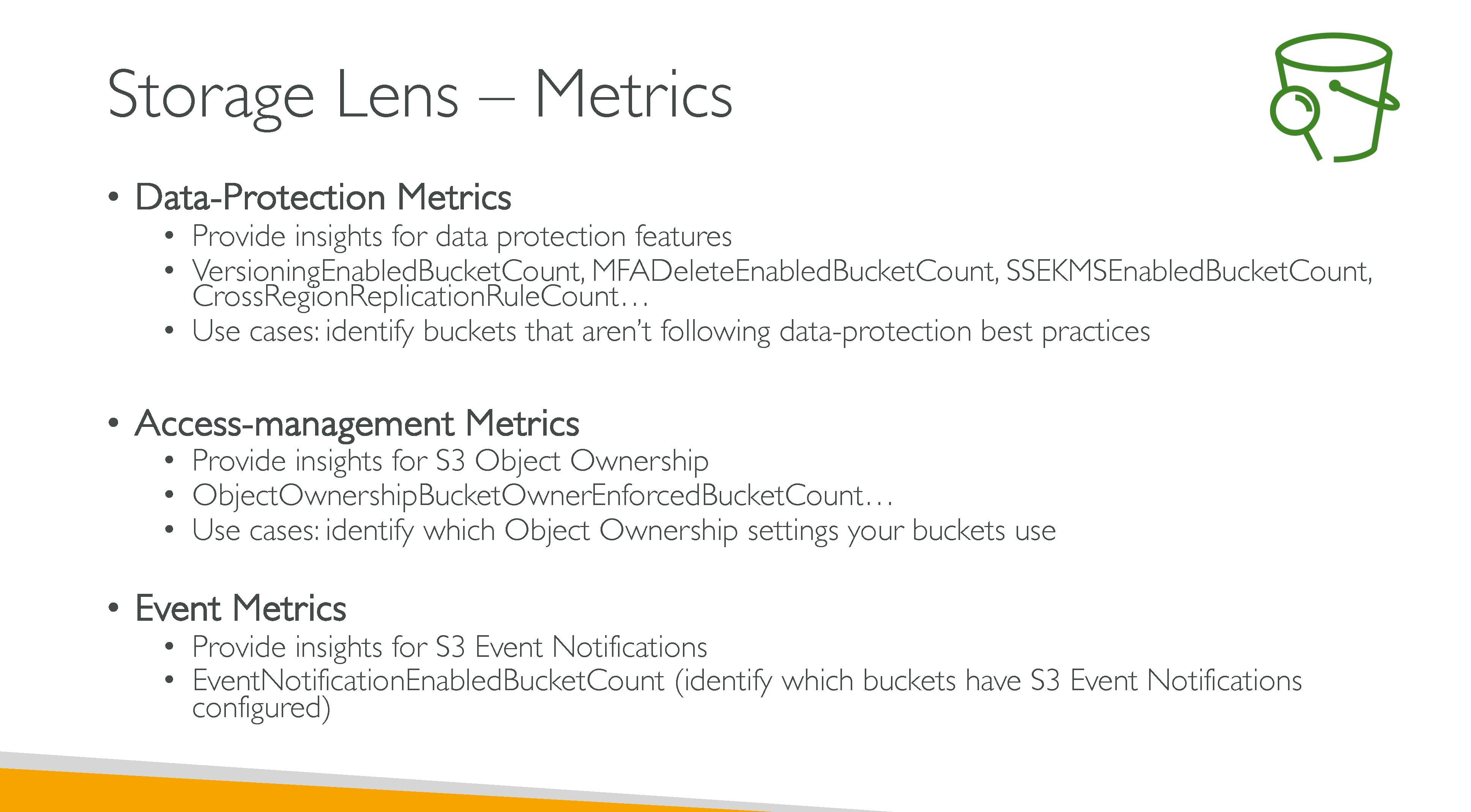
Storage Lens
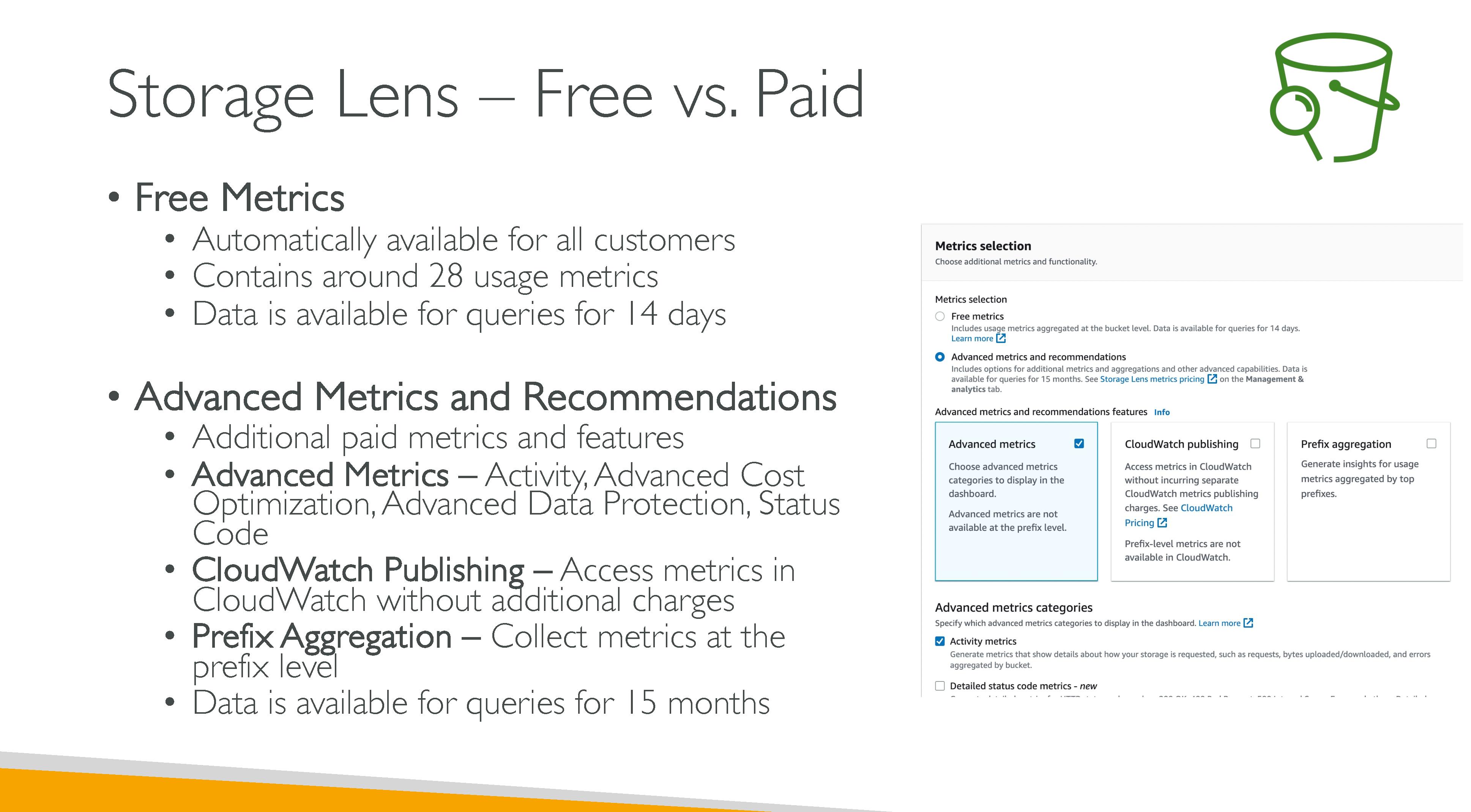
A feature that you can use to gain organization-wide visibility into object storage and activity. S3 Storage Lens also analyzes metrics to deliver contextual recommendations that you can use to optimize storage costs and apply best practices for protecting your data.
Features:
-
Free metrics: ~28 usage metrics.
-
summary
-
cost optimization
-
data protection
-
access management
-
performance
-
event metrics.
-
-
Advanced metrics
-
advanced cost-optimization
-
advanced data-protection
-
advanced metric categories
-
prefix aggregation
-
group aggregation
-
contextual recommendations
-
Amazon CloudWatch publishing.
-
-
Recommendations
-
Export: to CSV or Apache Parquet to another bucket.
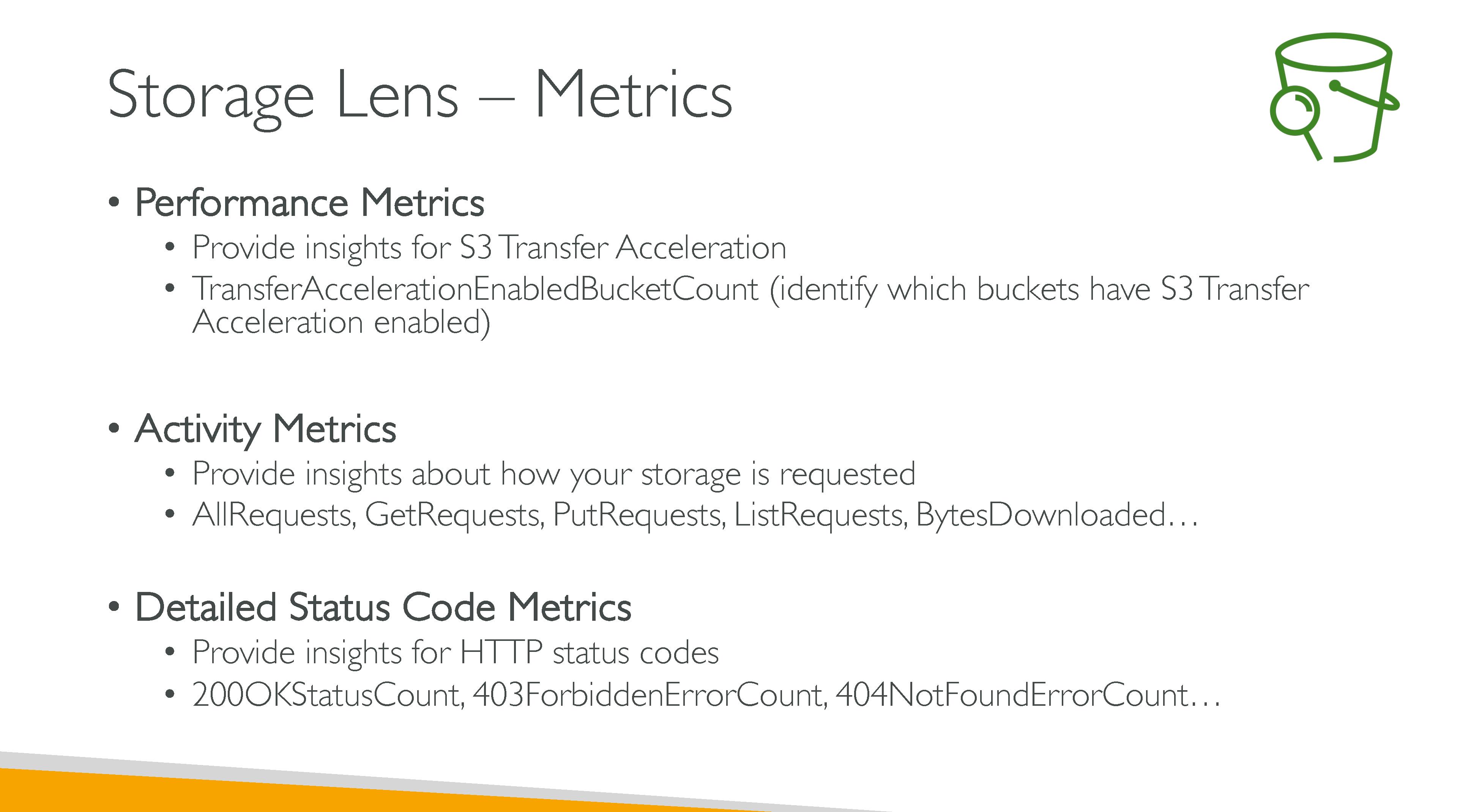
Retention All S3 Storage Lens metrics are retained for a period of 15 months. However, metrics are only available for queries for a specific duration:
-
Free metrics: 14 days.
-
Advanced metrics: 15 months.
Dashboards
You can’t modify the configuration scope of the default dashboard, but you can upgrade the metrics selection from free metrics to advanced metrics and recommendations. You can configure the optional metrics export or even disable the dashboard. However, you can’t delete the default dashboard. You’ll no longer receive any new daily metrics in your S3 Storage Lens dashboard, your metrics export, or the account snapshot on the S3 Buckets page. If your dashboard uses advanced metrics and recommendations, you’ll no longer be charged.
Account snapshot
The S3 Storage Lens Account snapshot summarizes metrics from your default dashboard and displays your total storage, object count, and average object size on the S3 console Buckets page. It gives you quick access to insights about your storage without having to leave the Buckets page. The account snapshot also provides one-click access to your interactive S3 Storage Lens dashboard.
Metrics categories:
-
Summary
-
Cost optimization
-
Data protection
-
Access management
-
Events
-
Performance
-
Activity (advanced)
-
Detailed status code (advanced)
Recommendations:
-
Suggestions: alert you to trends within your storage and activity that might indicate a storage-cost optimization opportunity or a data-protection best practice.
-
Call-outs: alert you to interesting anomalies within your storage and activity over a period that might need further attention or monitoring.
-
Outlier call-outs
-
Significant change call-outs
-
-
Reminders
S3 Use Cases
-
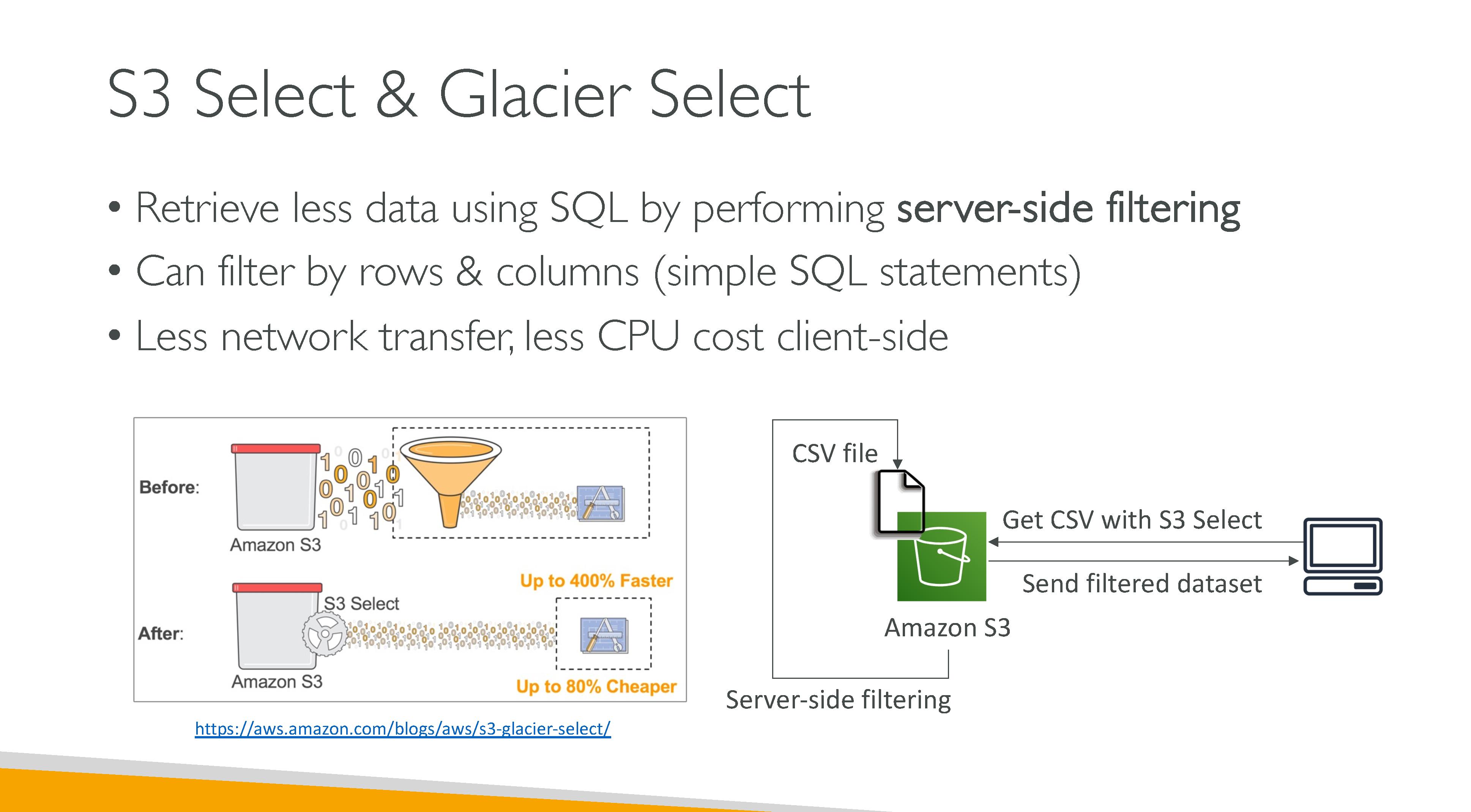
Data lakes and Big data analytics, especially thanks to query-in-place tools like S3 Select
-
Backup and restore
-
Archive
-
Cloud-native applications
-
Hybrid cloud storage: legacy system can use AWS Transfer Family which supports FTP, FTPS, SFTP and Applicability Statement 2
-
Disaster recovery, especially with cross-region replication