EC2
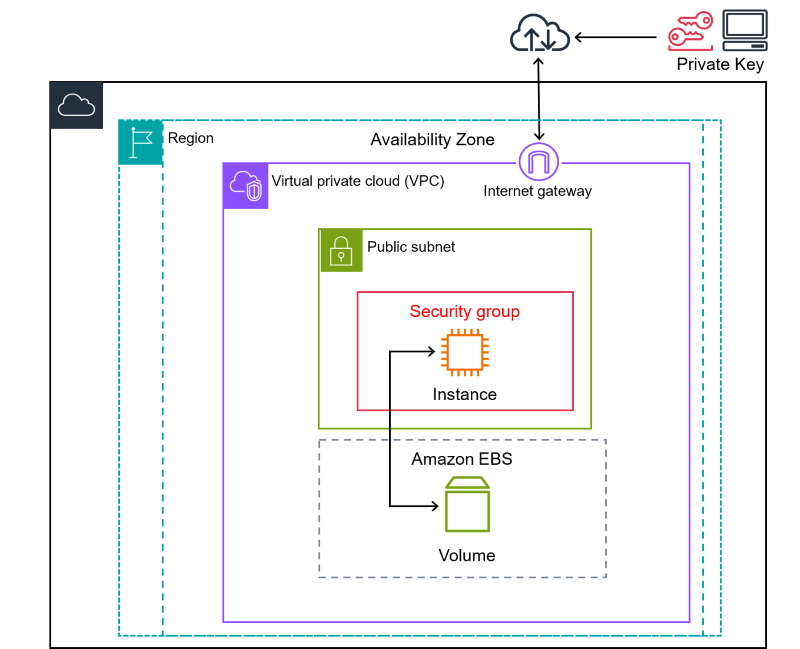
Architecture
Instances are placed on a host.
With shared hosts workloads are isolated from other customers' but can run on the same physical hardware.
With dedicated hosts you’re sure you won’t share physical resources with other customers.
Chances are you’ll be assigned a different host (same AZ) if:
-
You stop the instance and restart it.
-
You terminate the instance and create a new one.
You’ll stay on the same host if you restart the instance
Generally, but not always, instances of the same type and generation occupy the same host.
Networking
EC2 instances can have multiple interfaces in multiple subnets as long as the subnets are all in the same AZ.
Each instance has at least 1 network interfaces if EBS storage is selected as root storage: if EBS Optimization (enabled by default on most new instance types) is enabled a second interface is created (but not visible) to handle storage traffic so that data traffic is not impacted.
EBS Optimization
It adds dedicated capacity for disk operations over the network. Set on a per-instance basis, on or off.
Most instances support it by default and is enabled by default. While older instances offer it at an extra cost.
It is required for some features like IO2 volumes.
Enhanced Networking
Uses SR-IOV: the physical NIC is virtualization aware so that host software doesn’t have to manage translating using system calls.
This allows for higher I/0 (and bandwidth, PPS) and lower host CPU usage and latency.
It’s enabled by default or available at no charge on most modern instance types.
Use cases
-
Traditional OS and compute needs
-
Long running compute requirements
-
Server style applications
-
Steady-state or burst loads
-
Monolithic application stacks
-
DR for the above
-
You want the blast radius to be a single AZ
Best practices
Security
-
Regularly patch, update, and secure the operating system and applications on your instance
-
Use Amazon Inspector to automatically discover and scan Amazon EC2 instances for software vulnerabilities and unintended network exposure
-
Use AWS Security Hub controls to monitor your Amazon EC2 resources against security best practices and security standards
Backup and recovery
-
Regularly test the process of recovering your instances and Amazon EBS volumes to ensure data and services are restored successfully
Storage
-
Use separate Amazon EBS volumes for the operating system versus your data. Ensure that the volume with your data persists after instance termination
-
Remember that the data stored in instance store is deleted when you stop, hibernate, or terminate your instance. If you use instance store for database storage, ensure that you have a cluster with a replication factor that ensures fault tolerance.
-
Use AWS Trusted Advisor to inspect your AWS environment, and then make recommendations when opportunities exist to save money, improve system availability and performance, or help close security gaps
EC2 Instance Store
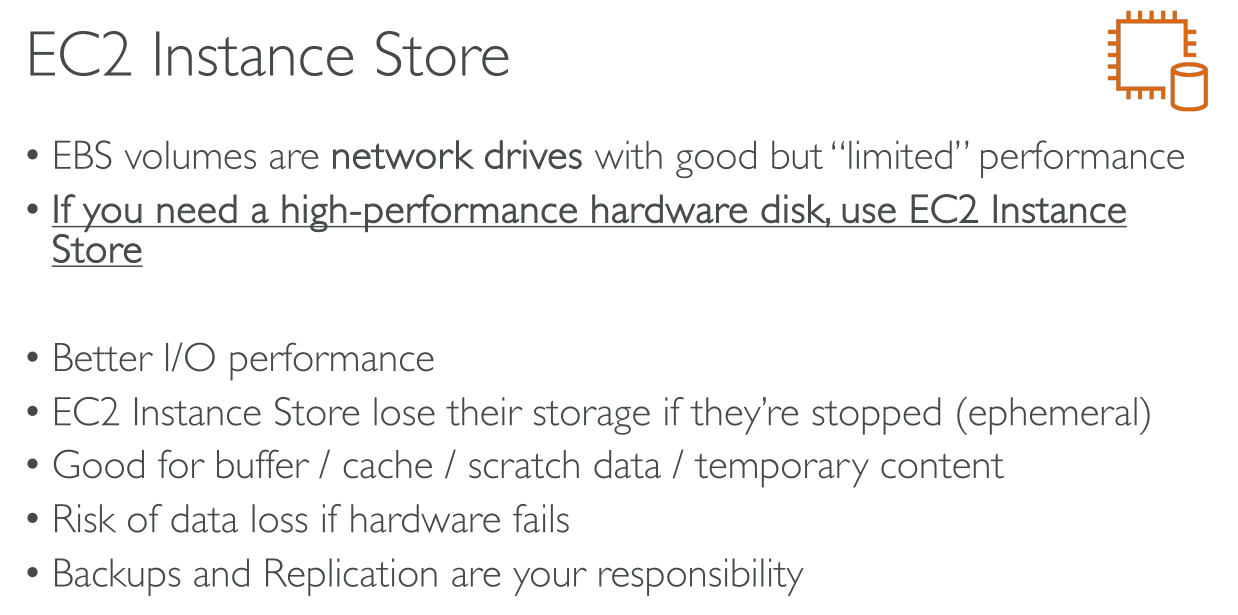

They’re phisically attached to the machine. They’re ephemeral and you cannot attach any after the instance has been created. They’re local to the hypervisor host.
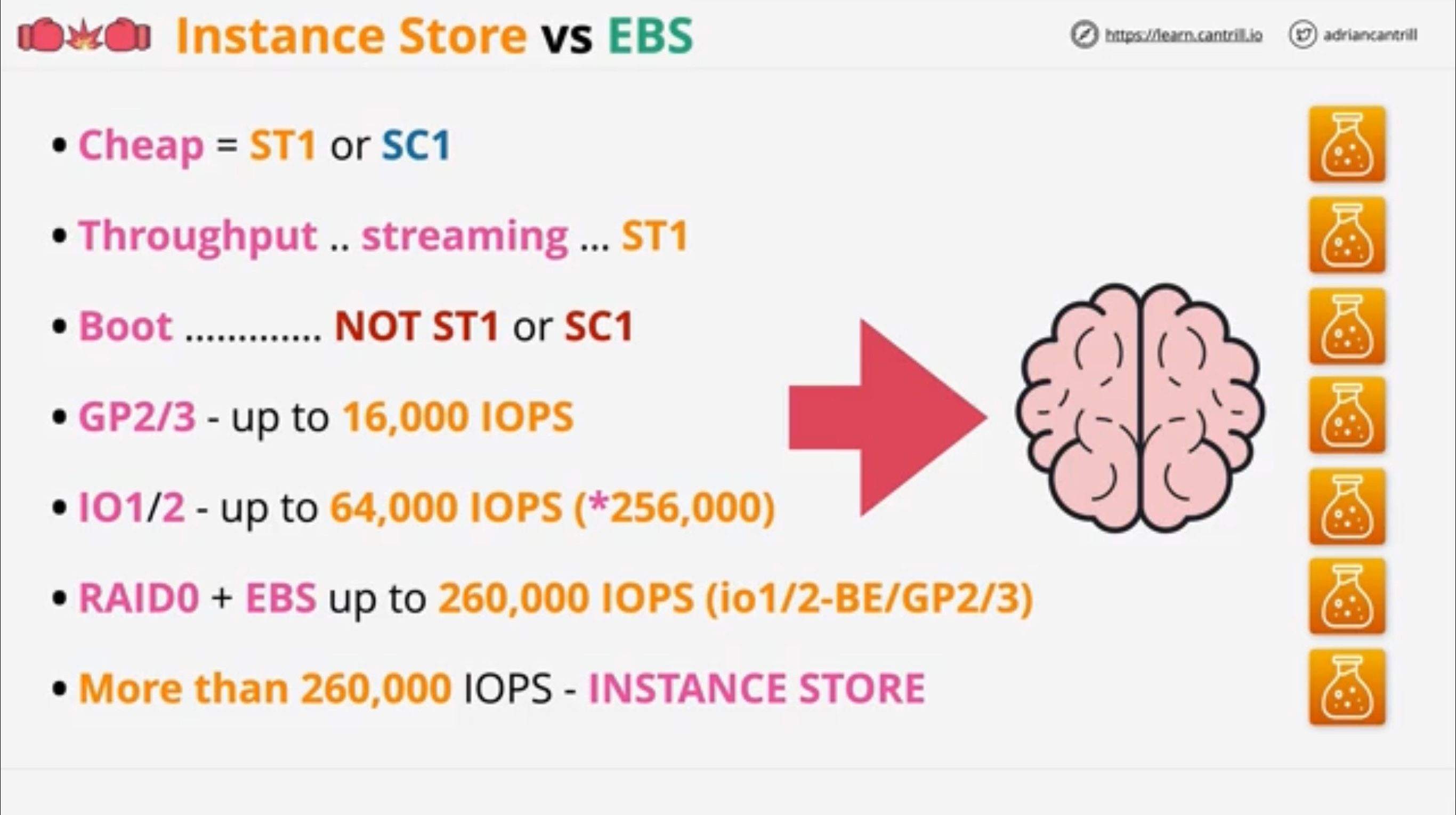
They have the highest performance among storage solutions.
Instance store volumes are not something you add manually, some instance types come with a number of them available.
User data & Metadata
User Data
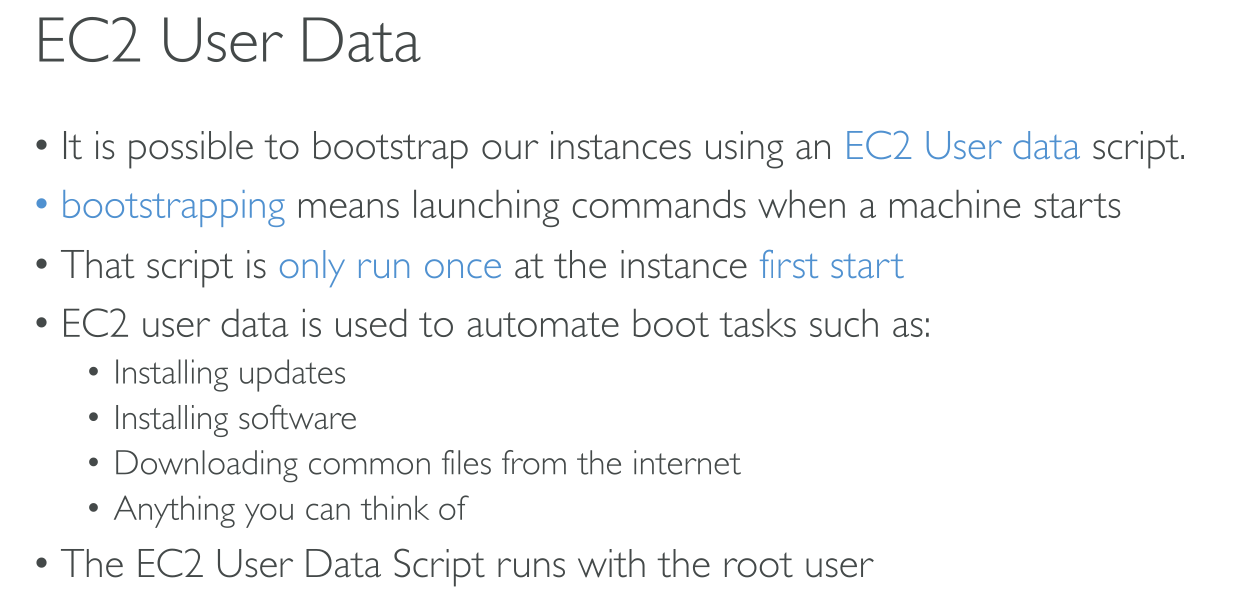
You can pass two types of user data to Amazon EC2: shell scripts and cloud-init directives. You can also pass this data into the launch instance wizard as plain text, as a file (this is useful for launching instances using the command line tools), or as base64-encoded text (for API calls).
User data is evaluated and executed only once when the instance is created. You can edit the data afterwards, but it won’t be executed.
User data endpoint: http://169.254.169.254/latest/user-data
You can pass in a cloud-init configuration and/or a shell script. But the max size of the data is limited to 16KiB.
|
When you have to install software on several instances and then configure it, it’s wiser to perform the installation and bake it in a custom AMI, while the configuration can happen in the User Data. |
Shell scripts
User data shell scripts must start with the #! characters and the path to the interpreter you want to read the script (commonly /bin/bash).
CLI
⇒ User data as string:
$ # With run-instances, the AWS CLI performs base64 encoding of the user data for you
$ aws ec2 run-instances --image-id ami-abcd1234 --count 1 --instance-type m3.medium \
--key-name my-key-pair --subnet-id subnet-abcd1234 --security-group-ids sg-abcd1234 \
--user-data echo user data
⇒ From plaintext file:
$ aws ec2 run-instances --image-id ami-abcd1234 --count 1 --instance-type m3.medium \
--key-name my-key-pair --subnet-id subnet-abcd1234 --security-group-ids sg-abcd1234 \
--user-data file://my_script.txt
⇒ Clear data:
$ aws ec2 modify-instance-attribute --instance-id i-1234567890abcdef0 --user-data Value=Combine shell script and cloud-init
Content-Type: multipart/mixed; boundary="//"
MIME-Version: 1.0

--//
Content-Type: text/cloud-config; charset="us-ascii"
MIME-Version: 1.0
Content-Transfer-Encoding: 7bit
Content-Disposition: attachment; filename="cloud-config.txt"

#cloud-config
cloud-init directives

--//
Content-Type: text/x-shellscript; charset="us-ascii"
MIME-Version: 1.0
Content-Transfer-Encoding: 7bit
Content-Disposition: attachment; filename="userdata.txt"

#!/bin/bash
shell script commands
--//--
Metadata
Metadata endpoint: http://169.254.169.254/latest/meta-data
This is a link-local address, it cannot b ereached from outside the EC2 instance.
Official EC2 Metadata tool: http://s3.amazonaws.com/ec2metadata/ec2-metadata
If you want to restrict it you need to do so using firewall rules. While attempting to GET v1 and v2 endpoints results in a 401, obtaining a token is as simple as TOKEN=`curl -X PUT "http://169.254.169.254/latest/api/token" -H "X-aws-ec2-metadata-token-ttl-seconds: 21600"`.
Allows access to:
-
Environment information
-
Netorking information
-
Authentication information
-
Role of the instance
-
Temporary SSH keys
-
-
User Data information
$ TOKEN=`curl -X PUT -H "X-aws-ec2-metadata-token-ttl-seconds: 21600"` \
"http://169.254.169.254/latest/api/token"$ curl -H "X-aws-ec2-metadata-token: $TOKEN" \
http://169.254.169.254/latest/meta-data/
ami-id
ami-launch-index
ami-manifest-path
block-device-mapping/
events/
hostname
identity-credentials/
instance-action
instance-id
instance-life-cycle
instance-type
local-hostname
local-ipv4
mac
managed-ssh-keys/
metrics/
network/
placement/
profile
public-hostname
public-ipv4
public-keys/
reservation-id
security-groups
services/
system# Only the 'metatest' keypair was associated
$ curl -H "X-aws-ec2-metadata-token: $TOKEN" \
http://169.254.169.254/latest/meta-data/public-keys
0=metatest
$ curl -H "X-aws-ec2-metadata-token: $TOKEN" \
http://169.254.169.254/latest/meta-data/public-keys/0
openssh-key
$ curl -H "X-aws-ec2-metadata-token: $TOKEN" \
http://169.254.169.254/latest/meta-data/public-keys/0/openssh-key
ssh-ed25519 AAAAC3NzaC1lZDI1NTE5AAAAIGDJbF/pl1GNCwflx2PCQtL041Padm2Ul7xgNPQBrqFs metatest$ curl -H "X-aws-ec2-metadata-token: $TOKEN" \
http://169.254.169.254/latest/dynamic/instance-identity/document
{
"accountId" : "727906252899",
"architecture" : "x86_64",
"availabilityZone" : "eu-north-1b",
"billingProducts" : null,
"devpayProductCodes" : null,
"marketplaceProductCodes" : null,
"imageId" : "ami-03c3351e3ce9d04eb",
"instanceId" : "i-04a984b42668c4d9b",
"instanceType" : "t3.micro",
"kernelId" : null,
"pendingTime" : "2024-05-10T10:28:50Z",
"privateIp" : "172.31.46.195",
"ramdiskId" : null,
"region" : "eu-north-1",
"version" : "2017-09-30"
}Other features
Termination protection
Regulated by the disableApiTermination attribute.
The permission to set the attribute can be attached to some identities but not to others to implement some level of role separation.
Status Checks
2 Status checks:
-
The first monitors the underlying systems (host or service in general):
-
Loss of system power
-
Loss of network connectivity
-
Host software issues
-
Host hardware issues
-
-
The second has to do with what’s inside the instance:
-
Corrupt filesystem
-
Incorrect networking setup (E.g.: incorrect static IP configuration in the OS)
-
Kernel issues
-
You can go to Create an alarm and choose:
-
Reboot, if you know the issue will go away. -
Terminate, if you’re using autoscaling because at that point a new instance will be provisioned. -
Recover: an automatic recovery that will try to solve the problem, reboot and recreate the instance. It doesn’t work if there’s no spare capacity in the AZ. It won’t work if you’re using instance store volumes.