Route 53
Show slides
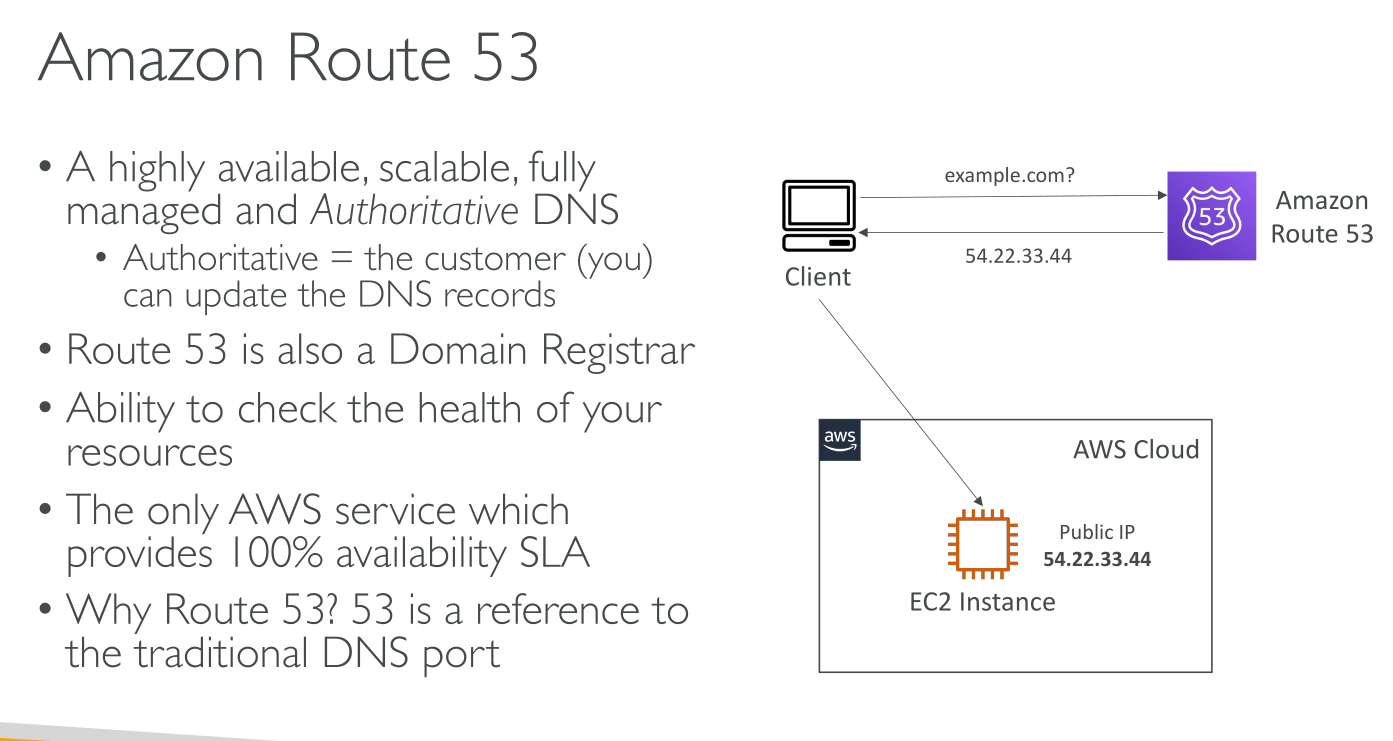
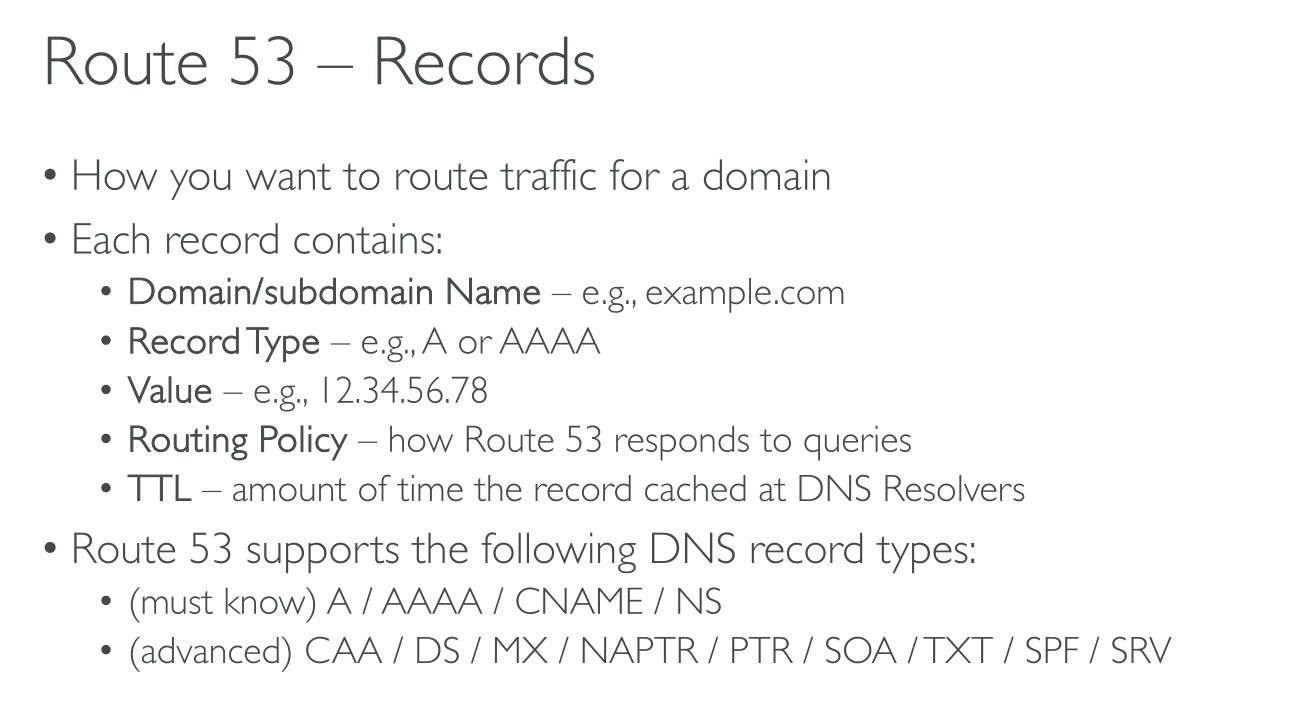
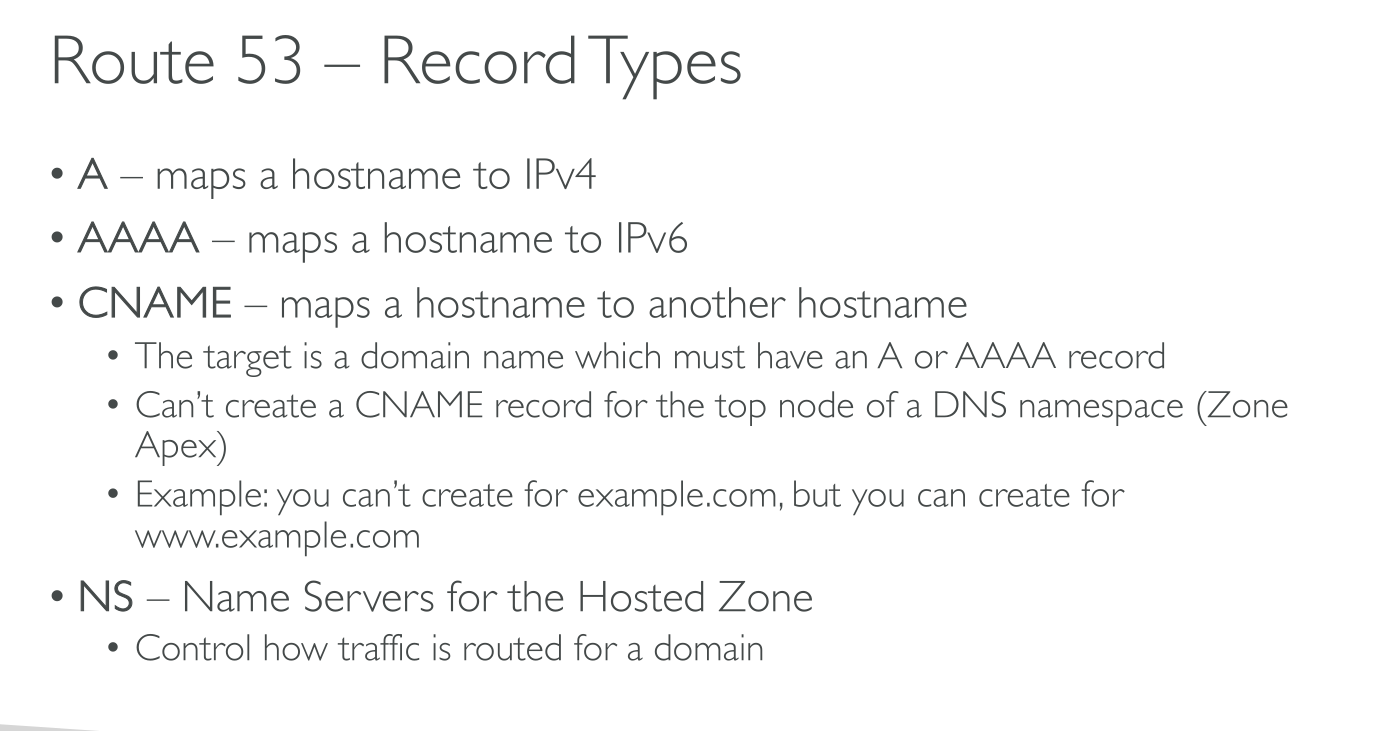
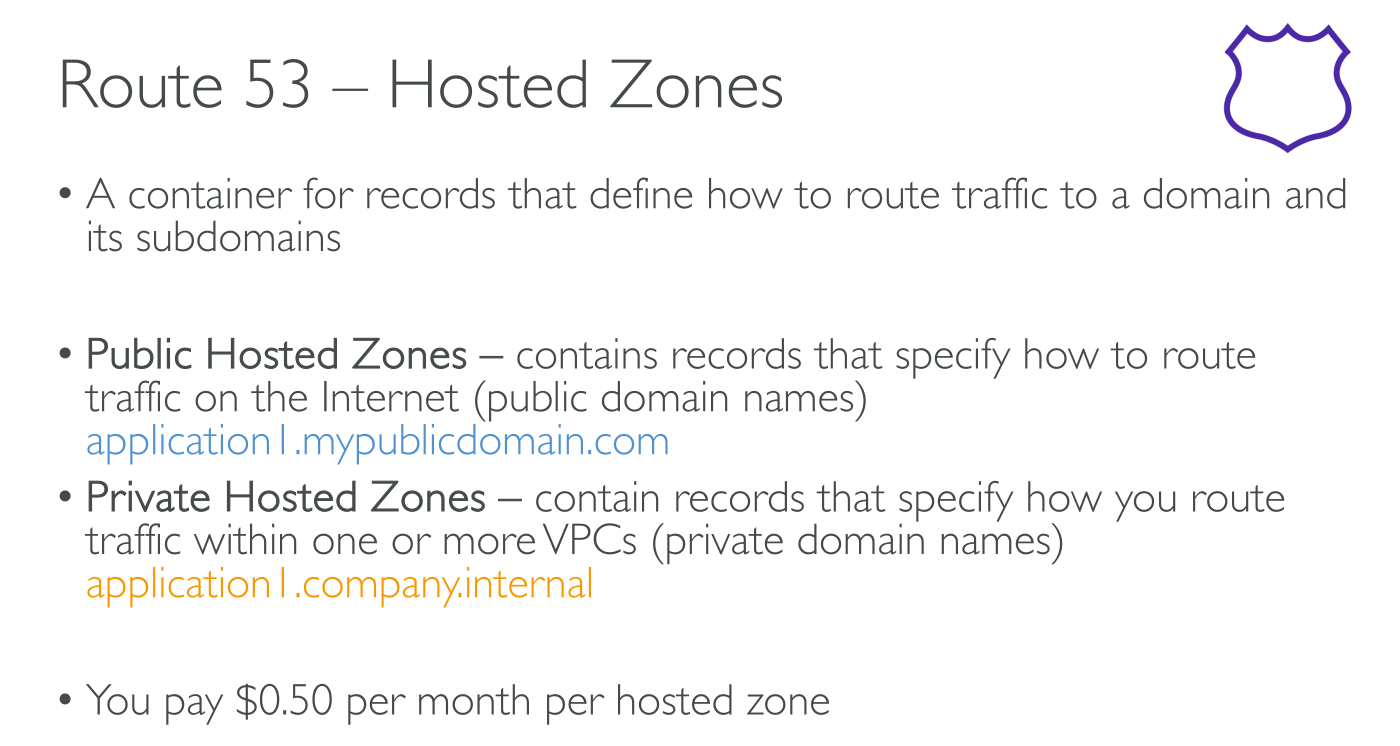
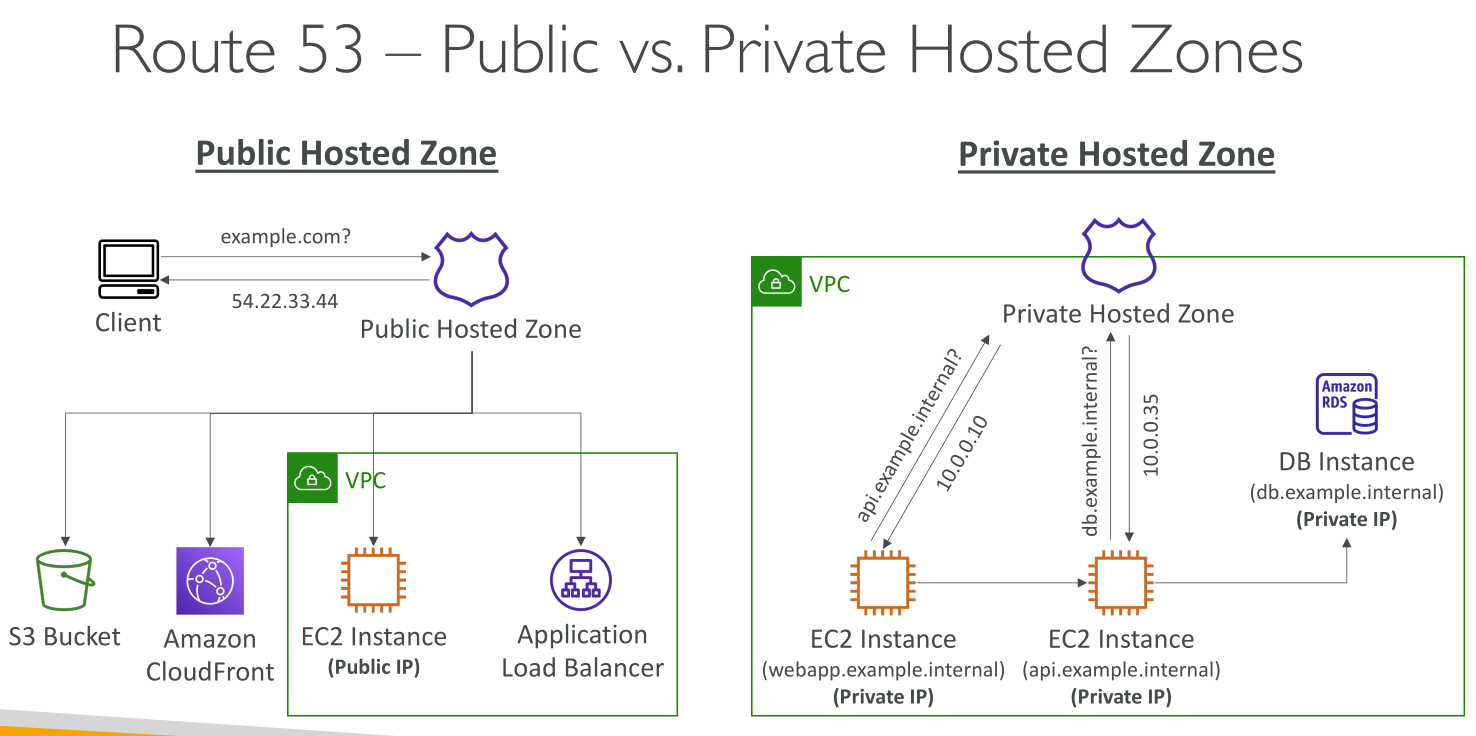
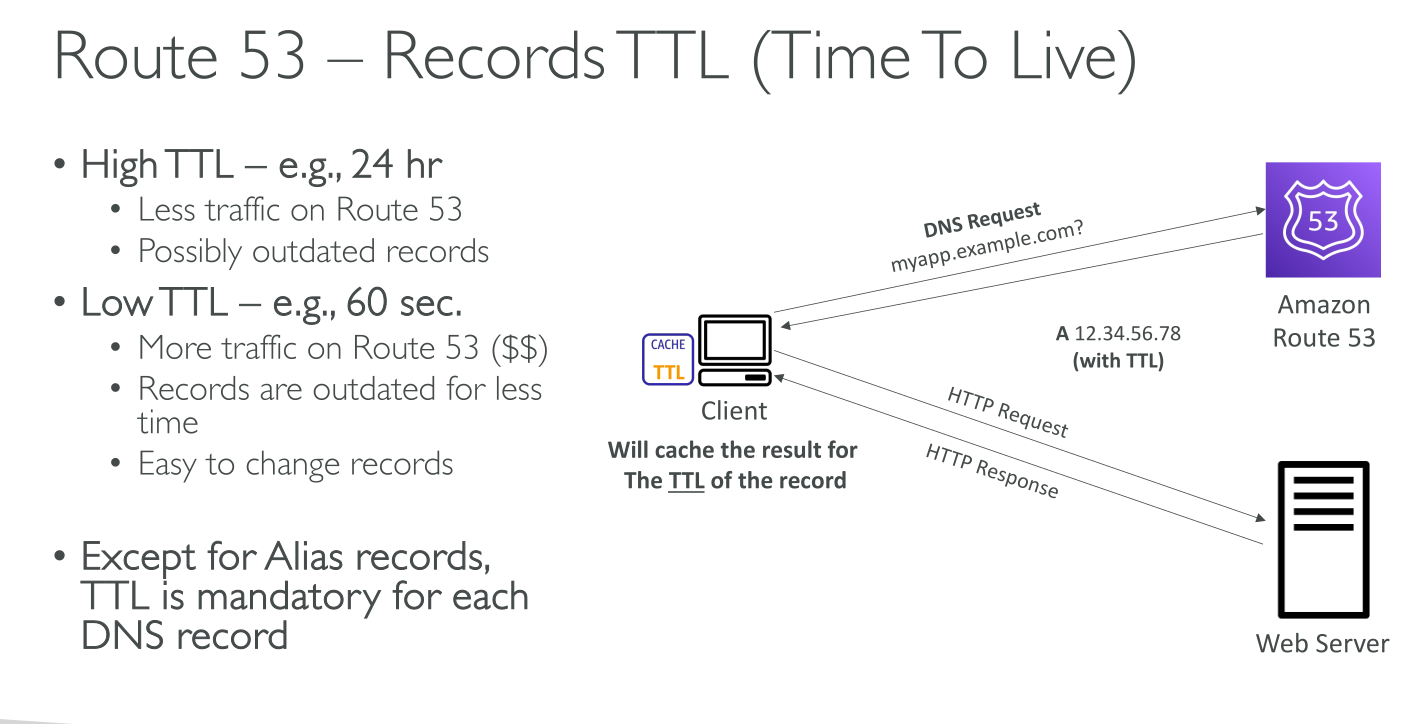
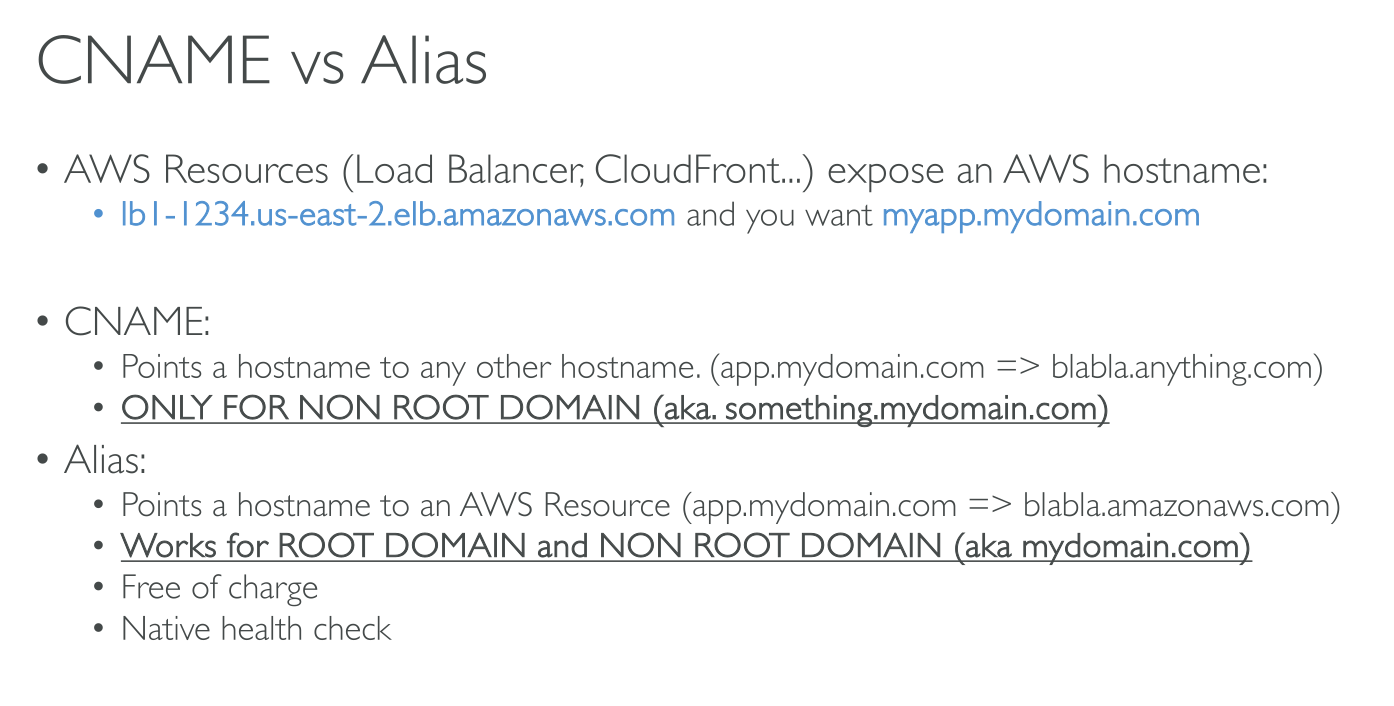
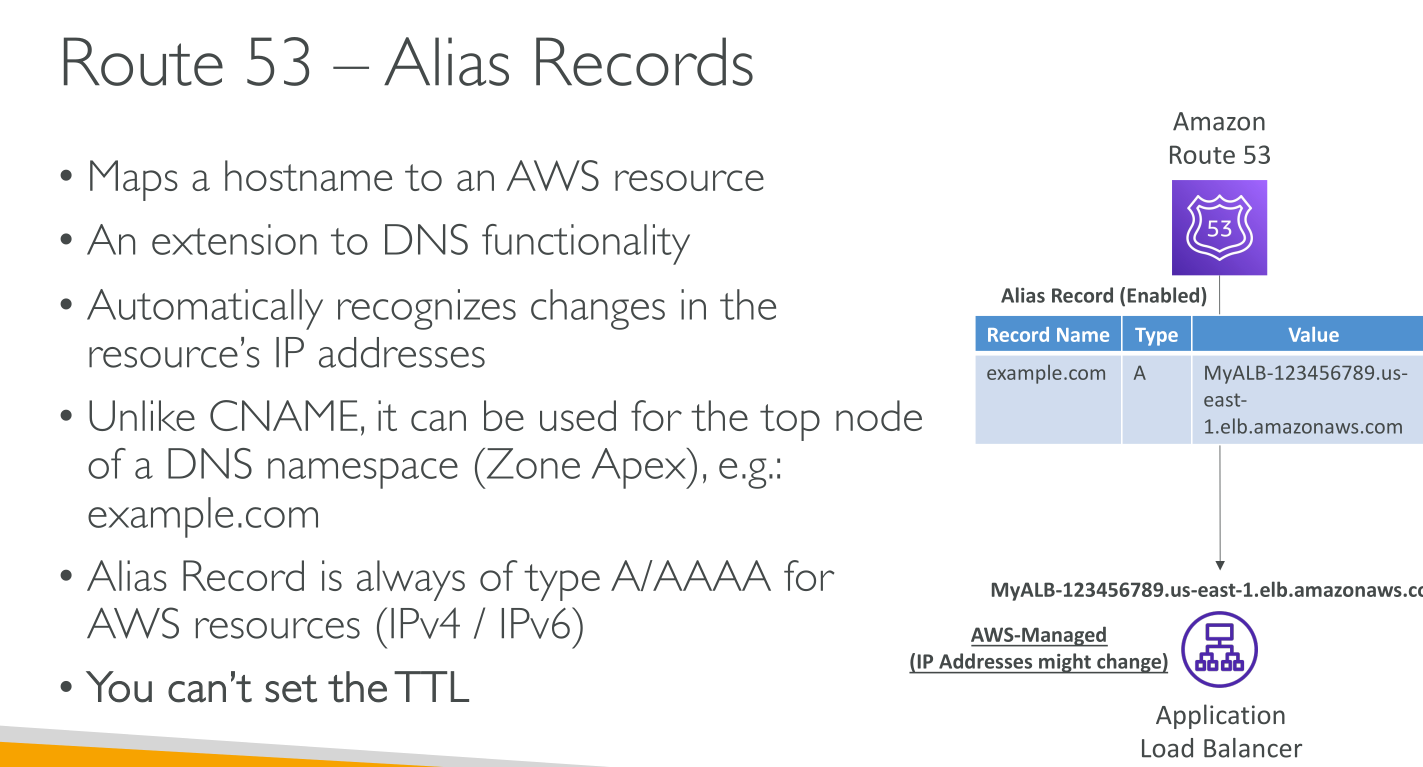
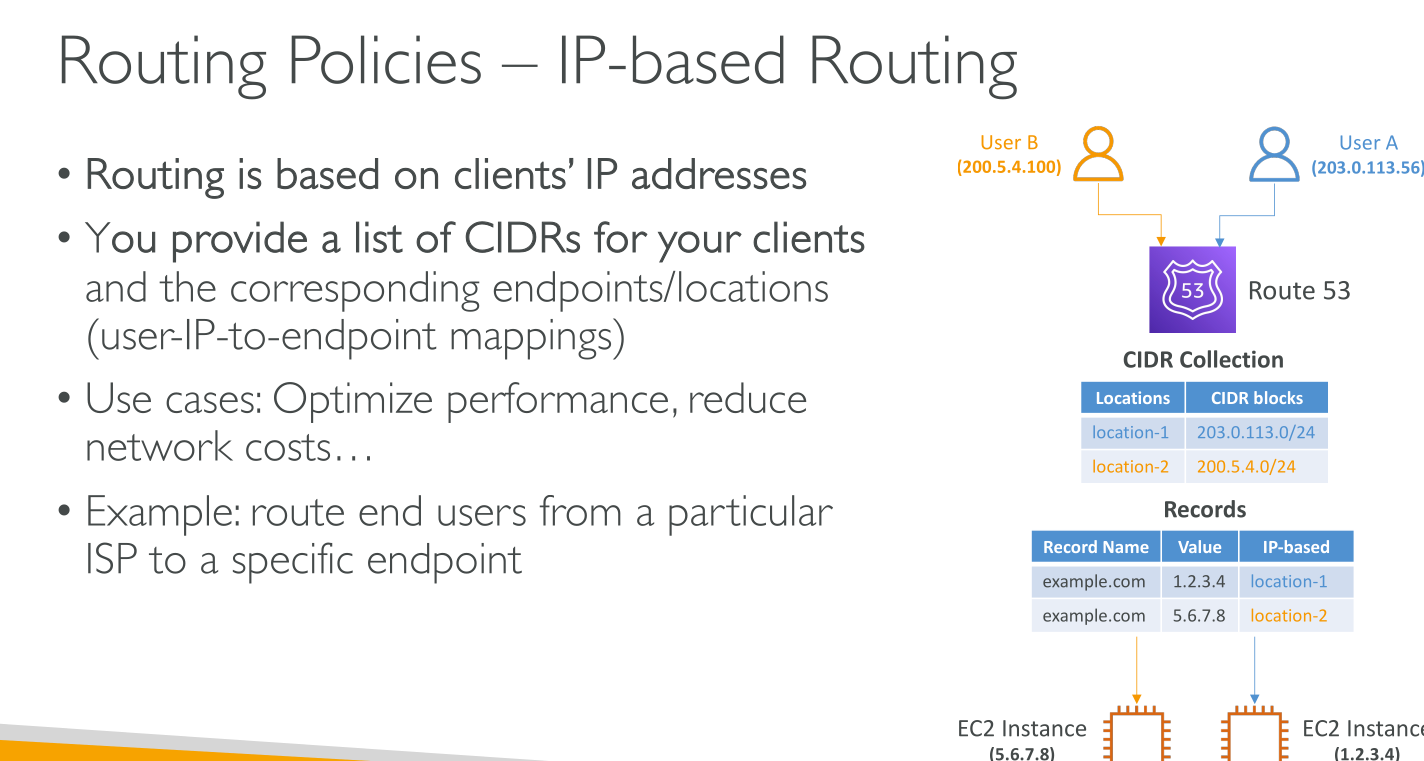
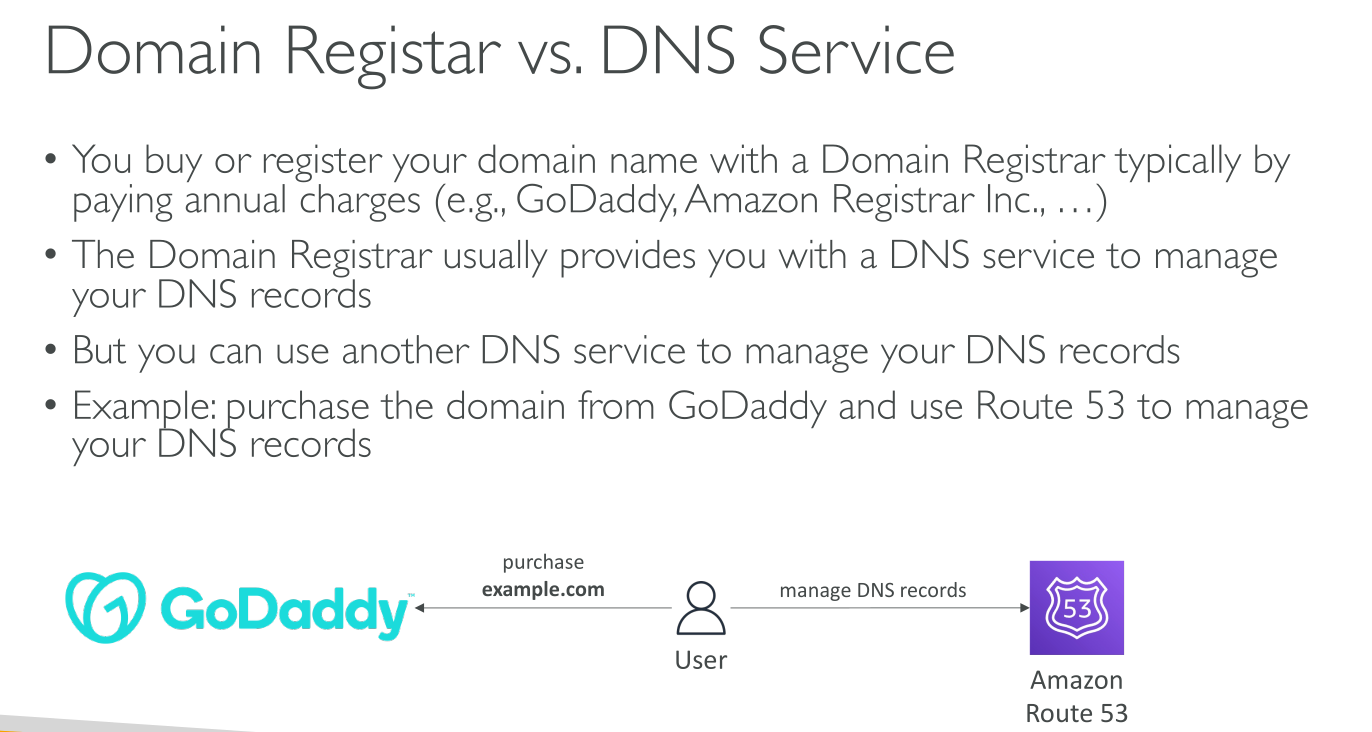
Route53 is a globally resilient service. All regions have the same data.
Hosted Zones
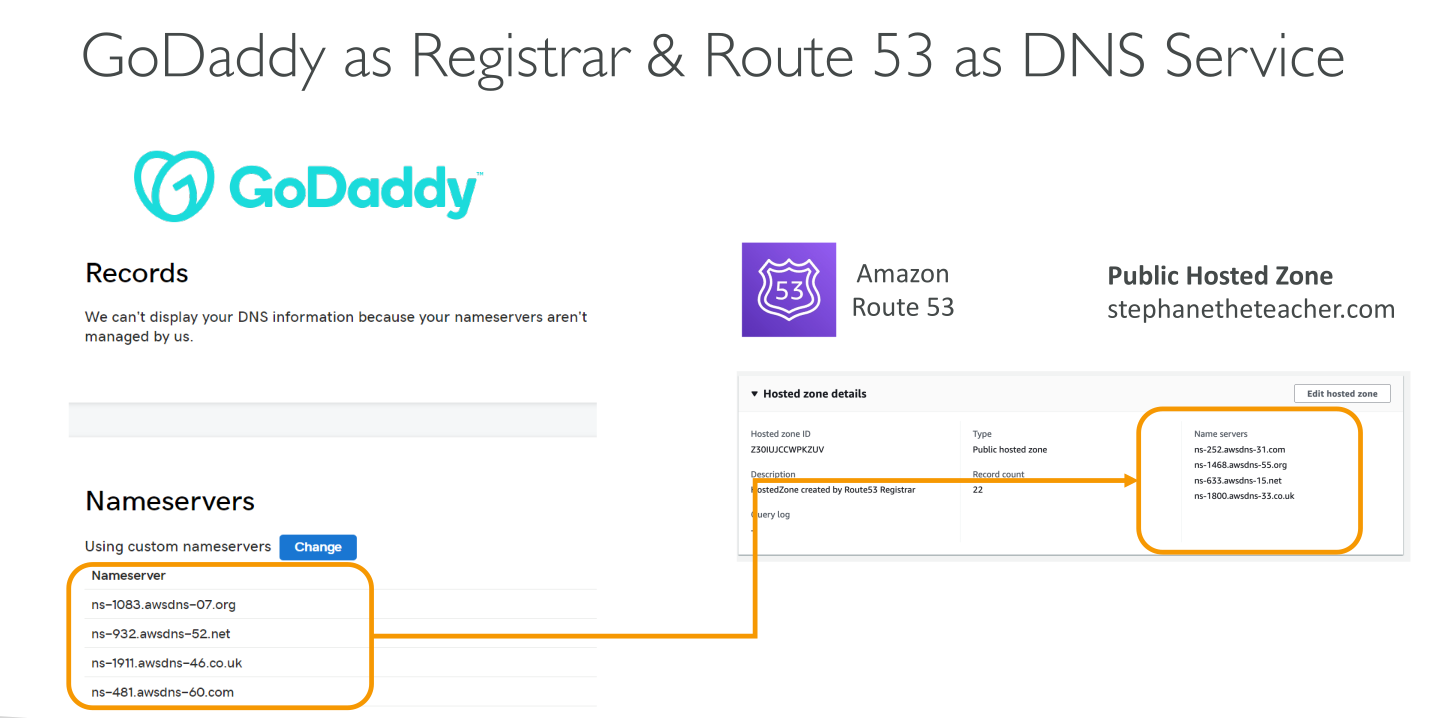
NS and SOA records: When you create a hosted zone, Amazon Route 53 automatically creates a name server (NS) record and a start of authority (SOA) record for the zone. The NS record identifies the four name servers that you give to your registrar or your DNS service so that DNS queries are routed to Route 53 name servers.
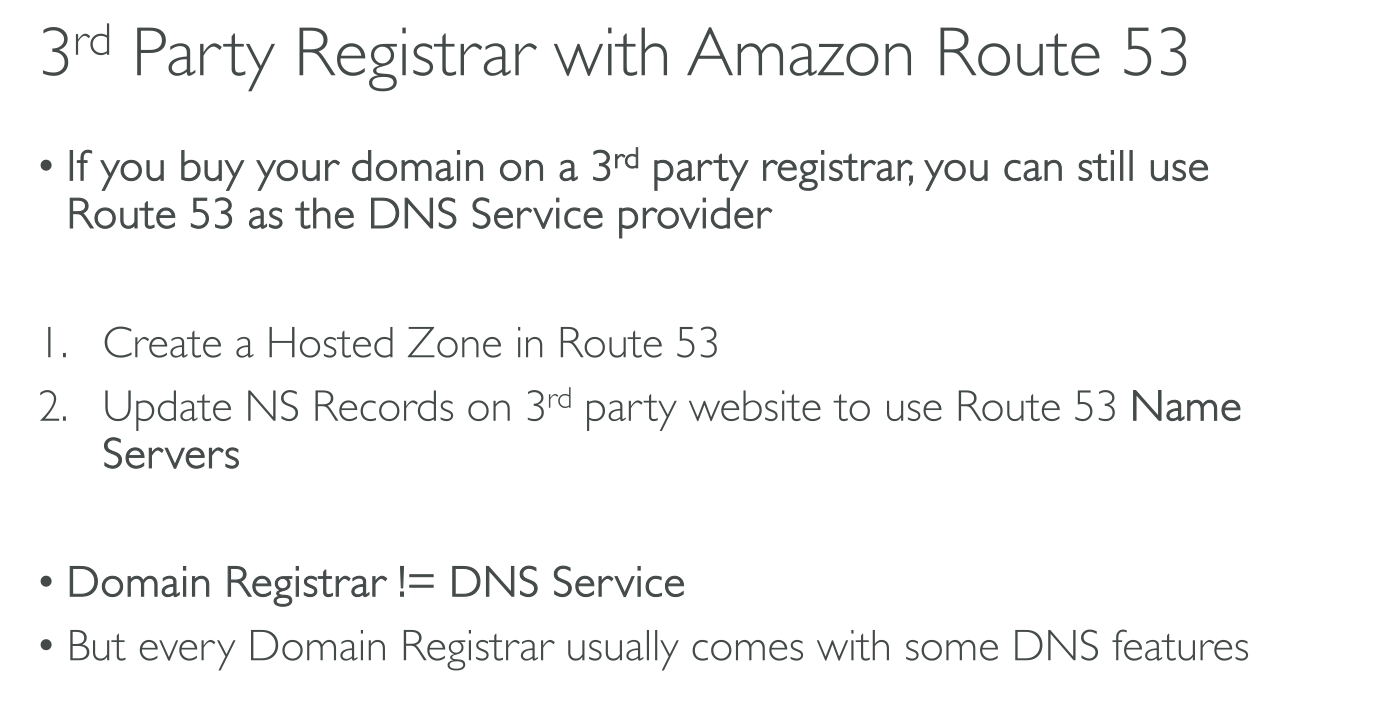
Even when using an external DNS registrar Hosted Zones are authoritative for the domain they manage. You need to put the 4 NS servers of the zone in the NS record of the registrar.
Pricing
$0.5 per hosted zone + small charge per query.
If you use the Route53 registrar service you also need to pay the annual fee for the domain.
Private hosted zones
They’re associated with VPCs and only accessible within those.
They support Split-Horizon DNS where a public and a private zone overlap and records are returned from one or the other depending on the network the client is on.
For instance you may want users to reach your website over the internet but your employees traffic to be routed internally ($) *as long as employees' clients are using the private resolver in an enabled VPC.
Supported Records
-
A
-
AAAA
-
CNAME
-
MX (records priority in mail)
-
NS (Name Servers)
-
PTR (IP ⇒ DNS Name)
-
SRV (Server location in the form
<name>. <TTL> IN SRV <priority> <weight> <port> <target>.) -
TXT (Text data)
-
Others:
-
CAA
-
DS
-
NAPTR
-
SOA
-
SPF
-
-
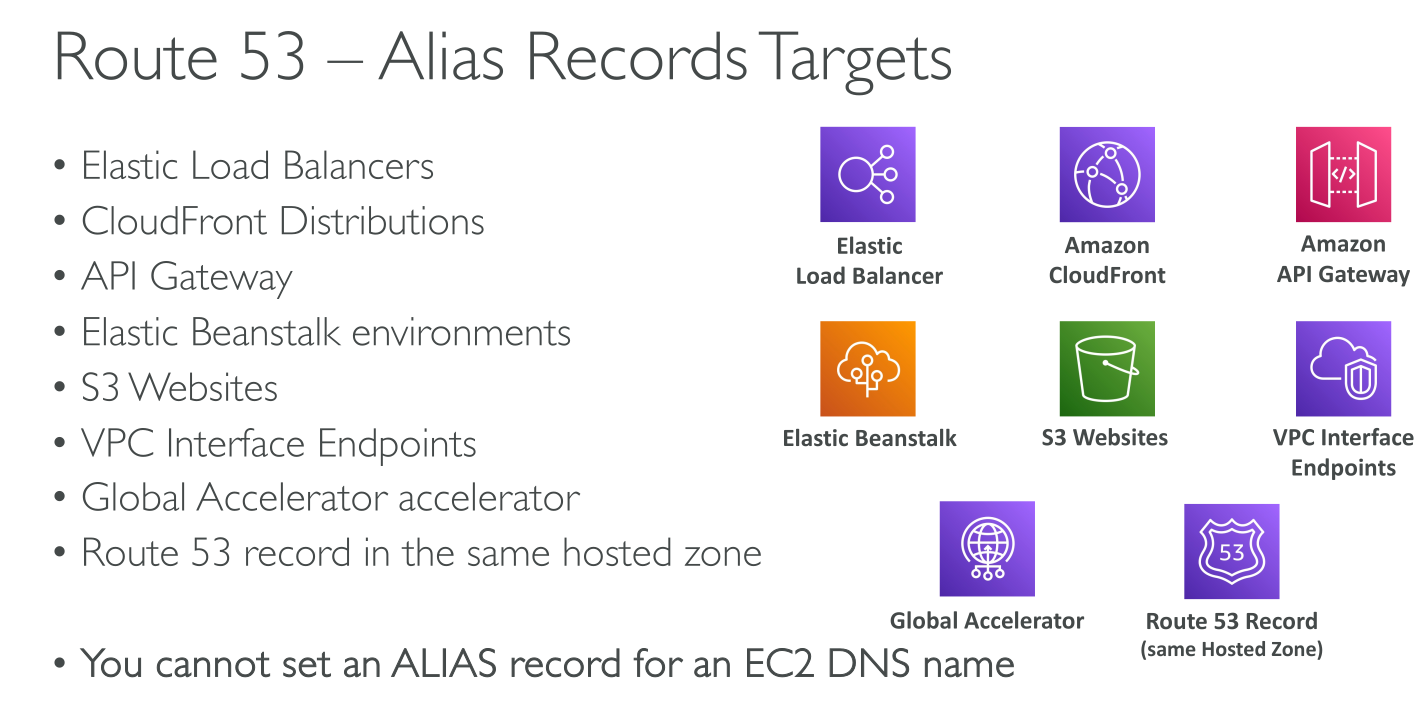
Alias: it’s Route53 specific. Alias records let you route traffic to selected AWS resources. They also let you route traffic from one record in a hosted zone to another record.
Values for simple records:
-
Route to
-
Type
-
TTL
Values for Alias records:
-
Route to
-
Type (What kind of AWS resource it points to)
-
Evaluate target health (Not for simple routing)
Alias records
Compatible AWS resources:
-
An Elastic Load Balancing load balancer (ALB, NLB, Classic)
-
An AWS Global Accelerator accelerator
-
An Amazon S3 bucket that is configured as a static website
-
Another Route 53 record of the same type in the same hosted zone
-
An Amazon API Gateway custom regional API or edge-optimized API
-
An Amazon VPC interface endpoint
-
A CloudFront distribution
-
An Elastic Beanstalk environment
-
AWS AppSync domain name
If an alias record points to an AWS resource, you can’t set the time to live (TTL). If an alias record points to another record in the same hosted zone, Route 53 uses the TTL of the record that the alias record points to
AN ALIAS CANNOT POINT TO AN EC2 INSTANCE!
Alias Vs. CNAME:
-
Target: CNAME can only contain another DNS record (any type), inside or outside AWS. Alias can only point to the same type (E.g.: A → A)
-
Zone Apex: CNAME cannot point to the apex. In a hosted zone for a domain (example.com) it cannot point to
example.com(it can point towww.example.com). In a hosted zone zone for a subdomain (subdomain.example.com) the CANNOT point to the apex (subdomain.example.com) either. -
Pricing: CNAME records are charged based on the number of queries, Aliases are not.
-
dig or nslookup: CNAME appear as CNAME, Aliases as their underlying type.
Subdomains
You can either:
-
Create records in the hosted zone for the domain: you create a record in the hosted zone that has the same name as the domain.
-
Create a hosted zone for the subdomain, and create records in the new hosted zone (Delegation): Using a separate hosted zone to route internet traffic for a subdomain is sometimes known as "delegating responsibility for a subdomain to a hosted zone" or "delegating a subdomain to other name servers".
-
You create a hosted zone that has the same name as the subdomain
-
You create records in the new hosted zone that define how you want to route traffic for the subdomain and its subdomains.
-
You get the name servers that Route 53 assigned to the new hosted zone when you created it.
-
You create a new NS record in the hosted zone for the domain (example.com), and you specify the four name servers that you got in step 3.
-
You can use IAM permissions to restrict access to the hosted zone for the subdomain.
DNS Records
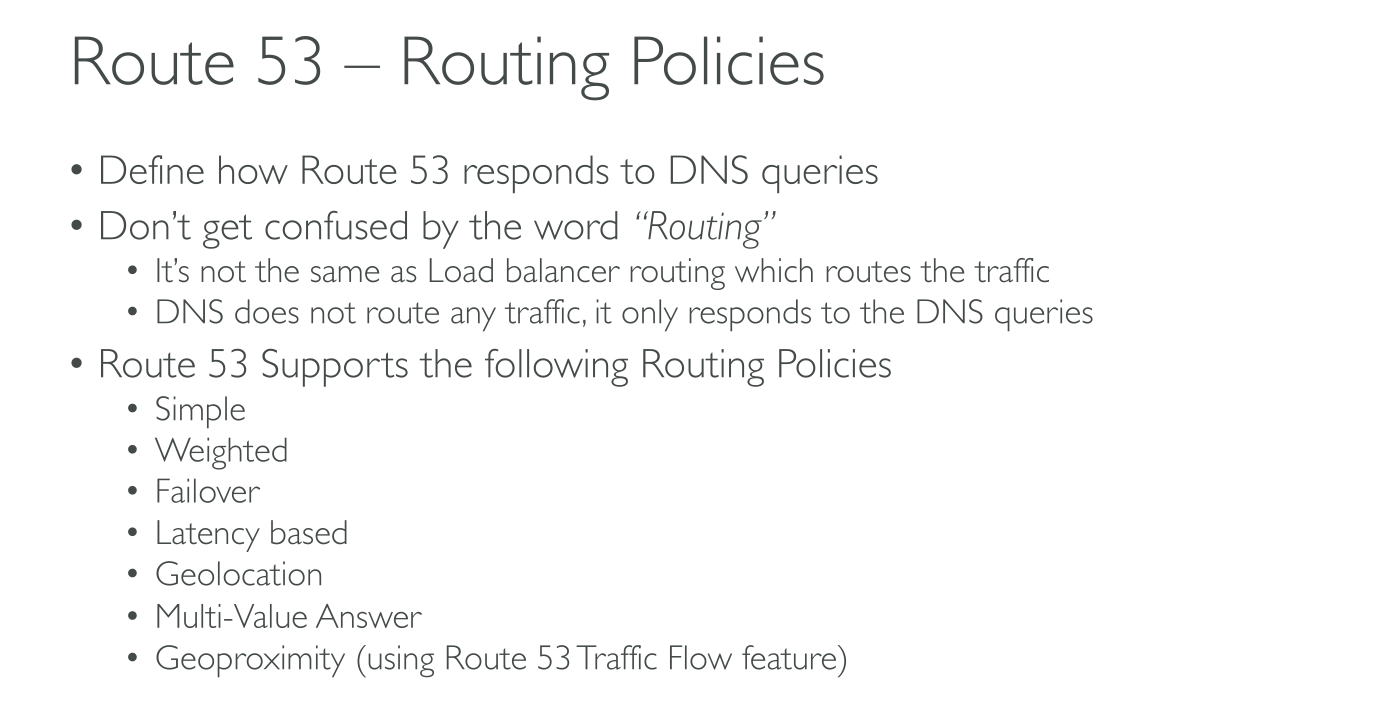
Routing Policies
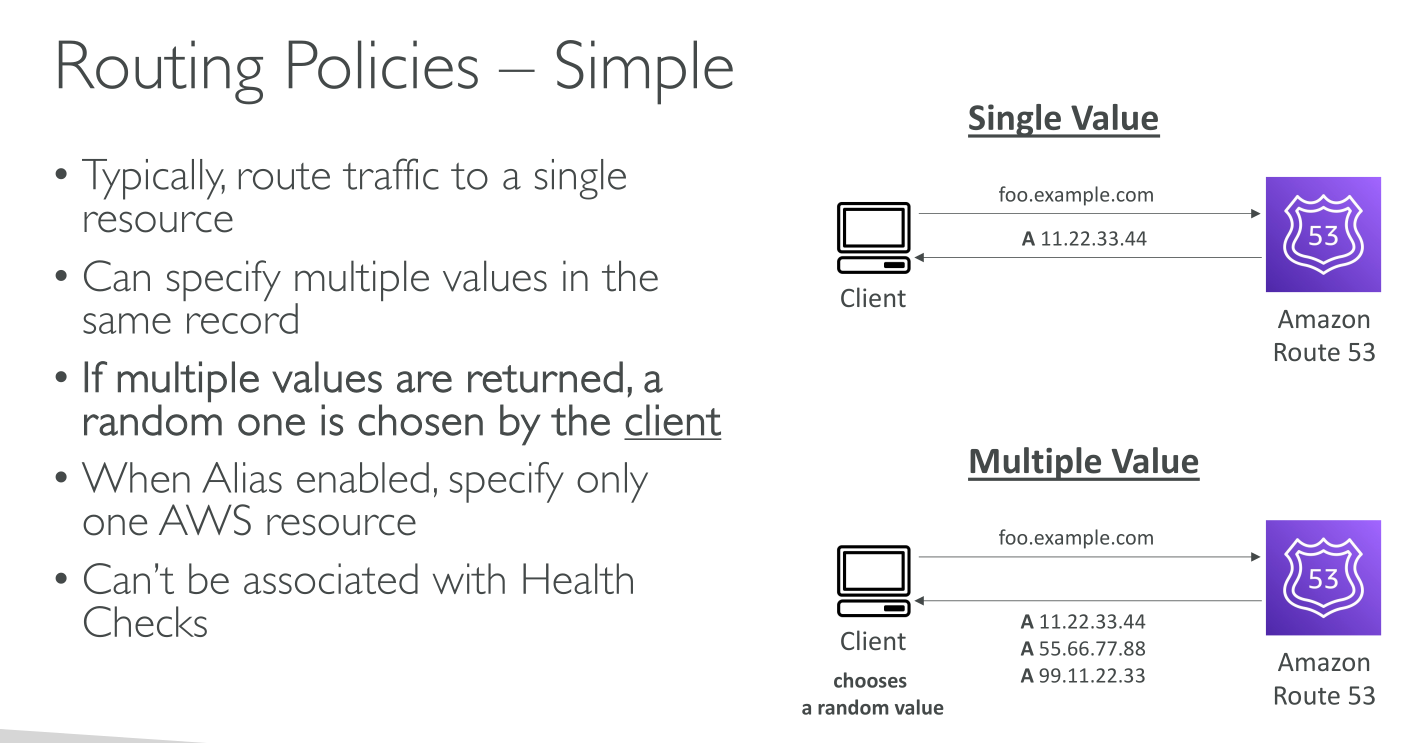
Simple
-
For Public and Private zones.
-
You can specify multiple IPs as a value, they’re returned as a list in random order no matter what (no health checks). The client chooses which one to use.
-
You can’t create different records with the same name and type.
-
If you specify more than value, then 1 random is chosen.
Simple routing poilicy
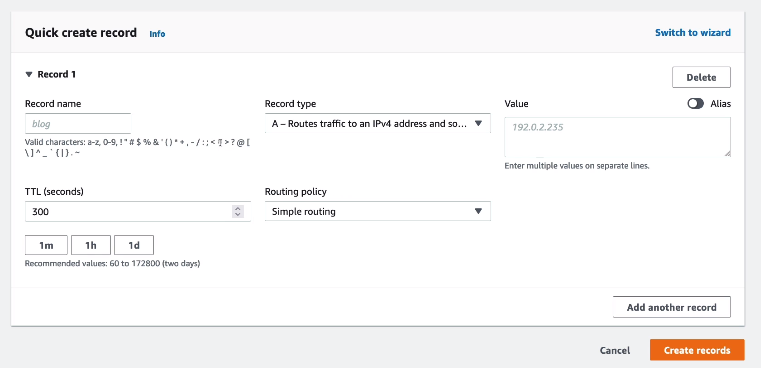
Values:
-
Simple:
-
Route to
-
Type (A, AAAA, CNAME, …)
-
TTL
-
-
Alias:
-
Type (S3 Bucket website, Cloudfront distribution, ALB/NLB, …)
-
Route to (The names of the resources in 'Type')
-
Evaluate target health (Ineffective for Simple routing policy)
-
Failover
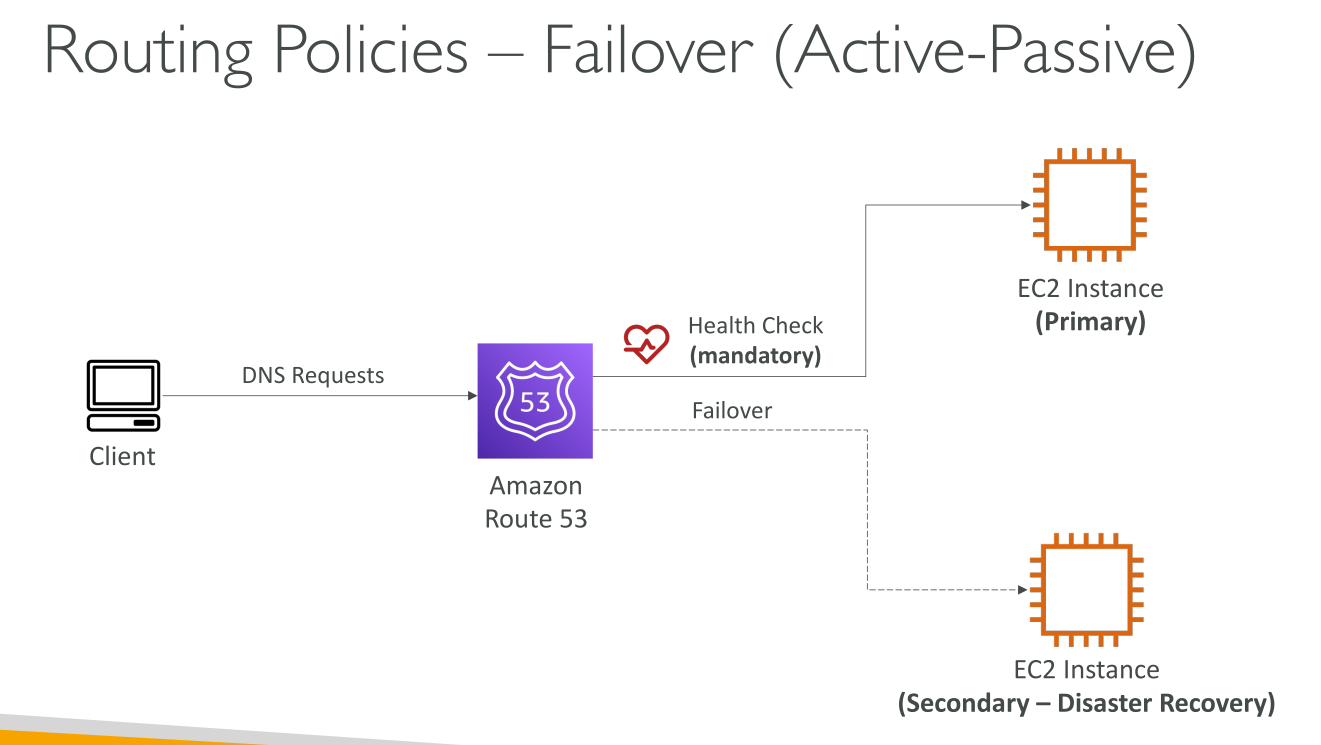
Lets you route traffic to a resource when the resource is healthy (see healthchecks) or to a different resource when the first resource is unhealthy.
-
For Public and Private zones.
Failover routing policy
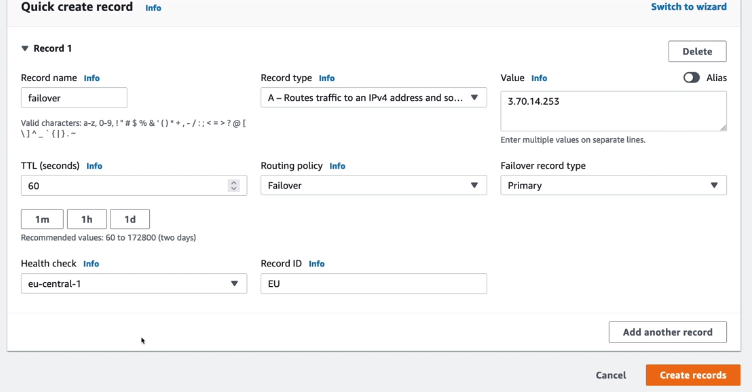
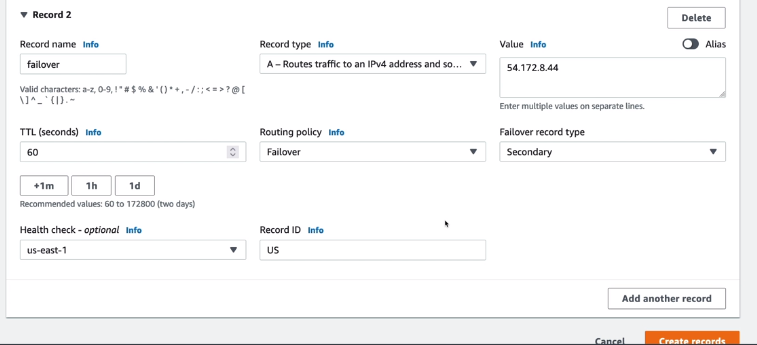
Active-Active and Active-Passive Failover:
-
Active-Active: you want all of your resources to be available the majority of the time. When a resource becomes unavailable, Route 53 can detect that it’s unhealthy and stop including it when responding to queries. In active-active failover, all the records that have the same name, the same type (such as A or AAAA), and the same routing policy (such as weighted or latency) are active unless Route 53 considers them unhealthy. Route 53 can respond to a DNS query using any healthy record.
-
Active-Passive: you want a primary resource or group of resources to be available the majority of the time and you want a secondary resource or group of resources to be on standby in case all the primary resources become unavailable. When responding to queries, Route 53 includes only the healthy primary resources. If all the primary resources are unhealthy, Route 53 begins to include only the healthy secondary resources in response to DNS queries.
Values:
-
Simple:
-
Route to
-
Type
-
TTL (seconds)
-
Failover record type (primary/secondary)
-
Health check
-
-
Alias:
-
Route to
-
Type
-
Failover record type (primary/secondary)
-
Health check
-
Evaluate target health
-
Geolocation
-
For Public and Private zones.
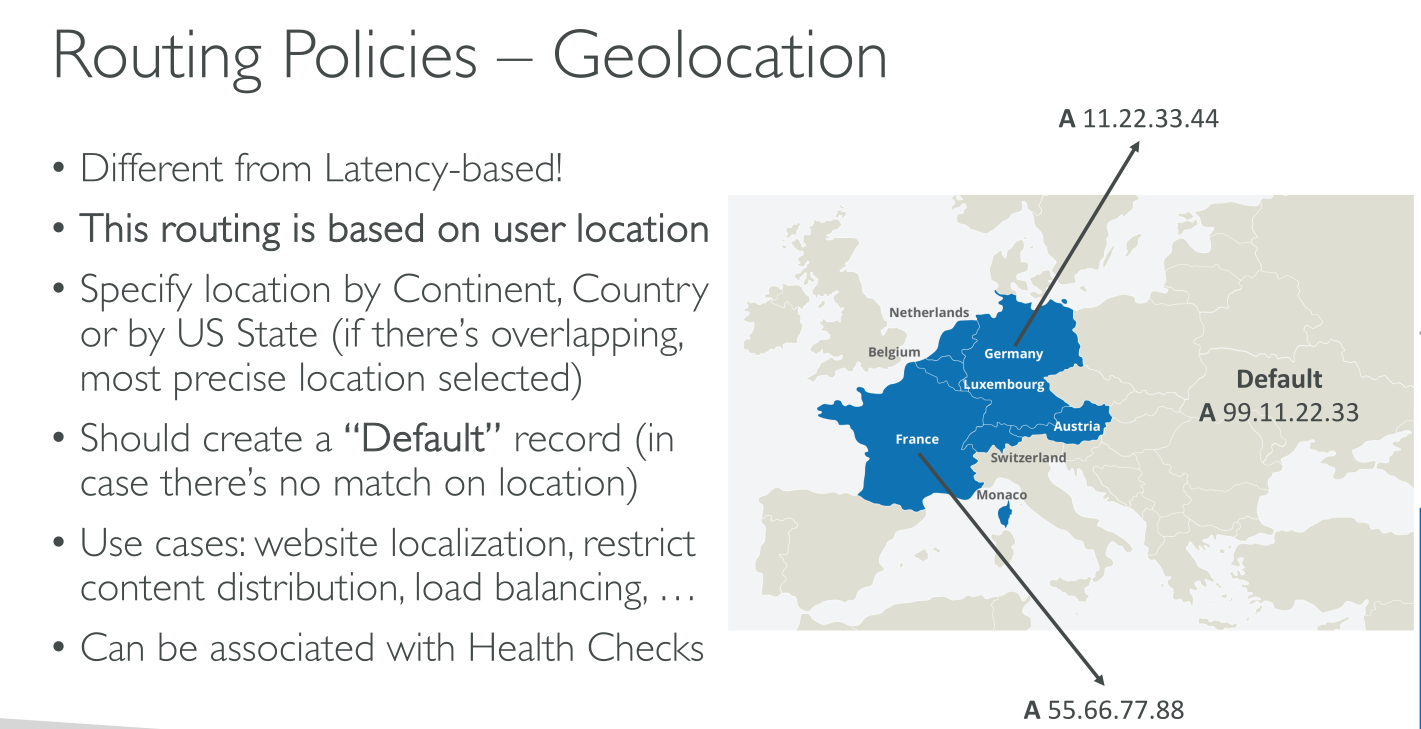
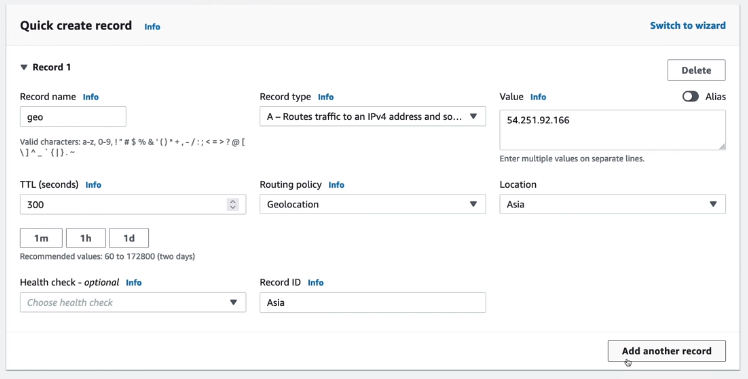
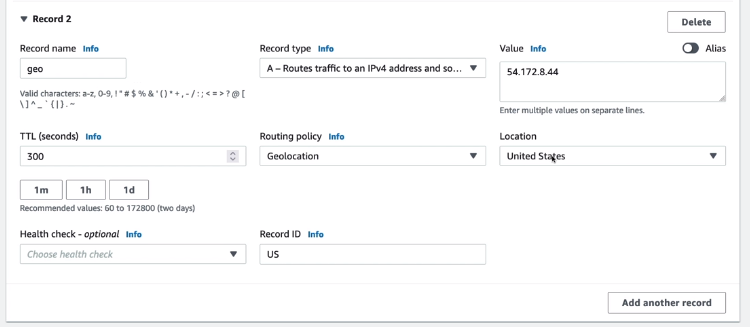
Lets you choose the resources that serve your traffic based on the geographic location of your users, meaning the location that DNS queries originate from.
If you create separate records for overlapping geographic regions — for example, one record for North America and one for Canada — priority goes to the smallest geographic region.
Some IP addresses aren’t mapped to geographic locations, so even if you create geolocation records that cover all seven continents, Amazon Route 53 will receive some DNS queries from locations that it can’t identify. You can create a default record that handles both queries from IP addresses that aren’t mapped to any location and queries that come from locations that you haven’t created geolocation records for.
You can specify geographic locations by continent, by country, or by state in the United States.
Geolocation doesn’t return the closest records, it returns RELEVANT records. Matching is performed (where theese attributes are supported) against State > Country > Continent > Default (if defined). In case of no match, then a "NO ANSWER" is returned.
Use Cases:
-
You can use geolocation routing to restrict distribution of content to only the locations in which you have distribution rights.
-
Provide language-specific contents
-
Another possible use is for balancing load across endpoints in a predictable and easy-to-manage way, so that each user location is consistently routed to the same endpoint.
Geolocation routing policy
Geoproximity
-
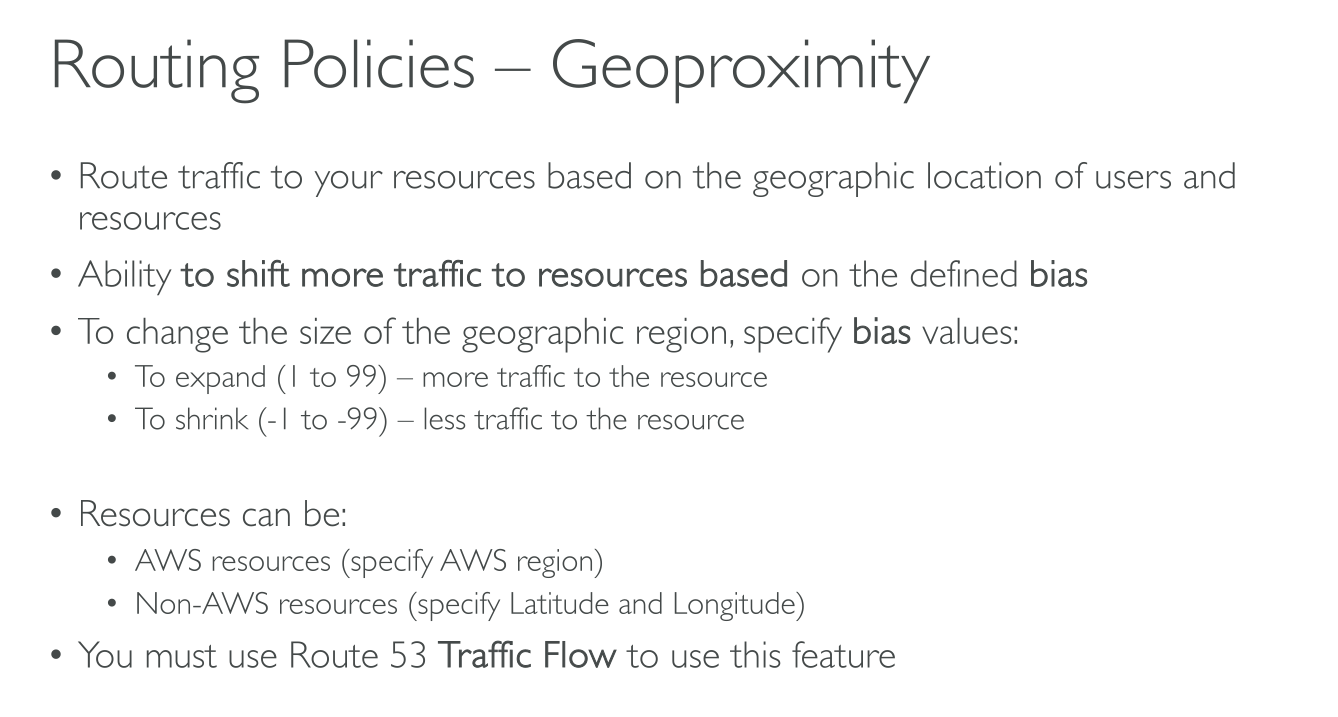
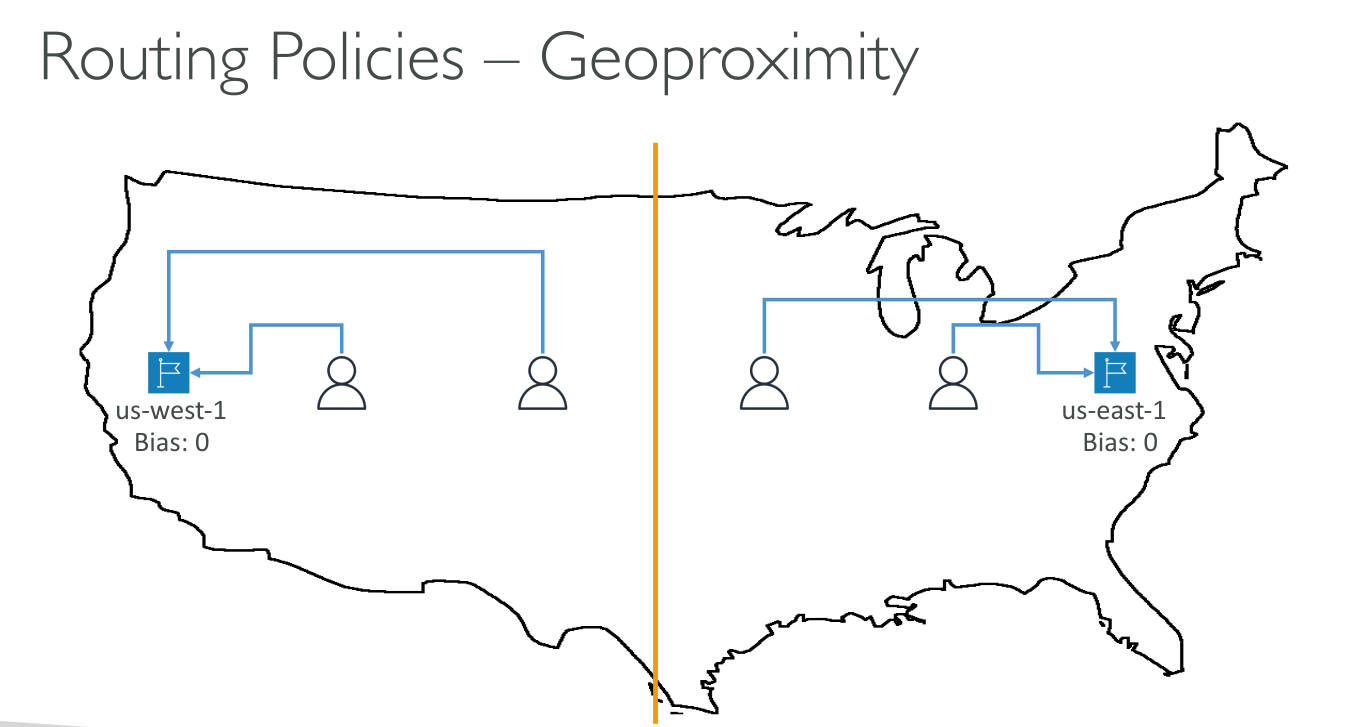
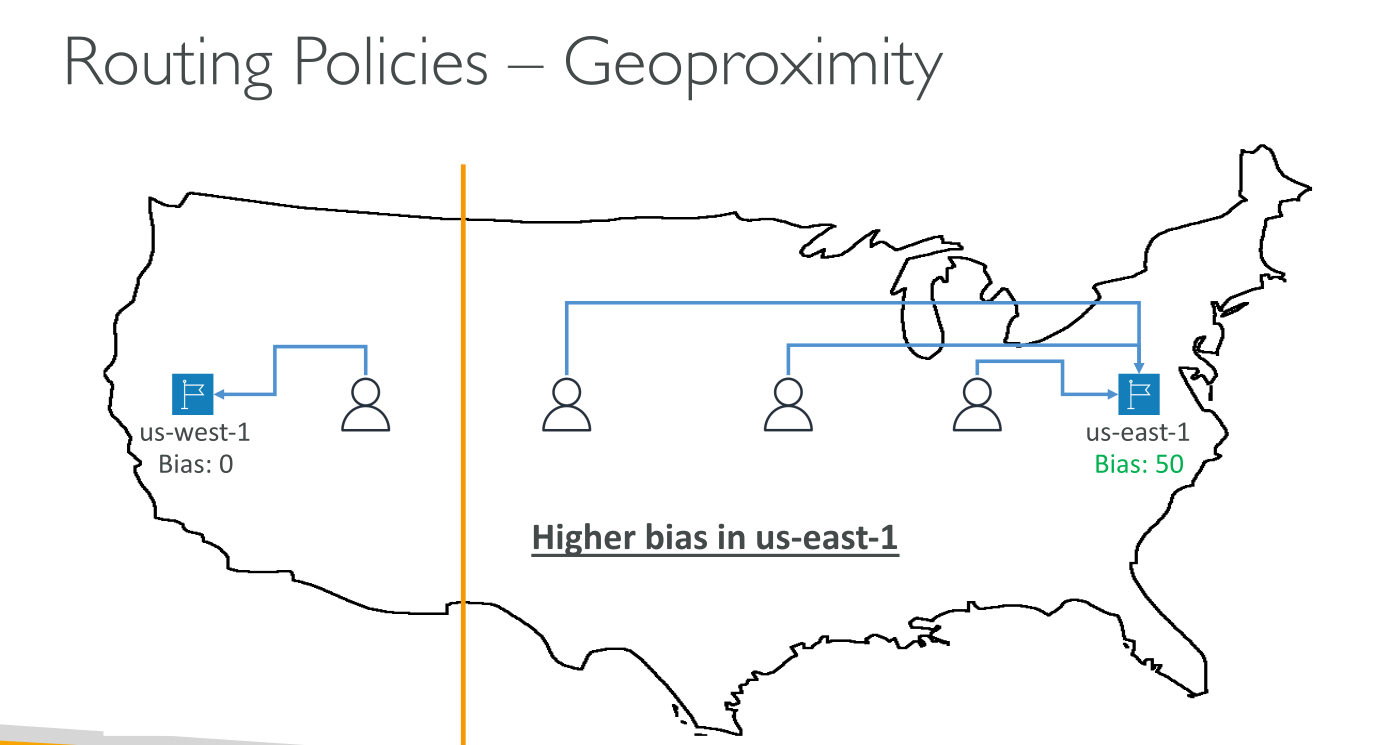
Public zones only It routes traffic to the closest resource that is available. You can also optionally choose to route more traffic or less traffic to a given resource by specifying a value, known as a bias:
-
To expand the size of the geographic region from which Route 53 routes traffic to a resource, specify a positive integer from 1 to 99 for the bias.
-
To shrink the size of the geographic region from which Route 53 routes traffic to a resource, specify a negative bias of -1 to -99.
This routing policy is not about latency, it’s about distance from the resource. Resources can be:
-
AWS hosted: AWS knows region and zone, if applicable.
-
External: you need to provide latitude and longitude.
Latency-based routing
-
For Public and Private zones.
-
It can be combined with health checks.
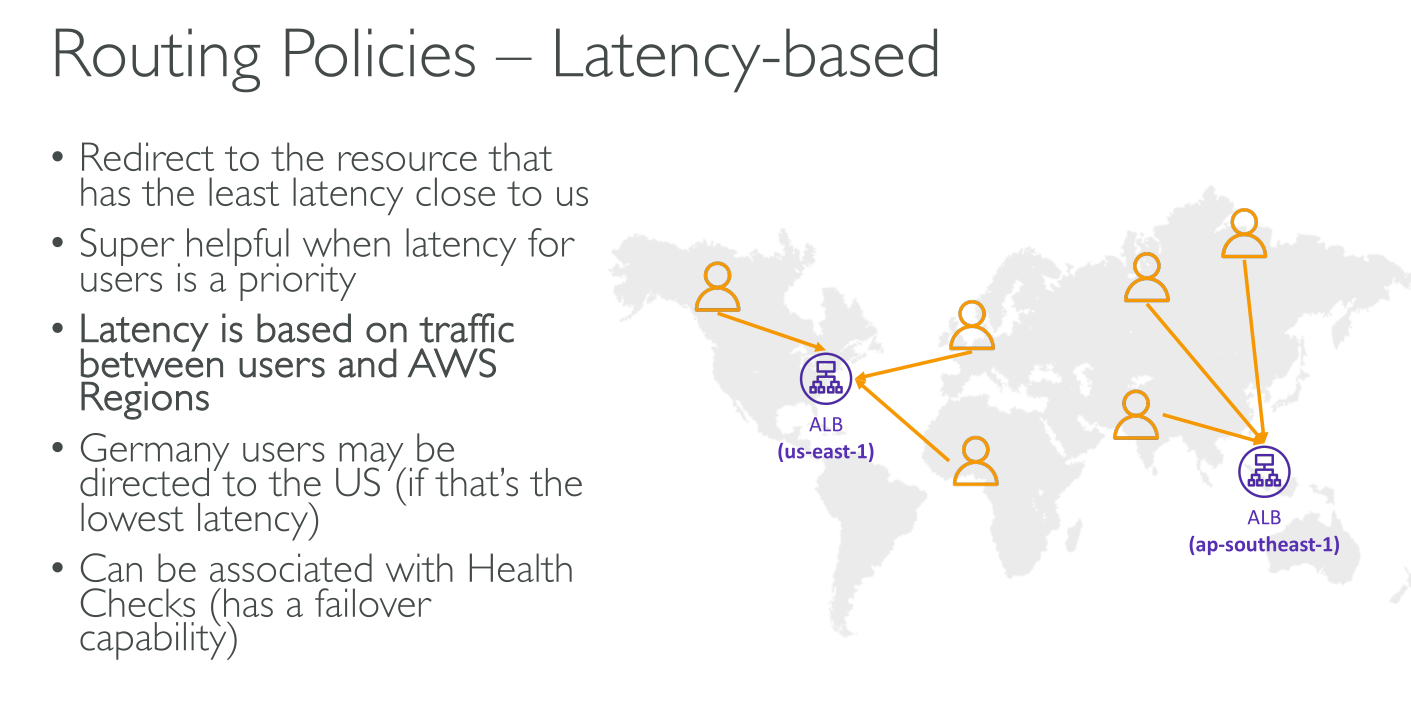
To use latency-based routing, you create latency records for your resources in multiple AWS Regions. When Route 53 receives a DNS query for your domain or subdomain (example.com or acme.example.com), it determines which AWS Regions you’ve created latency records for, determines which Region gives the user the lowest latency, and then selects a latency record for that Region. Route 53 responds with the value from the selected record.
It supports only one record with the same name for each region.
Latencies are retrieved from latenciies database AWS keeps, which is not real-time.
It’s used to get the best performance.
Multivalue routing
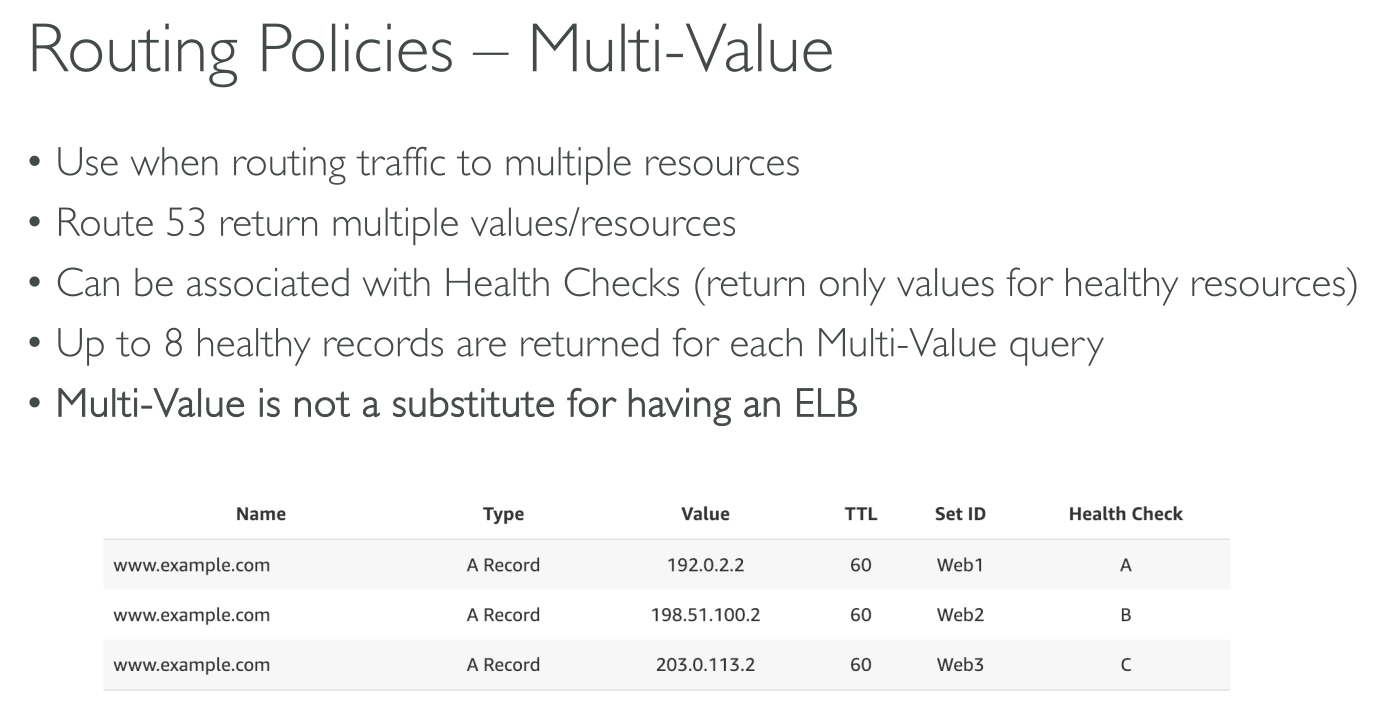
Lets you configure Amazon Route 53 to return multiple values. Multivalue answer routing also lets you check the health of each resource, so Route 53 returns only values for healthy resources with up to eight healthy records.
It follows an active-active dns approach.
It can return up to 8 records. If you have more than 8, then 8 random are selected.
It does NOT replace a load balancer.
Weighted routing
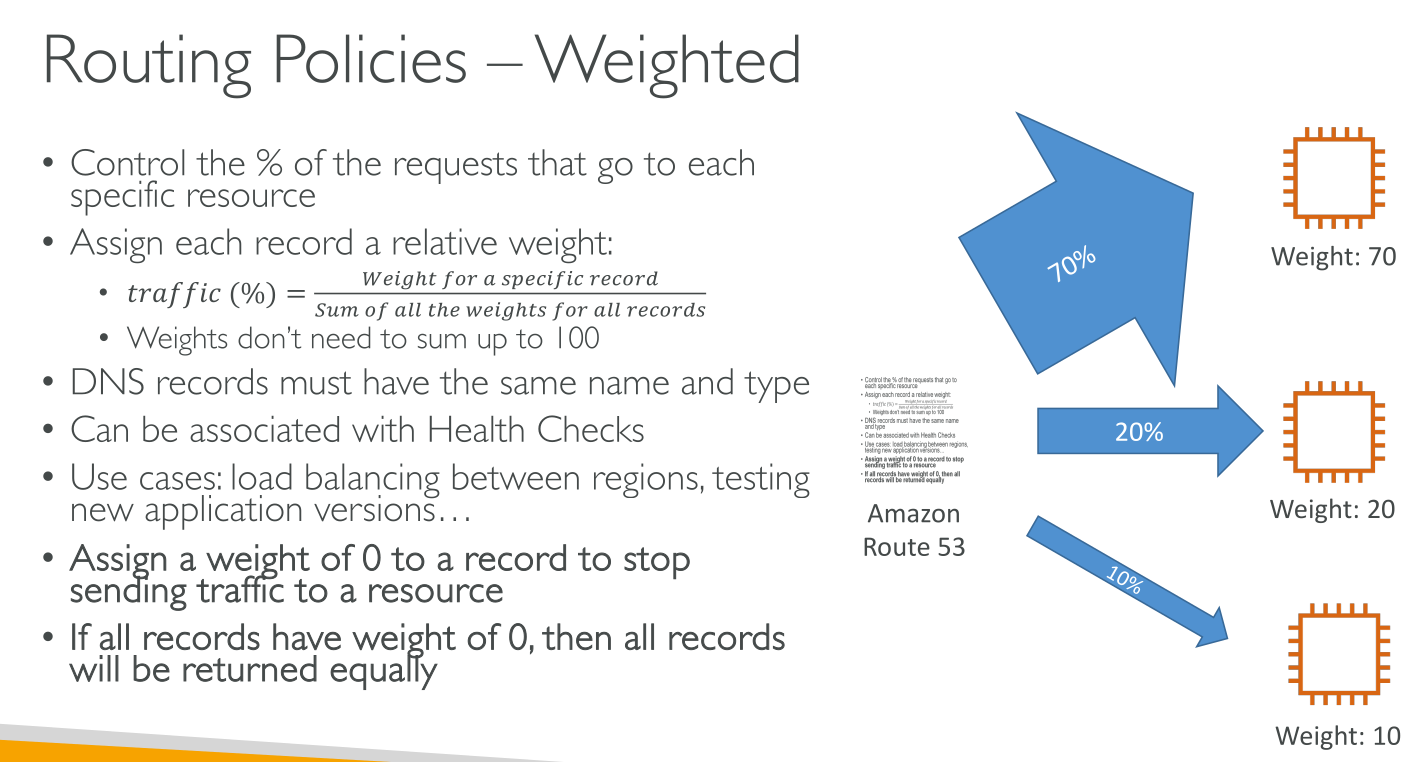
Lets you associate multiple resources with a single domain name (example.com) or subdomain name (acme.example.com) and choose how much traffic is routed to each resource.
The sum of the weights doesn’t have to be 100, because the result is calculated according to:

You can use health-checks to exclude records.
It can be used to implement:
-
Simple load balancing
-
Testing new software versions
Route53 Resolver
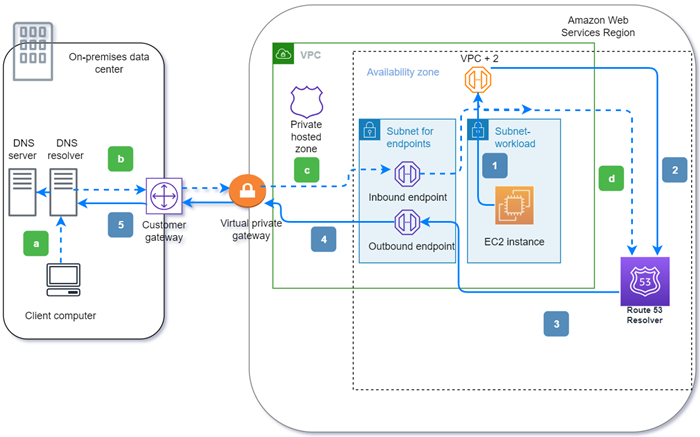
You also can integrate DNS resolution between Resolver and DNS resolvers on your network. "You network means":
-
The VPC itself
-
A peered VPC
-
An on-premise network
On-Premise
Through Resolver endpoints and conditional forwarding rules, you can resolve DNS queries between your on-premises resources and VPCs to create a hybrid cloud setup over VPN or Direct Connect (DX).
-
Inbound Resolver endpoints allow DNS queries to your VPC from your on-premises network or another VPC.
-
Outbound Resolver endpoints allow DNS queries from your VPC to your on-premises network or another VPC.
-
Resolver rules enable you to create one forwarding rule for each domain name and specify the name of the domain for which you want to forward DNS queries from your VPC to an on-premises DNS resolver and from your on-premises to your VPC. Rules are applied directly to your VPC and can be shared across multiple accounts.
Health Checks
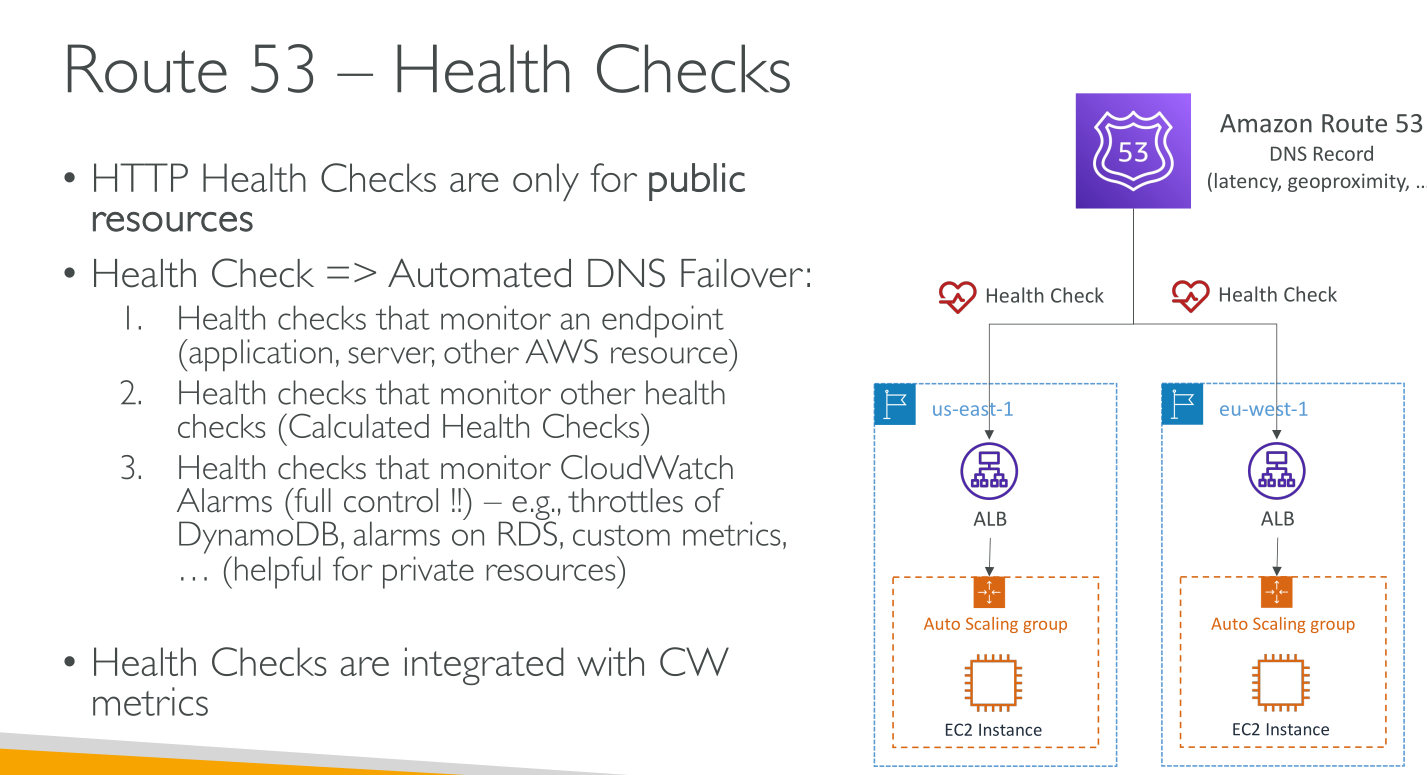
Health checks are indipendent from records but are used by them.
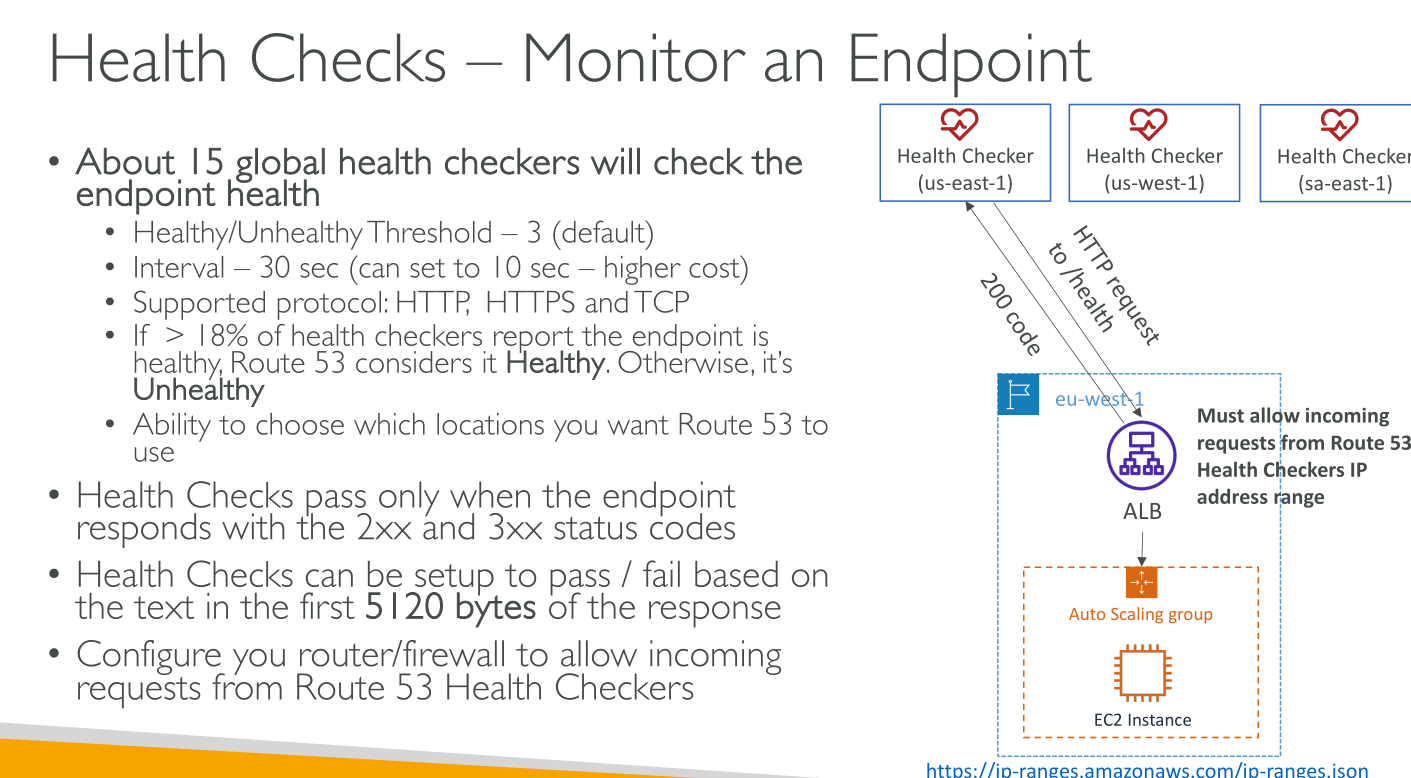
Health checks come from 15 locations globally and are not limited to AWS resources: they can be used to check anything available on the public internet.
Period: 30s (or 10s at an extra cost)
Statuses: healthy | unhealthy
If more than 18% of the health checkers report and endpoint as healthy, then the checks are passed.
Types of health checks
-
Health checks that monitor an endpoint
-
TCP: timeout 10s
-
HTTP/HTTPS: they have 2 phases (establishment of the TCP connection and HTTP(S) response) with different timeouts:
-
TCP connection established timeout: 4s
-
2XX-3XX response timeout: 2s
-
(Optional) String matching on the body up to 5120 bytes: the string must appear entirely.
-
-
-
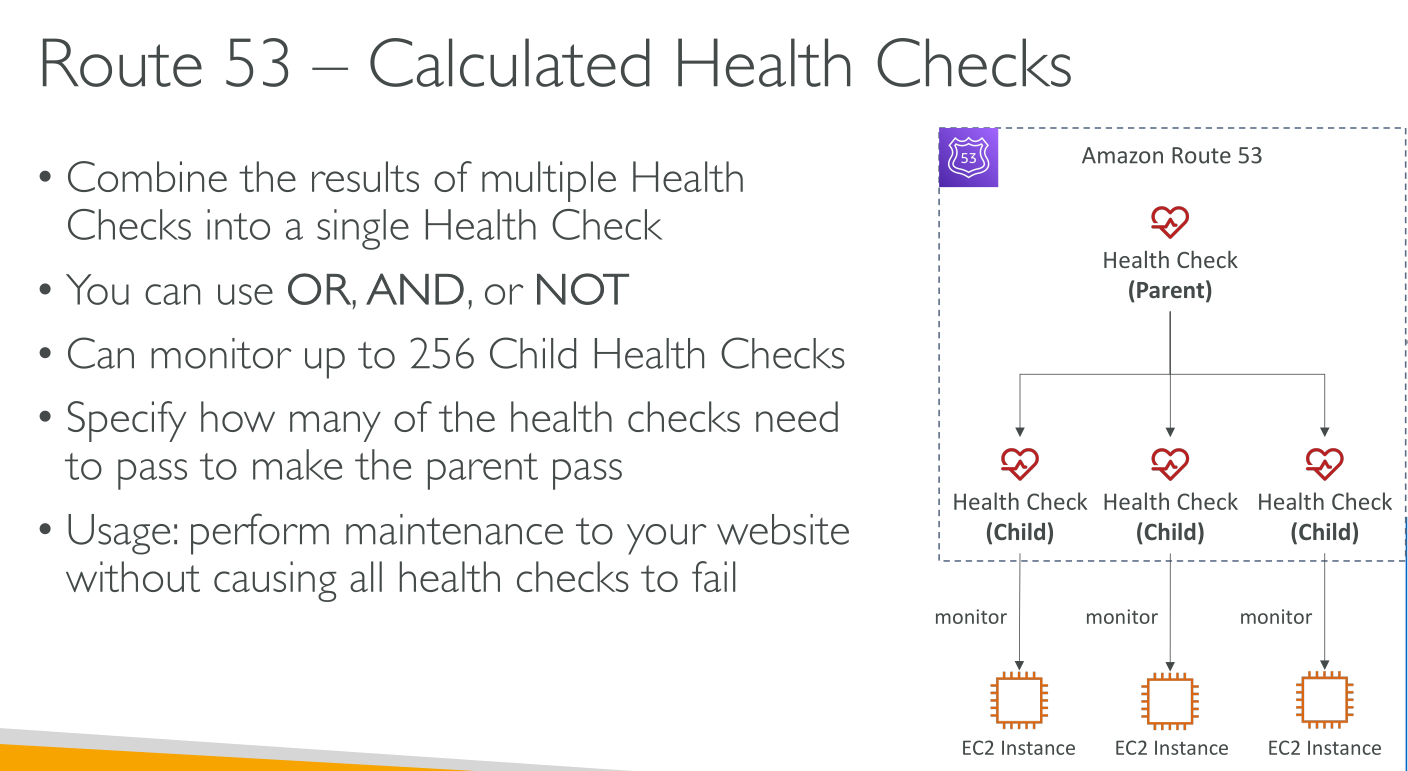
Health checks that monitor other health checks (calculated health checks): if your chief concern is whether some minimum number of your resources are healthy, you can create a health check for each resource without configuring notification for those health checks. Then you can create a health check that monitors the status of the other health checks and that notifies you only when the number of available web resources drops below a specified threshold.
-
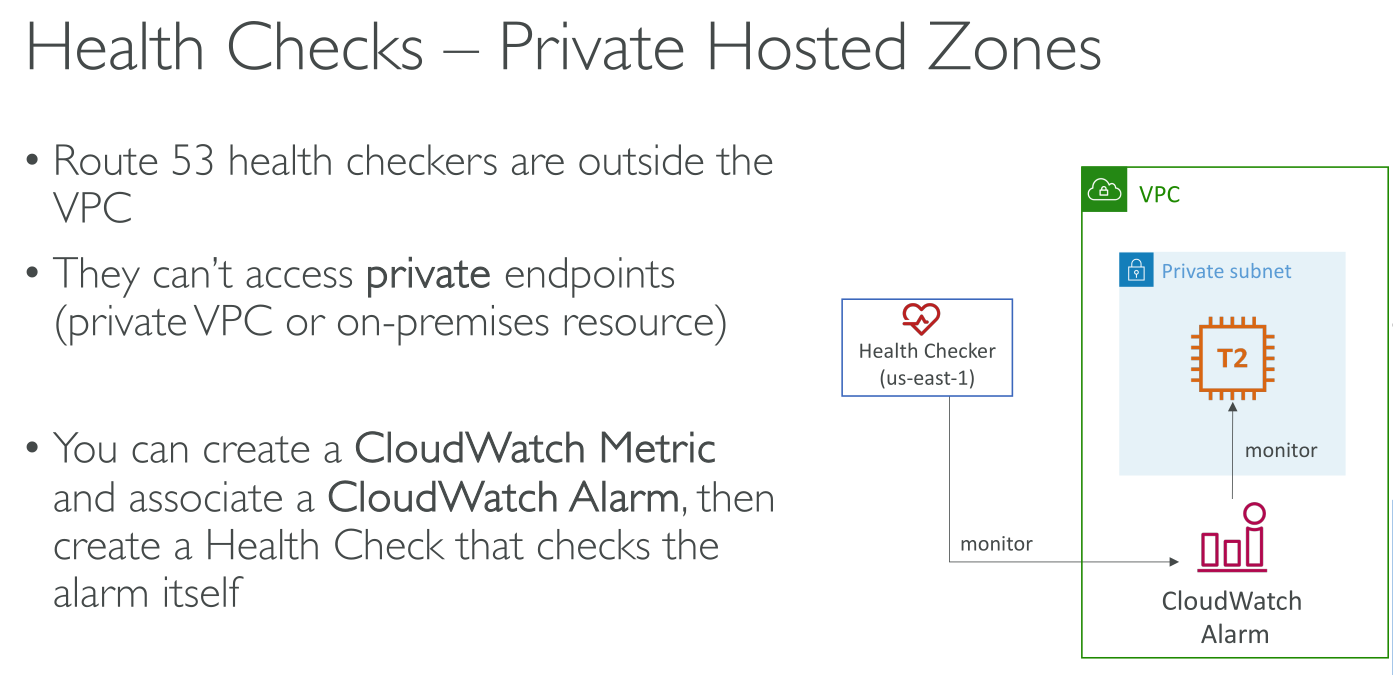
Health checks that monitor CloudWatch alarms
You provide:
-
The IP or FQDN of the endpoint.
-
The protocol. Route53 supports HTTP, HTTPS, TCP. HTTP and HTTPS can have an optional 5120 bytes string matching.
-
The request interval. "How often?".
-
The Failure threshold. The number of failed attempts needed to report the endpoint as unhealthy.
-
(optional) The notification on unhealthy endpoint detection. When Cloudwatch triggers an alarm an Amazon SNS message is sent.
-
Invert the healthcheck status