Reserved instances
Show slides
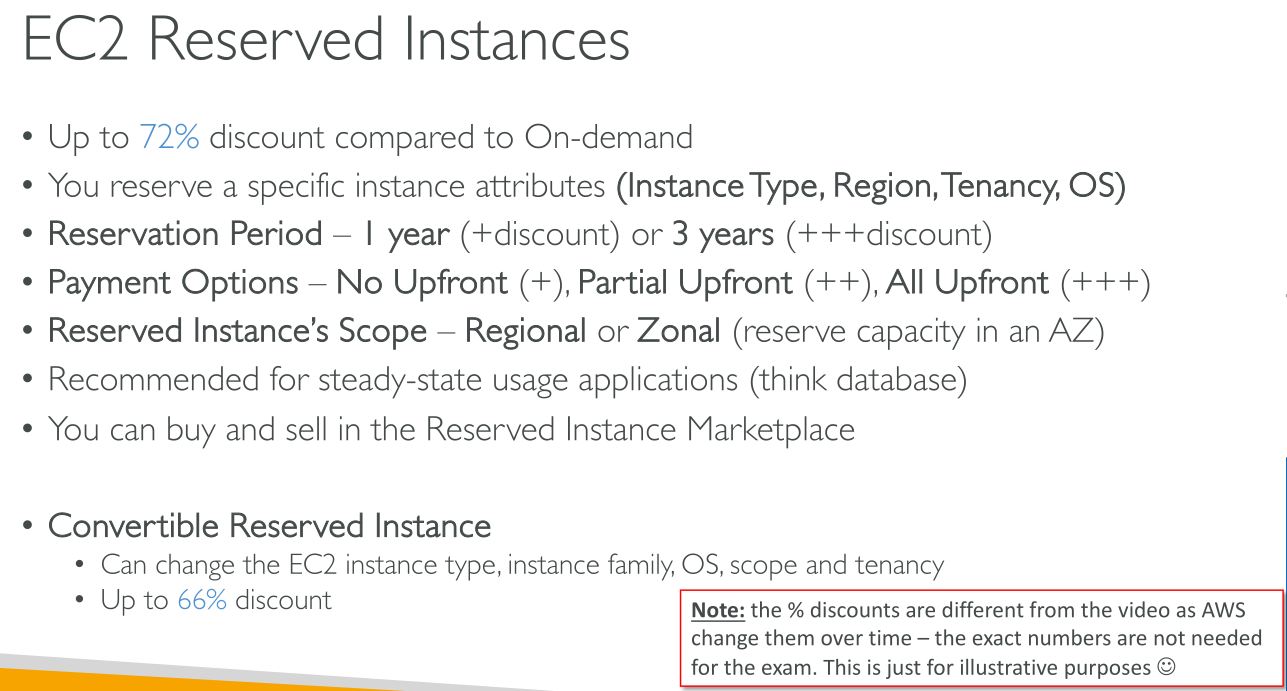
Reserved Instances are not physical instances, but rather a billing discount applied to the use of On-Demand Instances in your account. These On-Demand instances must match certain attributes, such as instance type and Region, in order to benefit from the billing discount.
|
AWS recommends Saving Plans over Reserved Instances: |
Attributes for eligibility (!)
-
Platform (Linux/Windows)
-
Instance Type
-
Availability Zone
-
Tenancy (Dedicated/Shared)
Payment options
-
All Upfront: Full payment is made at the start of the term, with no other costs or additional hourly charges incurred for the remainder of the term, regardless of hours used.
-
Partial Upfront: A portion of the cost must be paid upfront and the remaining hours in the term are billed at a discounted hourly rate, regardless of whether the Reserved Instance is being used.
-
No Upfront: You are billed a discounted hourly rate for every hour within the term, regardless of whether the Reserved Instance is being used. No upfront payment is required.
|
No Upfront Reserved Instances are based on a contractual obligation to pay monthly for the entire term of the reservation. For this reason, a successful billing history is required before you can purchase No Upfront Reserved Instances. |
Offering class
-
Standard: These provide the most significant discount, but can only be modified. Standard Reserved Instances can’t be exchanged.
-
Convertible: These provide a lower discount than Standard Reserved Instances, but can be exchanged for another Convertible Reserved Instance with different instance attributes. Convertible Reserved Instances can also be modified.
Scope
-
Zonal: A zonal Reserved Instance reserves capacity in the specified Availability Zone. No Availability Zone flexibility. No instance size flexibility — the Reserved Instance discount applies to instance usage for the specified instance type and size only. The attributes (tenancy, platform, Availability Zone, instance type, and instance size) of the running instances must match that of the Reserved Instances.
-
Regional: A regional Reserved Instance does not reserve capacity. The Reserved Instance discount applies to instance usage in any Availability Zone in the specified Region. The Reserved Instance discount applies to instance usage within the instance family, regardless of size with a partial effect for instances larger than the configuration you reserved (Only supported on Amazon Linux/Unix Reserved Instances with default tenancy).
Instance size flexibility determined by normalization factor.
Modifying reserved instances
You can modify all or a subset of your Reserved Instances. You can separate your original Reserved Instances into two or more new Reserved Instances. For example, if you have a reservation for 10 instances in us-east-1a and decide to move 5 instances to us-east-1b, the modification request results in two new reservations: one for 5 instances in us-east-1a and the other for 5 instances in us-east-1b.
You can also merge two or more Reserved Instances into a single Reserved Instance. For example, if you have four t2.small Reserved Instances of one instance each, you can merge them to create one t2.large Reserved Instance.