Hibernate
Show slides
Prerequisites for hibernation
-
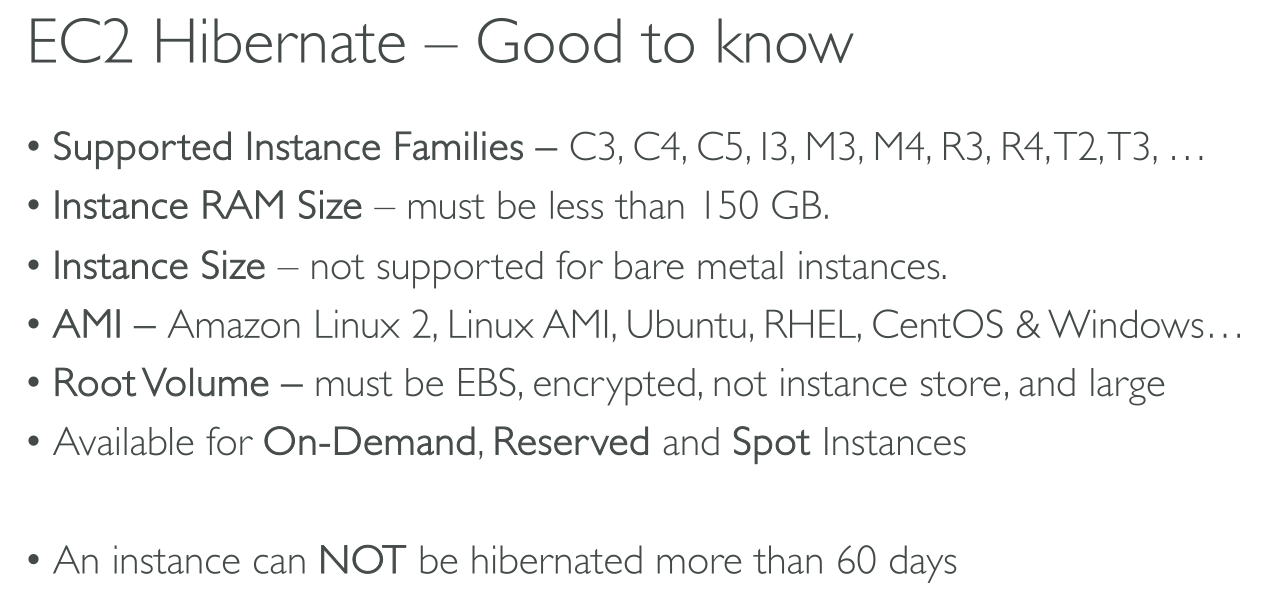
The AMI must support hibernation
-
The instance family must support hibernation:
aws ec2 describe-instance-types --filters Name=hibernation-supported,Values=true --query "InstanceTypes[*].[InstanceType]" --output text | sort -
RAM < 150GB (Linux) or < 16GB (Windows)
-
Sufficient space left on the root device
-
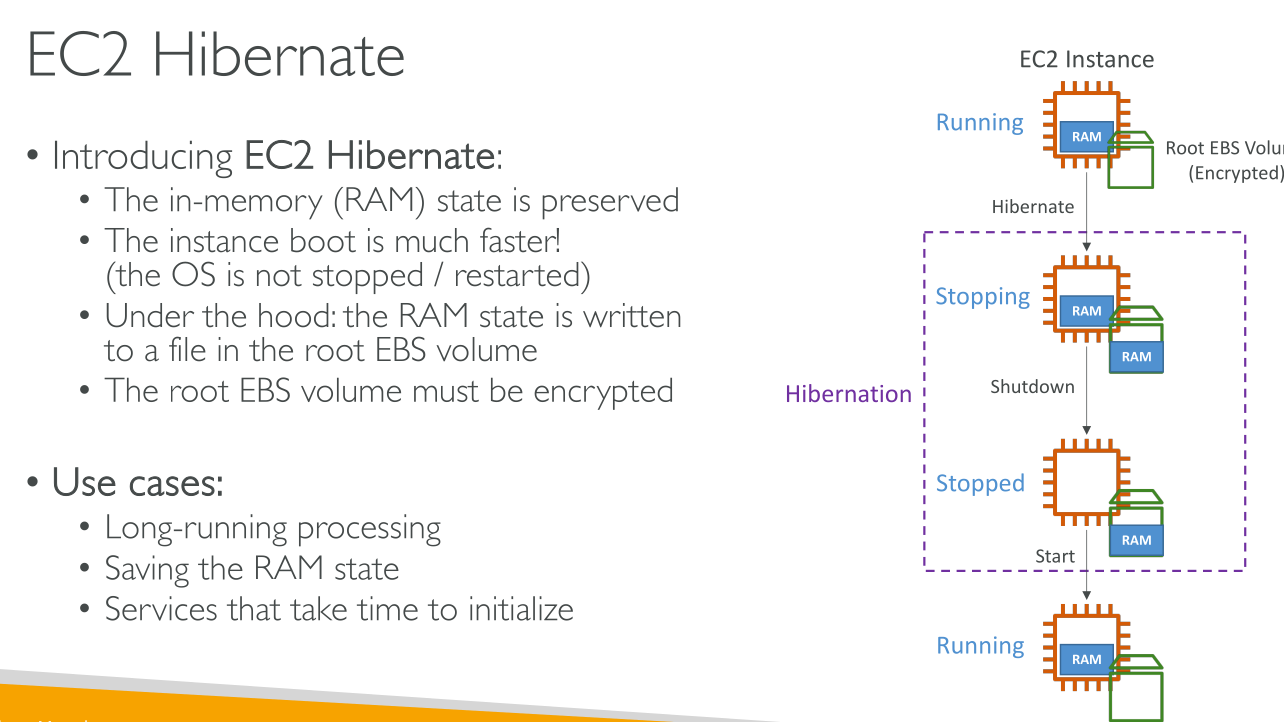
Root volume is encrypted
Limitations
-
When you hibernate an instance, the data on any instance store volumes is lost.
-
There a maximum RAM limit: 150GB for Linux, 16GB for Windows
-
f you create a snapshot or AMI from an instance that is hibernated or has hibernation enabled, you might not be able to connect to a new instance that is launched from the AMI or from an AMI that was created from the snapshot.
-
(Spot Instances only) If Amazon EC2 hibernates your Spot Instance, only Amazon EC2 can resume your instance. If you hibernate your Spot Instance (user-initiated hibernation), you can resume your instance.
-
You can’t hibernate an instance that is in an Auto Scaling group or used by Amazon ECS. If your instance is in an Auto Scaling group and you try to hibernate it, the Amazon EC2 Auto Scaling service marks the stopped instance as unhealthy, and might terminate it and launch a replacement instance.
-
You can’t hibernate an instance that is configured to boot in UEFI mode with UEFI Secure Boot enabled.
-
If you hibernate an instance that was launched into a Capacity Reservation, the Capacity Reservation does not ensure that the hibernated instance can resume after you try to start it.
-
We do not support keeping an instance hibernated for more than 60 days. To keep the instance for longer than 60 days, you must start the hibernated instance, stop the instance, and start it.