IAM
Identity providers and federation
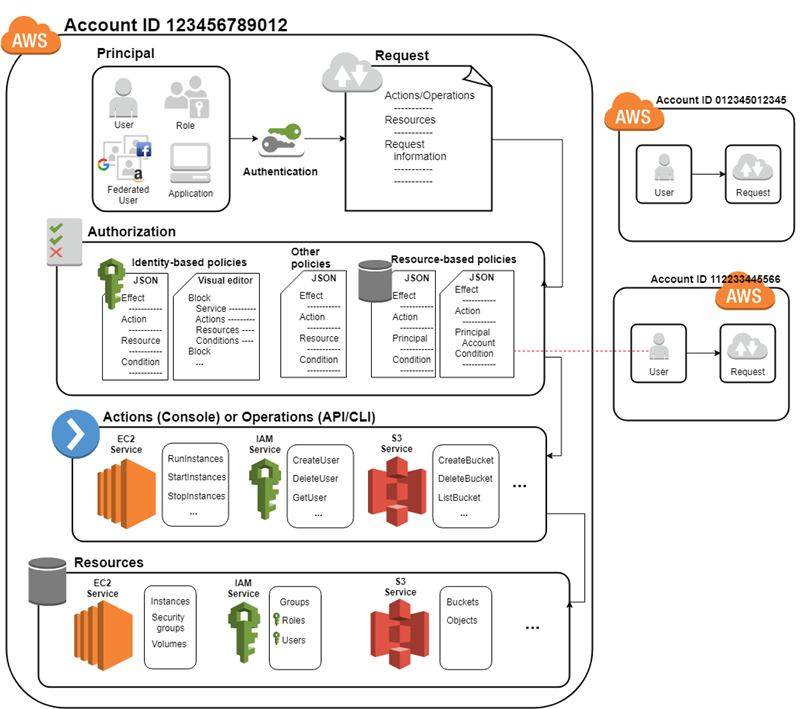
An external IdP provides identity information to AWS using either OpenID Connect (OIDC) or SAML 2.0 (Security Assertion Markup Language 2.0).
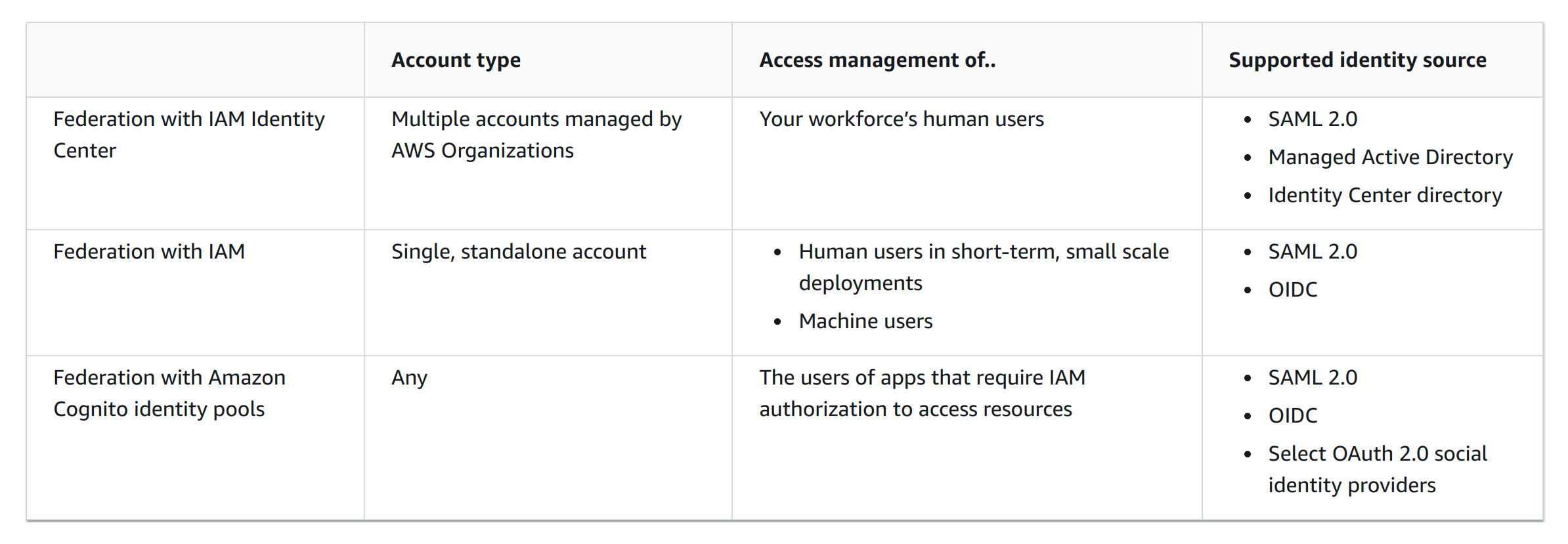
Which service to use? (IAM Federation, IAM Identity Center, Amazon Cognito)
IAM Best Practices
Logging and monitoring
-
AWS CloudTrail ⇒ Amazon CloudWatch
-
IAM Access Analyzer
-
Amazon CloudWatch logs
Security best practices
-
Require human users to use federation with an identity provider to access AWS using temporary credentials. For centralized access management, we recommend that you use AWS IAM Identity Center (IAM Identity Center) to manage access to your accounts and permissions within those accounts.
-
Require workloads to use temporary credentials with IAM roles to access AWS. IAM roles have specific permissions and provide a way to access AWS by relying on temporary security credentials with a role session. For machines that run outside of AWS you can use AWS Identity and Access Management Roles Anywhere.
-
Require multi-factor authentication (MFA). MFA can be used to secure access to SPECIFIC AWS SERVICE APIS.
-
Update access keys when needed for use cases that require long-term credentials. There are specific use cases that require long-term credentials with IAM users in AWS:
-
Workloads that cannot use IAM roles (E.g.: Wordpress plugins).
-
Third-party AWS clients. If you are using tools that don’t support access with IAM Identity Center, such as third-party AWS clients or vendors that are not hosted on AWS, use IAM user long-term access keys.
-
AWS CodeCommit access.
-
Amazon Keyspaces (for Apache Cassandra) access.
-
-
Apply least-privilege permissions.
-
Use IAM Access Analyzer to generate least-privilege policies based on access activity.
-
Regularly review and remove unused users, roles, permissions, policies, and credentials. IAM provides last accessed information to help you identify the users, roles, permissions, policies, and credentials that you no longer need so that you can remove them.
-
Use conditions in IAM policies to further restrict access.
-
Verify public and cross-account access to resources with IAM Access Analyzer.
-
Use IAM Access Analyzer to validate your IAM policies to ensure secure and functional permissions.
-
Establish permissions guardrails across multiple accounts.
-
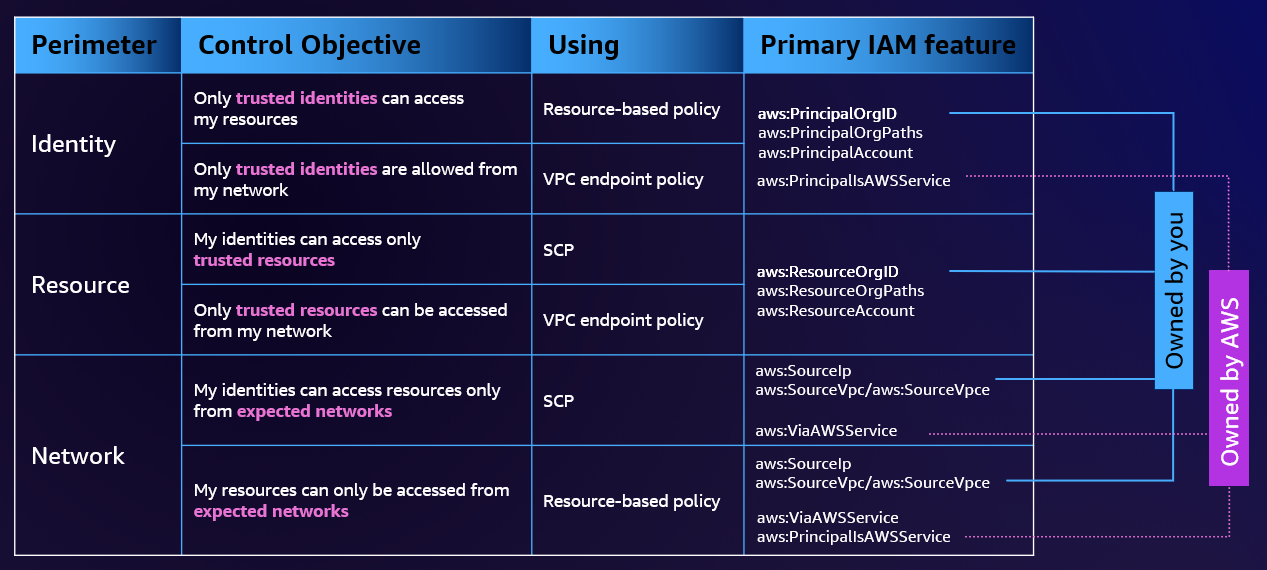
Use permissions boundaries (Data perimeter) to delegate permissions management within an account.
Root Account best practices
-
Secure your root user credentials
-
Strong password
-
MFA
-
No access keys
-
Use multi-approval for sign-in
-
Use a group email address for credentials
-
Restrict access to account recovery
-
Use Service Control Policies (SCP) in organizations. It doesn’t work for management accounts, members only.
-
Monitor access